
Role-based learning dashboards for L&D teams
Decide in Analytics, then execute in TraineryLearn.
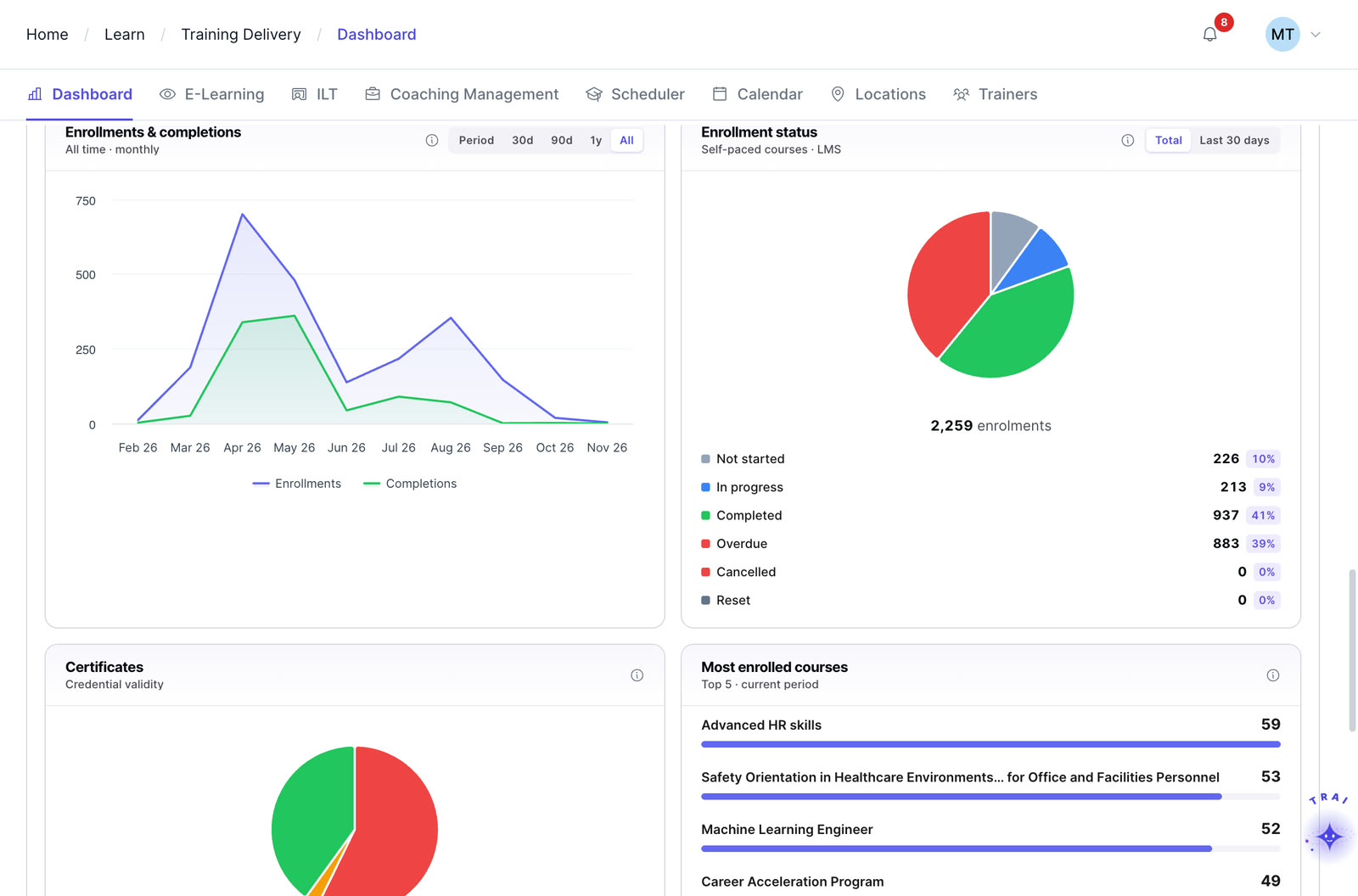
Connect learning dashboards to training operations
Most learning platforms blur reporting and workflow into one overloaded admin view, leaving learners, managers, and L&D leaders to dig through the same screens looking for very different answers.
A two-layer LMS architecture: an Analytics layer to decide, a TraineryLearn layer to do. The only corporate LMS architected to keep insight and operations distinct, so leaders can think clearly and teams can move quickly.
Surface 1, Analytics: learning dashboards as the decision layer
Dashboards, Reports, and Custom Reports designed for reflection, trend analysis, and executive insight. Role-based dashboards for CHROs, L&D leaders, Unit Heads, and Learners surface the metrics that drive decisions: completion trends, branch investment, ILT attendance, cohort performance, course catalog health, and customer training ROI.
Composable widgets, shareable layouts, and configurable reports let every stakeholder see the story behind the numbers and act with confidence.
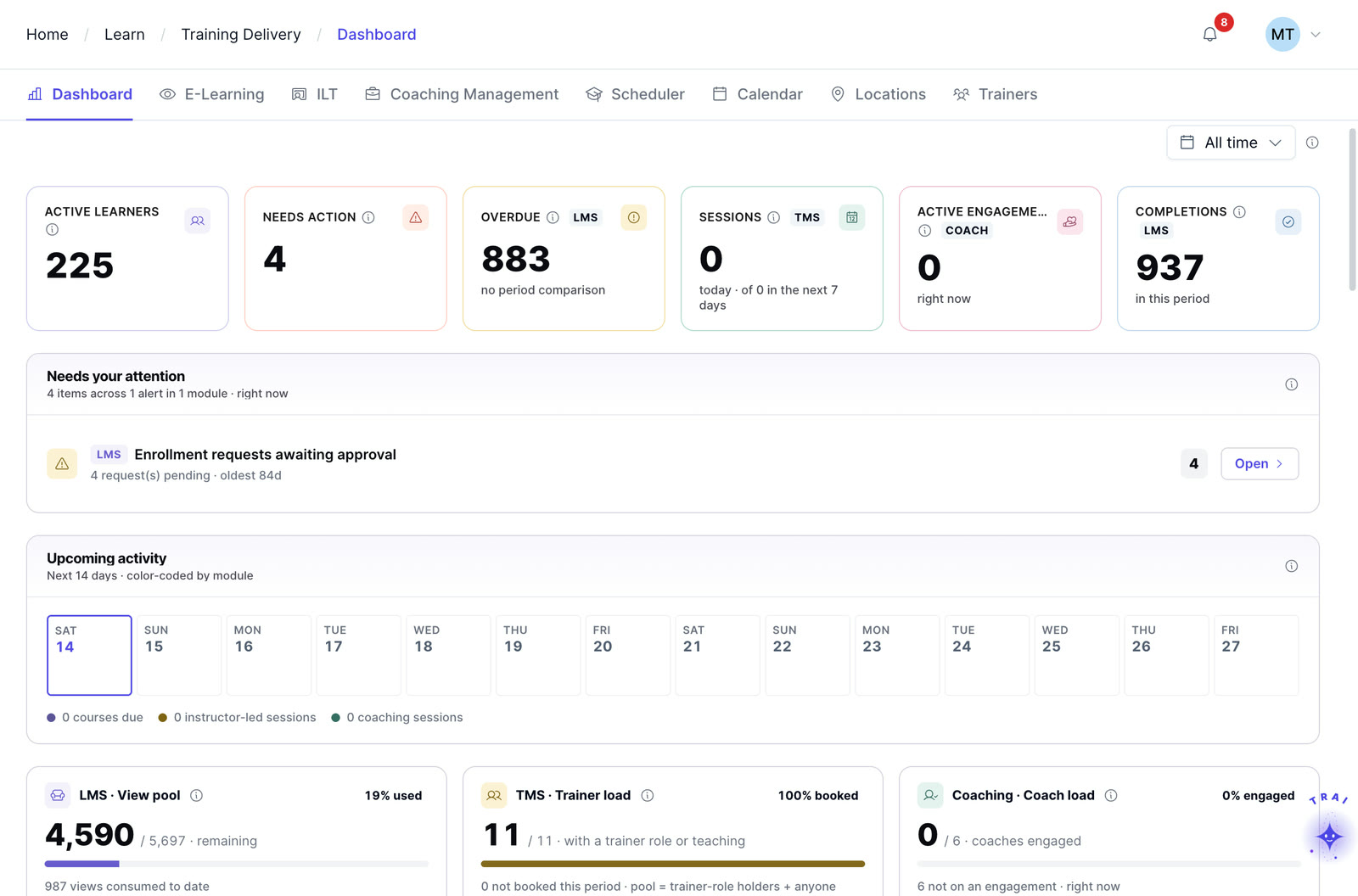
Surface 2, TraineryLearn: the operational layer
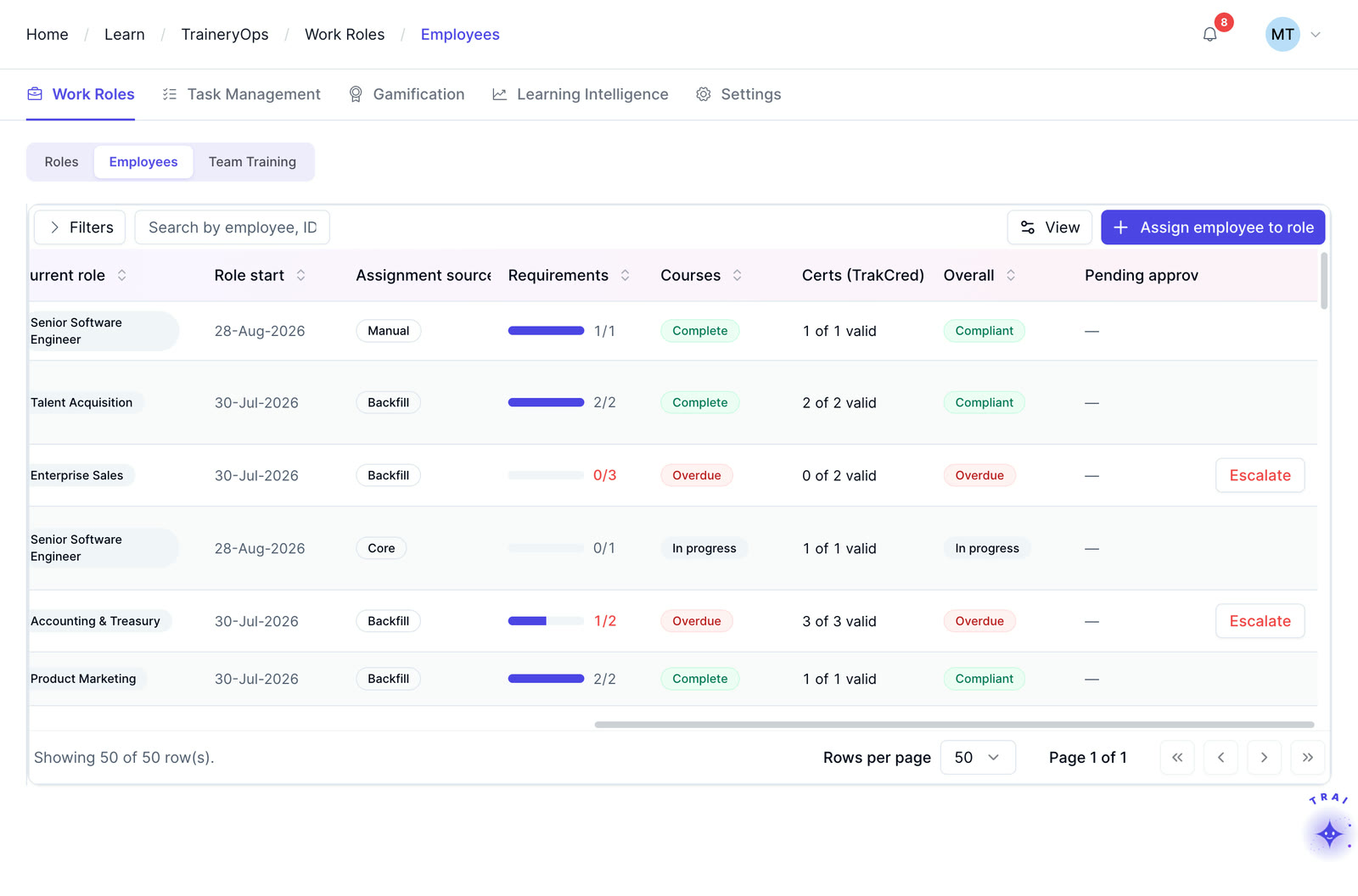
Course Catalog, Manage Learning, Extended Enterprise, Trainery OPS, and the Trainery Marketplace power the live, day-to-day work of training. Assign courses, schedule sessions, approve enrollments, manage instructors, deliver content, and engage learners in real time.
Purpose-built for the people who run the program, not the people reading reports about it, TraineryLearn turns L&D from a series of disconnected tasks into a continuous, measurable operation.
- ISO Tech-Security Course roster assigned to NW regionManage LearningAssigned
- Schedule Webex sessions with Instructor VanceTrainery OPS pipeline, +18.5%Active catalog
Role-based dashboards built for every learning stakeholder
Every stakeholder needs a different view of learning performance. TraineryHCM delivers personalized dashboards designed around responsibilities, priorities, and decisions, giving executives strategic visibility, administrators operational control, managers team-level insight, and learners a focused experience that keeps progress on track.
CHRO / CLO dashboard
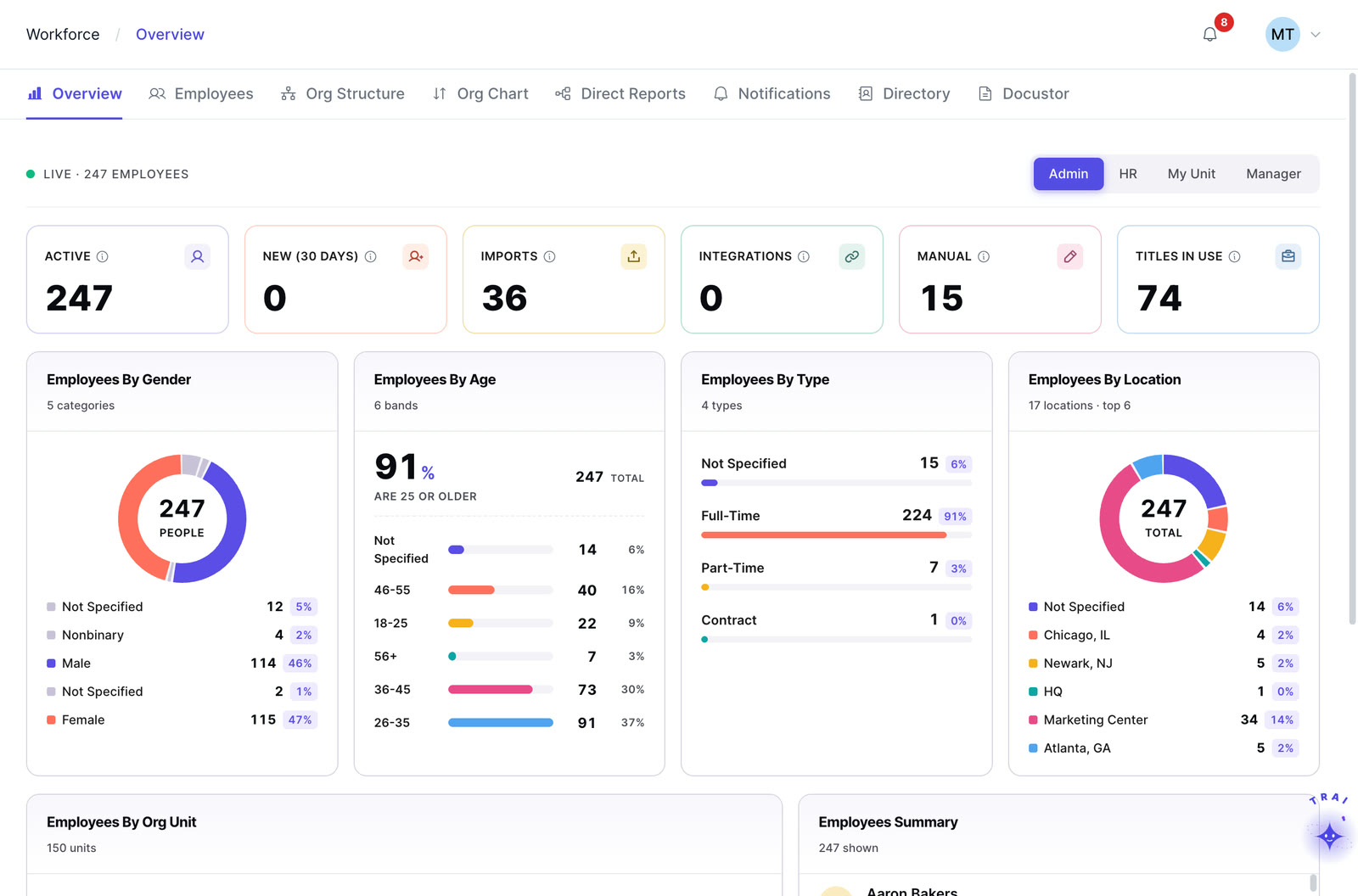
Built for executive visibility and strategic workforce development planning, the CHRO / CLO Dashboard gives leadership teams a high-level view of organizational learning performance, engagement trends, investment impact, and customer learning outcomes.
- Branch learning investment
- Active learner rate
- Completion trend
- Customer health
L&D admin dashboard
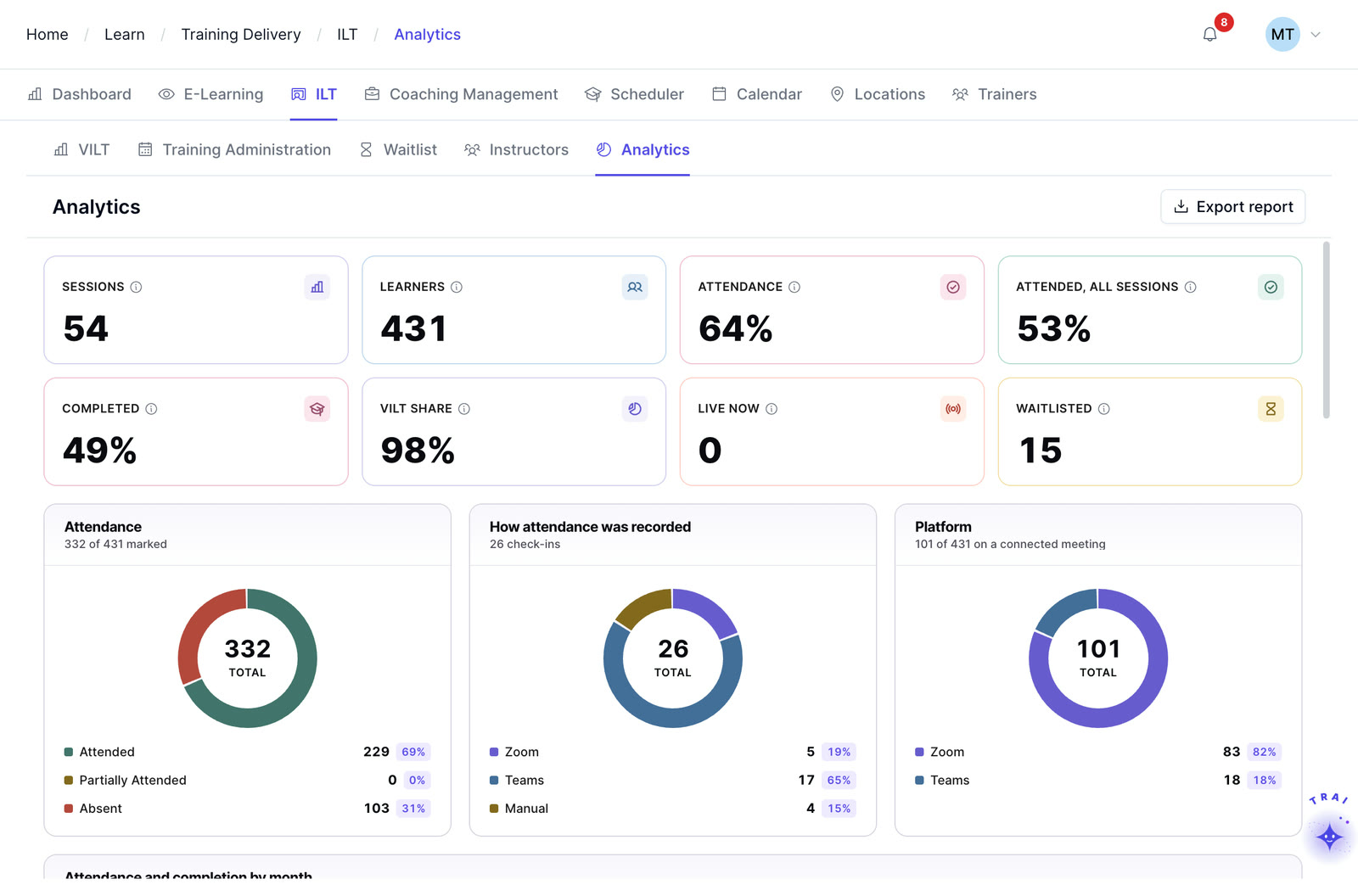
Designed for training administrators and learning operations teams, the L&D Admin Dashboard centralizes day-to-day learning management activities into a single operational workspace. Monitor course performance, track overdue assignments, manage ILT sessions, and keep training programs running efficiently in real time.
- Course catalog health
- Overdue assignments
- ILT completion
- Session effectiveness
Unit head / manager dashboard
Give department leaders and managers actionable team-level learning insights. The Unit Head Dashboard provides visibility into learner engagement, branch investment, and employee development progress so managers can support growth, improve accountability, and align learning initiatives with business performance.
- Top learners in branch
- Branch learning investment
- My team’s learning plan
Learner dashboard
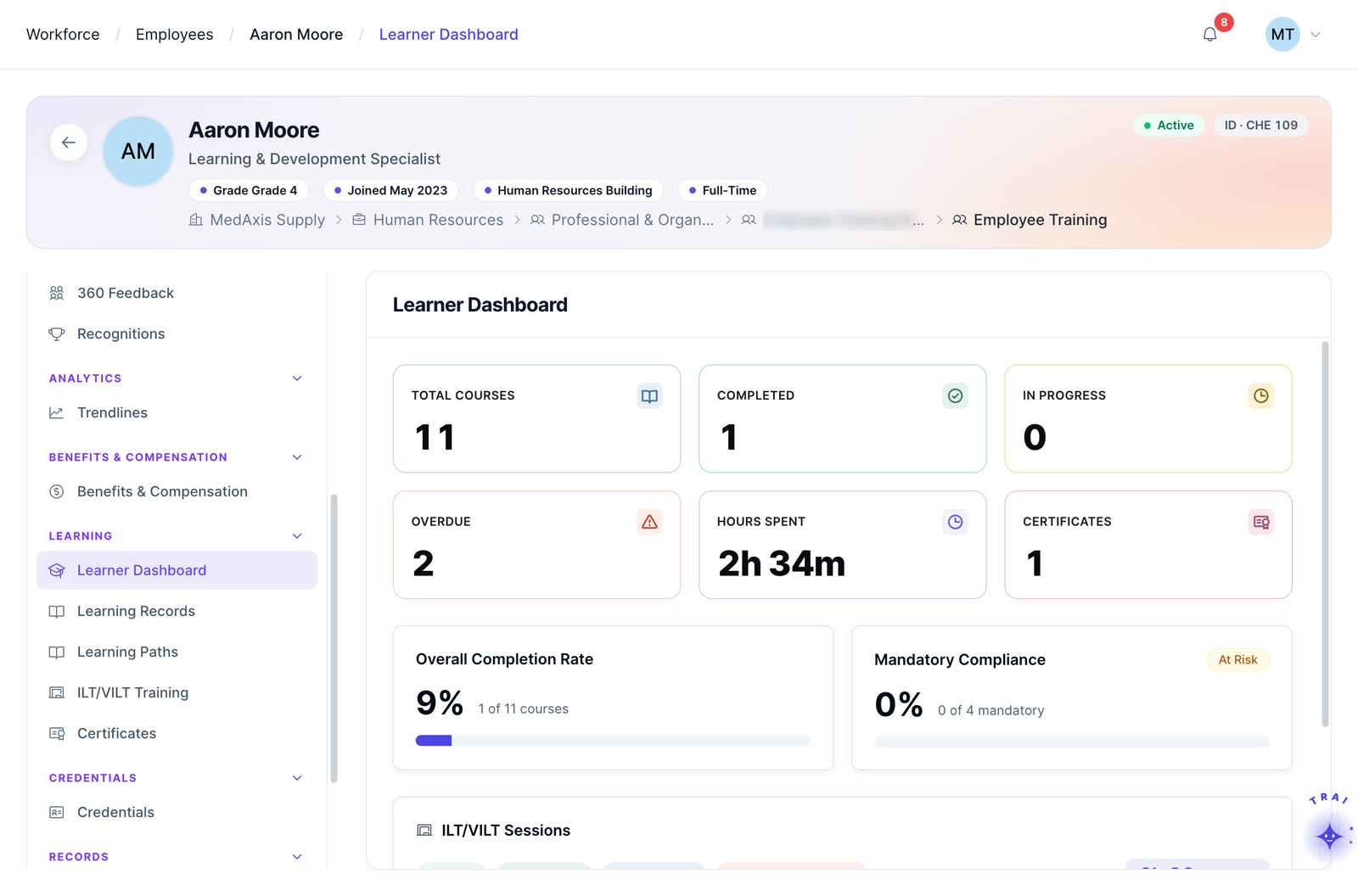
Give learners a focused and personalized learning experience designed around clarity, progress, and engagement. The Learner Dashboard surfaces active learning plans, usage insights, upcoming deadlines, and progress tracking in a clean interface that keeps users motivated and on schedule.
- My learning plan
- Learning usage metrics
- Completion trend
- Due dates
How role-based dashboards support L&D decisions
Nine differences between a traditional LMS and Trainery’s two-layer approach, side by side.
| Traditional LMS | Trainery |
|---|---|
| One crowded interface | Two-layer architecture |
| Reporting + operations mixed | Insights and execution separated |
| Generic dashboards | Role-based dashboards |
| LMS-only reporting | LMS + ILT and virtual training visibility |
| Complex admin-heavy workflows | Clean operational workflows |
| Static reporting | Interactive analytics |
| Operational noise for leaders | Focused executive insights |
| Disconnected learning workflows | Unified operational system |
| Limited personalization | Personalized user experiences |
Frequently asked questions
What makes TraineryLearn different from traditional LMS platforms?
TraineryLearn is built on a unique two-layer architecture that separates analytics from operations. Instead of combining dashboards, workflows, approvals, and reporting into one crowded interface, TraineryLearn creates a clear distinction between decision-making and execution, helping leaders gain insight while operational teams work faster and more efficiently.
What is the Analytics Layer in TraineryLearn?
The Analytics Layer is the decision surface of the platform. It provides role-based dashboards, custom reports, KPI widgets, and learning analytics designed for executives, L&D leaders, managers, and stakeholders who need visibility into performance, trends, engagement, and business impact.
What is the TraineryLearn Operational Layer?
The Operational Layer is where day-to-day learning activities happen. Teams can assign courses, schedule sessions, manage ILT programs, approve enrollments, deliver content, track learners, and run training operations in real time.
Why separate insights from operations?
Most LMS platforms overload users with too much information in one interface. TraineryLearn separates insights from execution so executives can focus on strategic decisions while learning teams manage workflows without operational noise or reporting distractions.
Does TraineryLearn support Instructor-Led Training (ILT)?
Yes. TraineryLearn includes native ILT and training management capabilities directly within the platform. Organizations can manage attendance, instructors, sessions, training effectiveness, and customer training metrics without relying on external systems or integrations.
Who are the role-based dashboards designed for?
TraineryLearn provides dashboards tailored for multiple stakeholders, including CHROs, CLOs, L&D administrators, Unit Heads, Managers, and Learners. Each dashboard is designed around the responsibilities and priorities of that specific role.
Can dashboards be customized?
Yes. The Analytics Layer includes composable widgets, configurable reports, and shareable layouts, allowing organizations to customize dashboards based on business goals, learning priorities, and user roles.
See role-based learning dashboards in Trainery
If you’ve ever wanted dashboards that lead with insight instead of admin screens, and operational tools designed to run learning programs instead of simply reporting on them, TraineryHCM is built for you. Discover how our two-layer architecture transforms the way L&D teams, managers, and executives collaborate, decide, and execute.