Compliance training software for mandatory employee training

Configure mandatory training assignments using workforce rules such as department, role, and hire date; track deadlines, reminders, completions, attestations, and supporting records for compliance review.

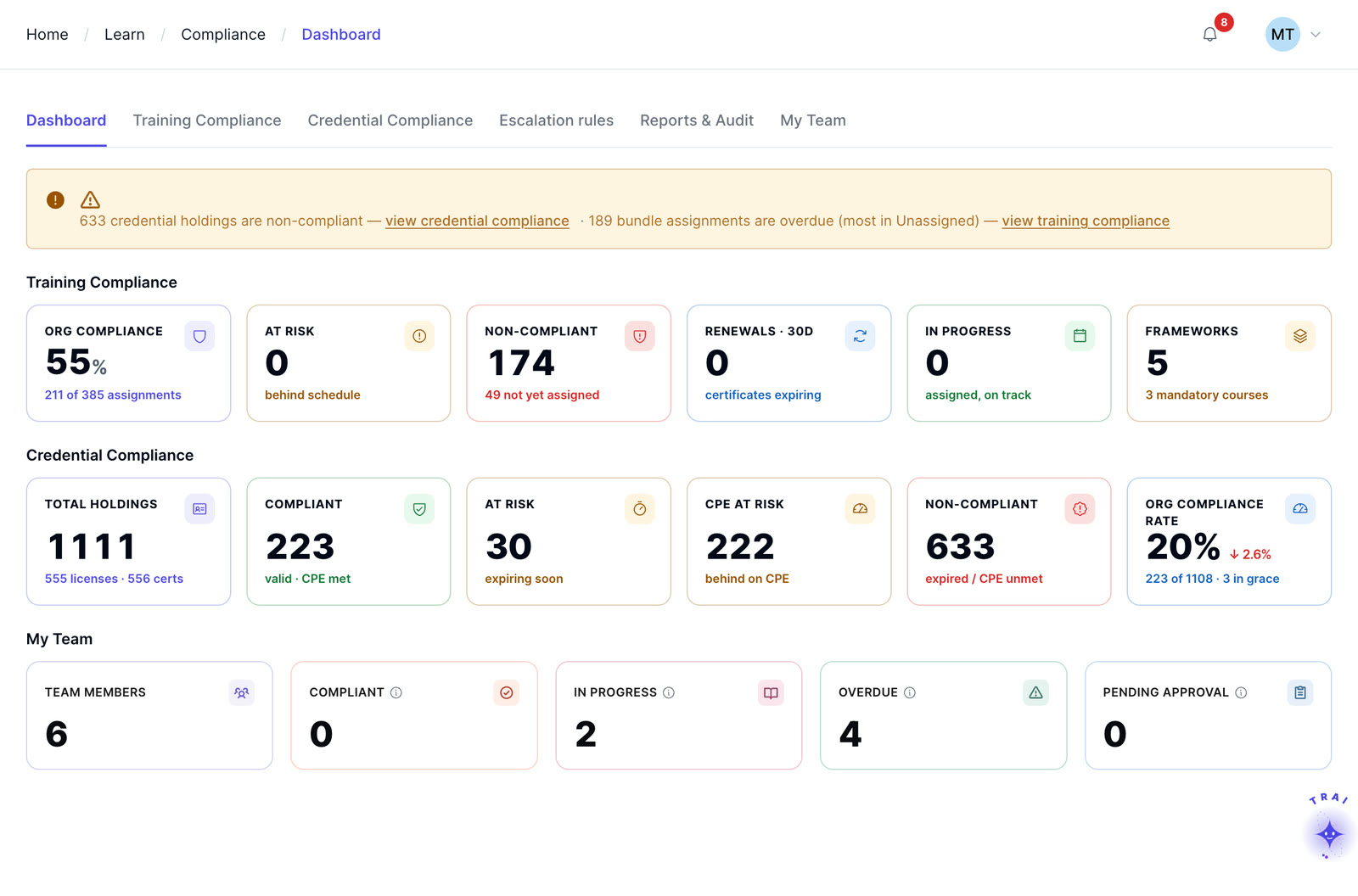
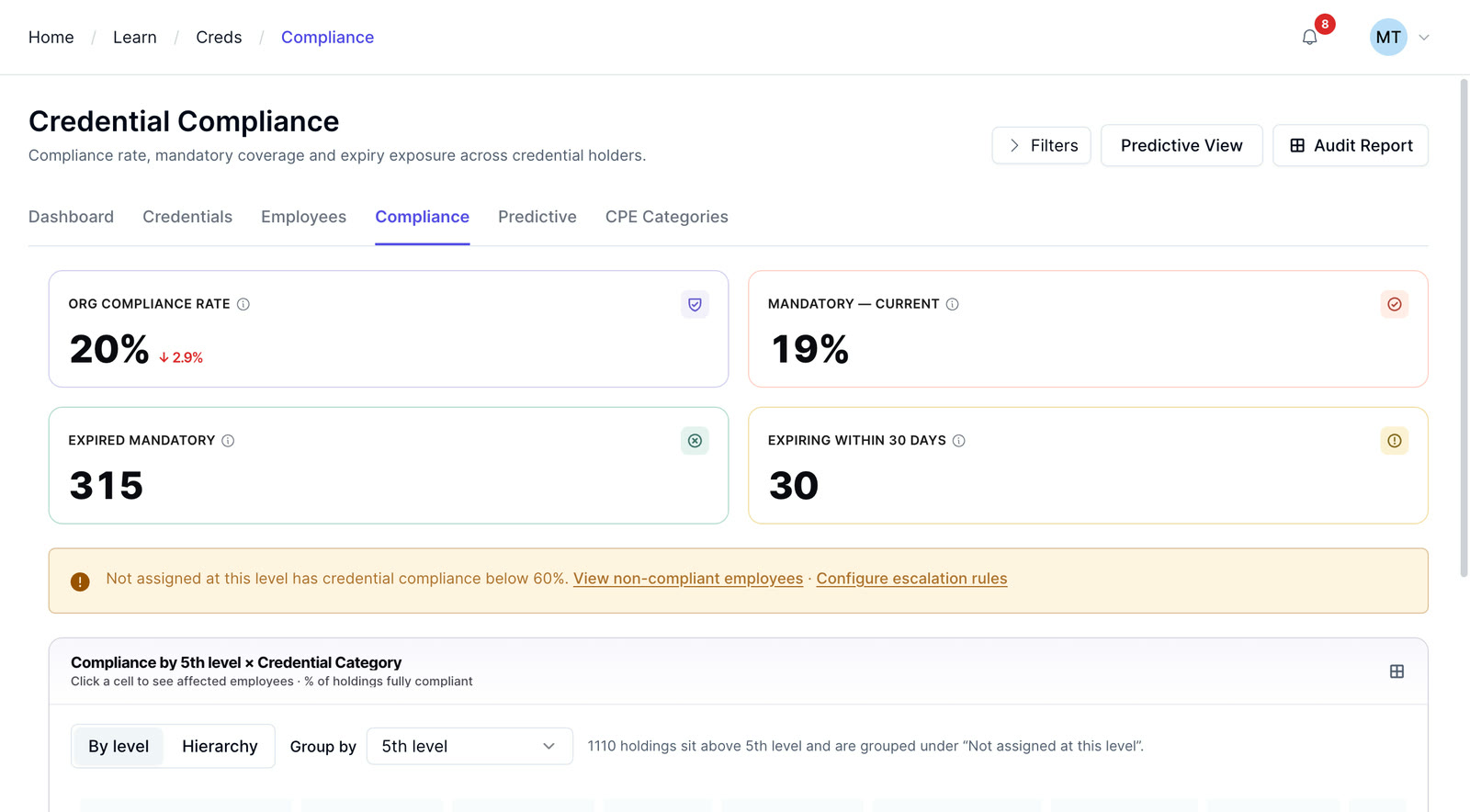
The Trainery compliance dashboard: training compliance and credential compliance in one view

Compliance training isn’t optional. Neither is proving it

Compliance training software for HCM & staffing teams, covering mandatory training assignment, tracking & reporting.

Documentation is the requirement, not a side effect

Mandatory training requirements vary by industry, jurisdiction, workforce, role, and applicable regulation. Compliance teams should define the training, documentation, renewal, and evidence requirements that apply to their organization, then configure learning workflows around those requirements.

What a general learning platform is missing

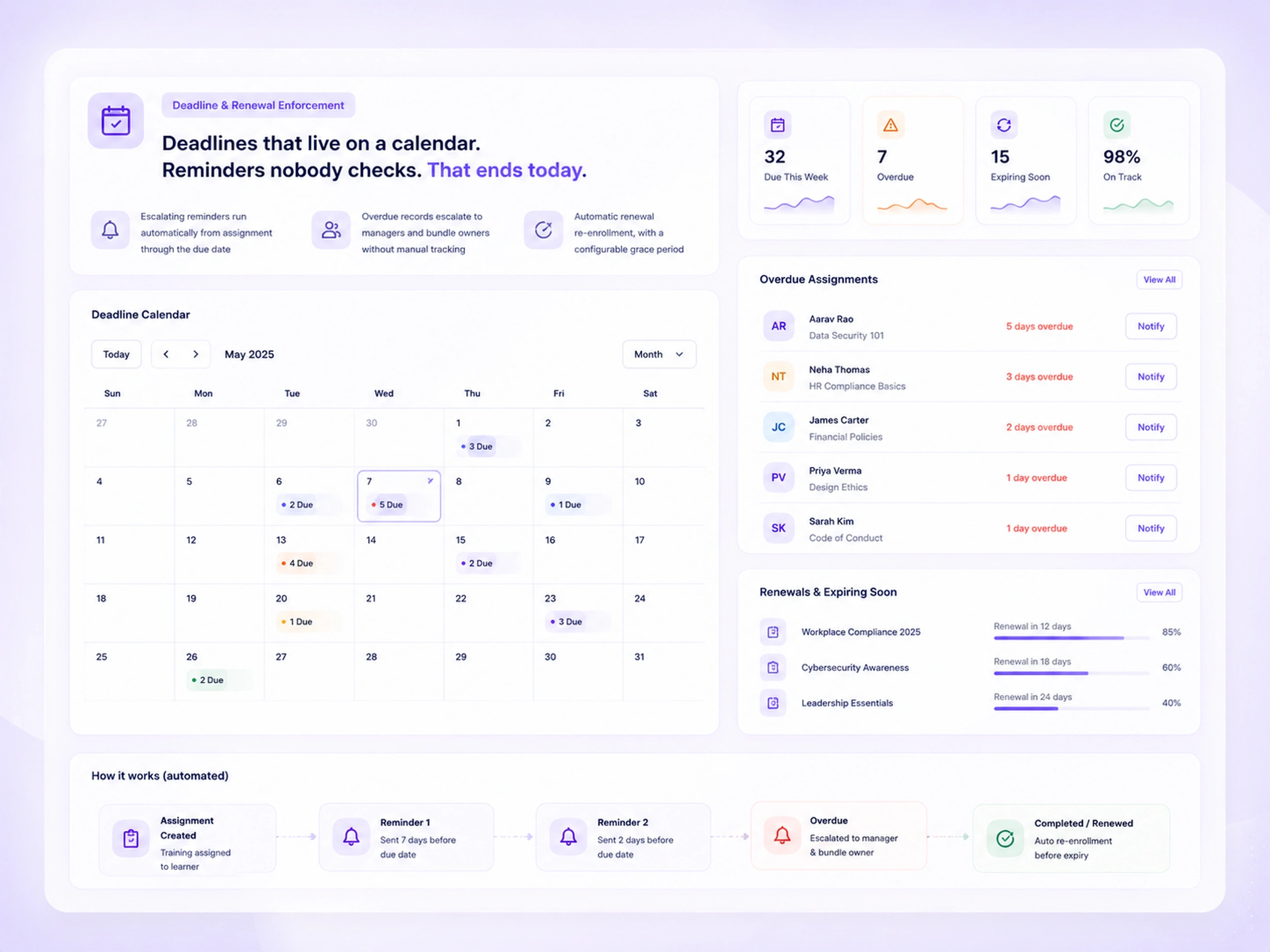
Compliance training by rules, not reminders

Six capabilities support mandatory training assignment, tracking, renewal, and documentation in one workflow.

Compliance bundle creation

Compliance training buried in generic course folders. That ends today.

TrAI replaces ad hoc learning paths with a purpose-built Compliance Bundle type: every regulatory tag, deadline, and renewal rule lives with the training itself, not in a separate tracking sheet.

  • Tag bundles with regulatory frameworks: FLSA, FCRA, EEOC, OSHA, HIPAA, state law
  • Set mandatory completion, deadline window, and renewal cycle at the bundle level
  • Mark courses Core or Elective, with pass scores and an enforced completion order
Compliance Bundle screen for Workplace Compliance 2025 showing frameworks such as FLSA, EEOC, OSHA and HIPAA, mandatory completion, deadline window, renewal cycle, assigned learners and core versus elective courses

One platform, four very different jobs to do

Who needs to prove compliance, what each role needs, and where it hurts today.

Compliance officer / HR admin

Assign mandatory training by rule and prove completion the moment an auditor asks.

Needs to: assign mandatory training to everyone in a role, then track and prove completion when auditors ask.

Pain today: manual assignment per person; no audit trail; no renewal automation.
Department manager

See exactly who on your team is overdue and what to do next.

Needs to: see which direct reports are overdue and know what corrective action to take.

Pain today: no manager-level visibility; finds out only at audit time.

Employee / learner

Know what’s required, when it’s due, and download your certificate when done.

Needs to: know what’s required, when it’s due, and how to complete it.

Pain today: unclear requirements; no deadline visibility; no certificate to save.

Platform admin

Set compliance rules once. New hires and role changes handle themselves.

Needs to: configure org-wide compliance rules once and have them apply automatically to new hires and role changes.

Pain today: re-assignment required on every structural change; error-prone.

From setup to certificate, in three steps

Admins set the rule, managers act on the tracker, and learners finish with a certificate.

  1. Create & auto-assign

    • Create a Compliance Bundle and add the required courses (e.g., I-9, EEO Basics, Anti-Harassment, FCRA)
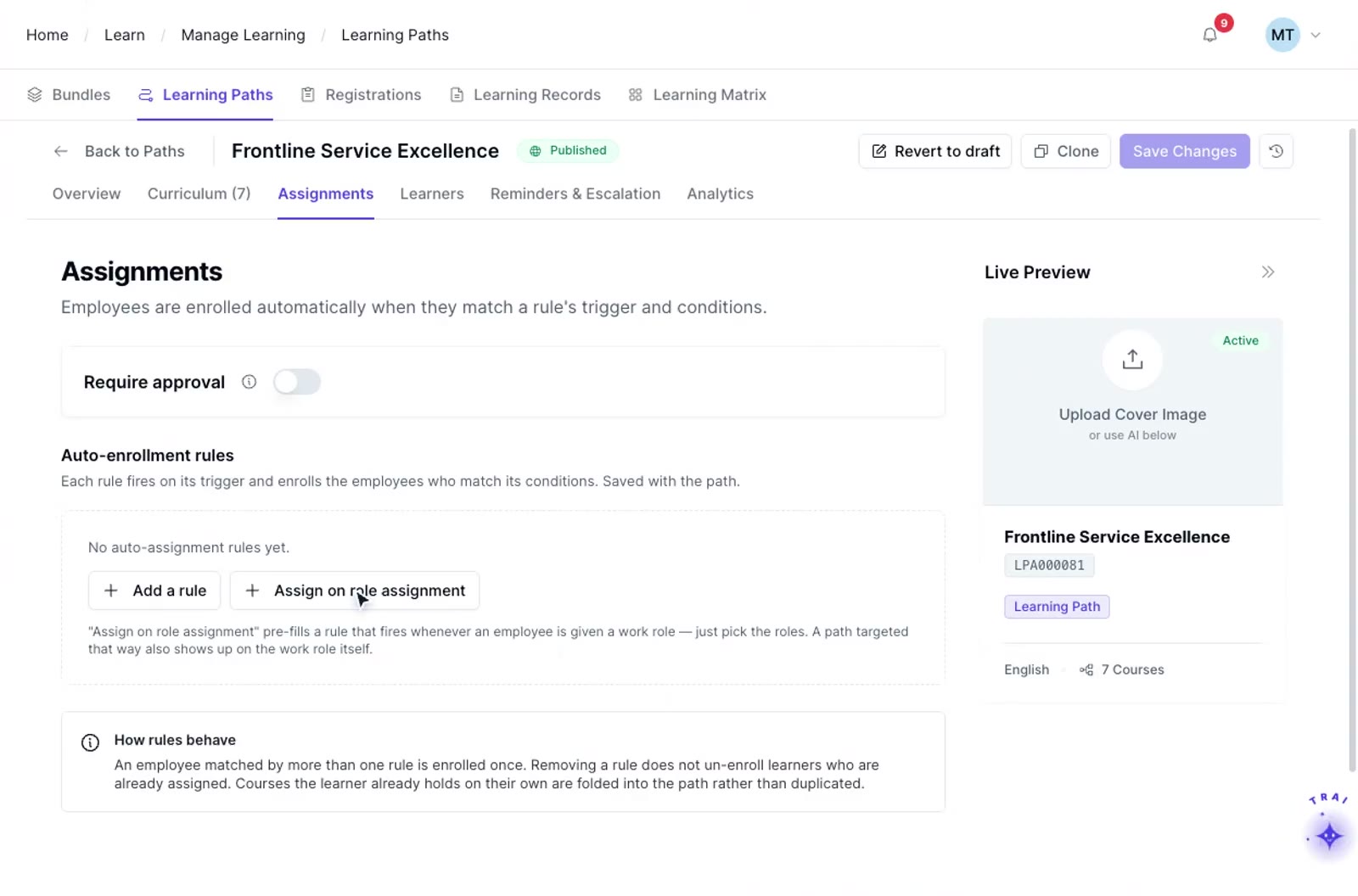
    • Add an assignment rule: trigger “On Hire,” condition “Department = Recruiting”
    • Preview matching employees before activating
    • Rule activates: matching employees are enrolled immediately; future hires are enrolled automatically
  2. Monitor & act

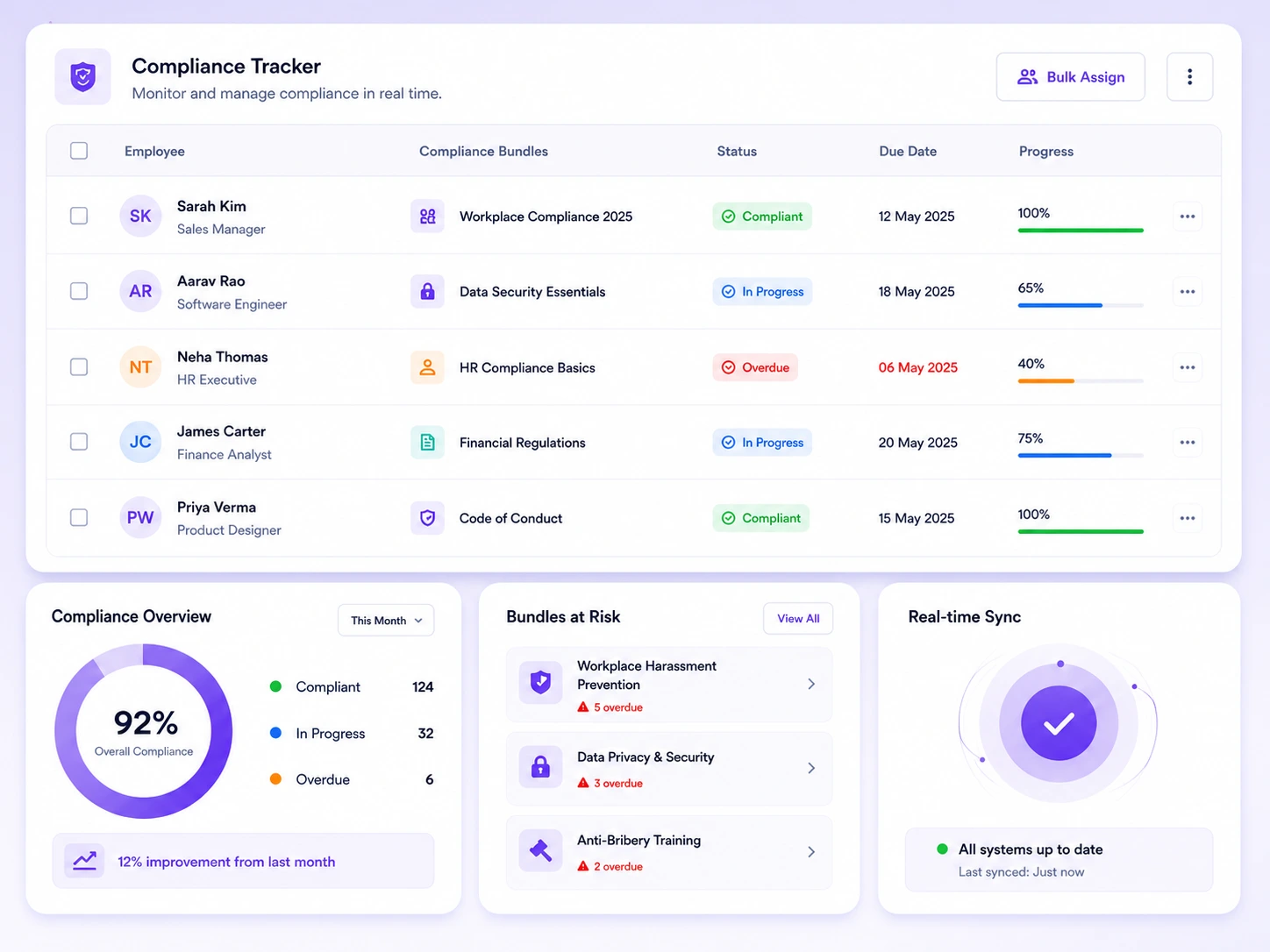
    • Open the Compliance Tracker and filter by department
    • See status at a glance: Completed, In Progress, Overdue
    • Drill into an overdue employee’s record
    • Send a direct reminder; the action is logged automatically
  3. Complete & certify

    • Receive a notification that mandatory training is due
    • Open the learner portal, see progress and the deadline at a glance
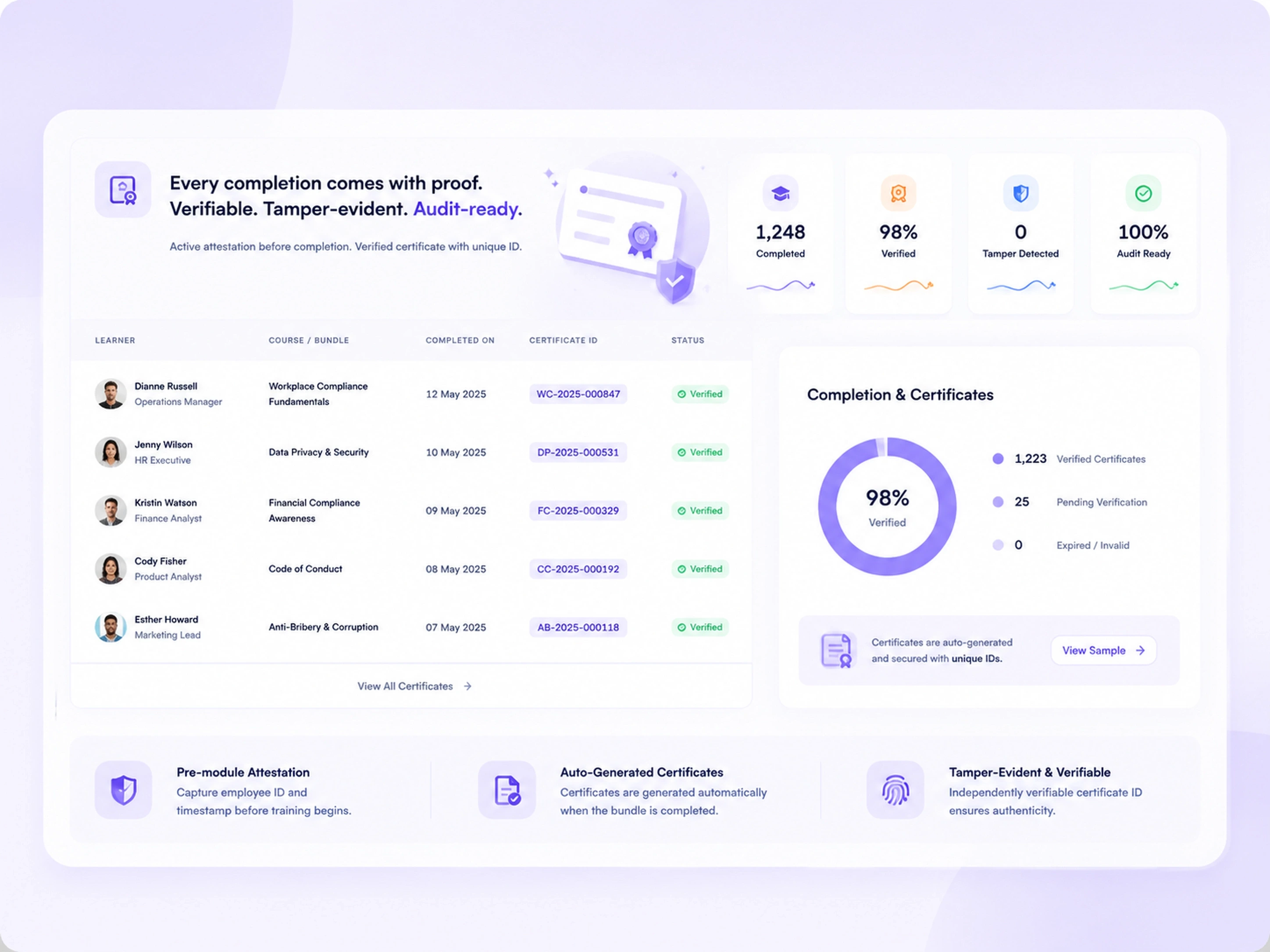
    • Complete each course; acknowledge understanding via attestation before it’s marked done
    • On final completion, a certificate is generated and emailed automatically, and status updates in real time

Audit-grade security & performance for the enterprise

The same rigor your auditors expect, built into the platform itself.

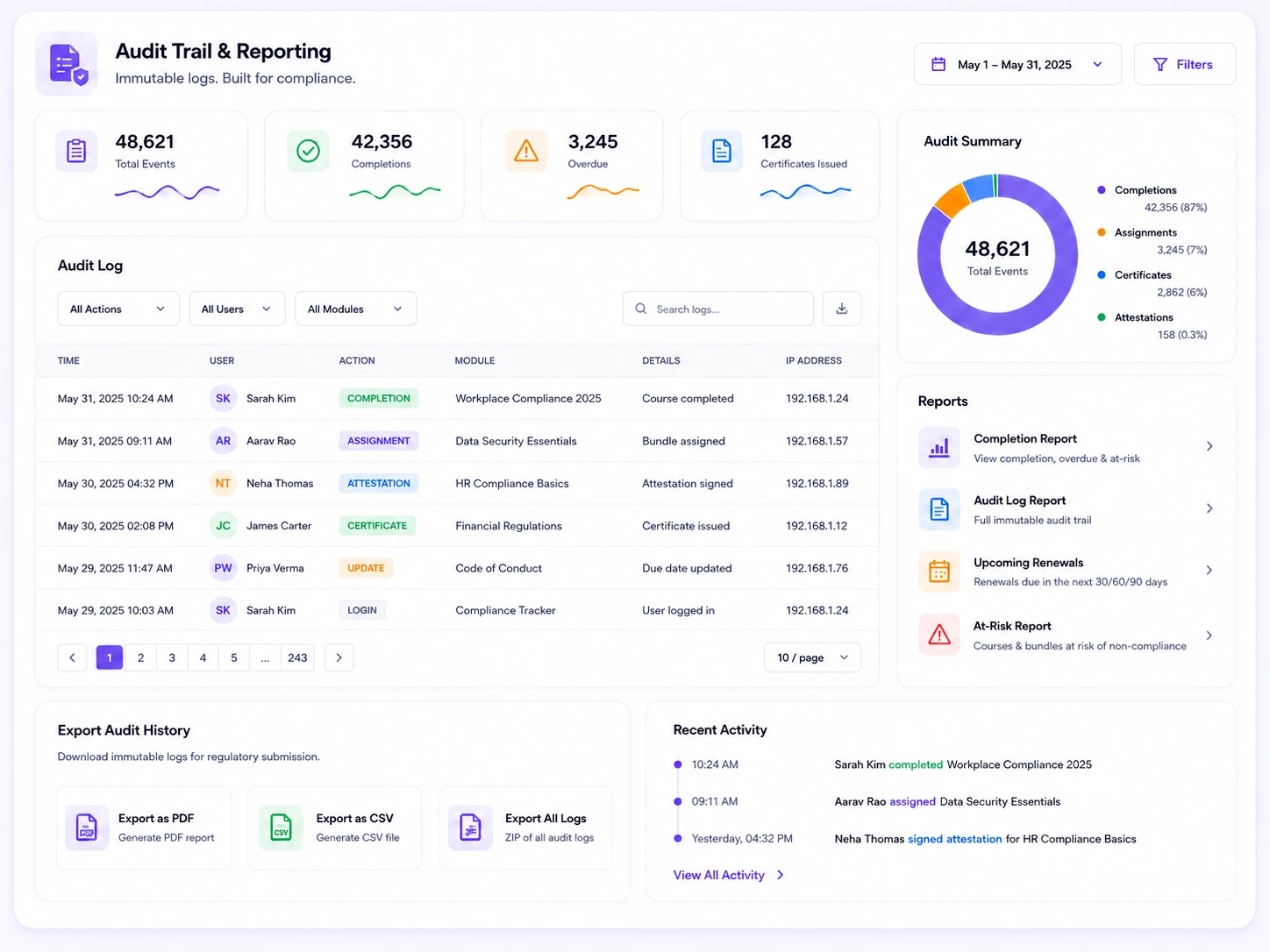
  • Append-only audit logNo update or delete operations, even for admins.
  • Cryptographically signed attestation recordsFor provable employee acknowledgment.
  • Tamper-evident certificatesWith independently verifiable IDs.
  • Role-based accessCompliance reports restricted to Compliance Viewer or Admin roles.
<2sAssignment rules evaluate on hire or role change
<3sCompliance dashboard load, up to 500 employees
<5sAudit log queries with date-range filters
<10sCertificate generation, start to finish

Best compliance training software comparison

TrAI compliance training software compared with a generic employee training platform
CapabilityTrAI compliance training softwareGeneric employee training platform
Rule-based assignmentAND/OR logic across department, role, location, employment type, tenureLimited to role or hire date
Renewal handlingAutomatic re-enrollment on annual/biennial cycle, with grace periodManual re-enrollment
Proof of understandingPer-module attestation with employee ID and timestampCompletion timestamp only
Certificate integrityTamper-evident, independently verifiable certificate IDEditable PDF
Audit log protectionAppend-only, no edits permitted, even by adminsAdmin-editable history
HRIS integrationReal-time sync; auto-enrollment on role or department changeManual export/import

Frequently asked questions

Mapping your compliance requirements? Call us at +91 85548 62389, 9 AM to 6 PM IST.

What is compliance training software?

Compliance training software automates mandatory employee training assignment, deadline enforcement, and audit documentation.

Unlike a general LMS that just tracks completion, it assigns the right training to the right person by rule, enforces deadlines, captures attestation, and maintains an immutable audit trail that proves compliance under regulatory review.

How does compliance training software differ from a standard LMS?

A standard LMS delivers courses and tracks who finished them. Compliance training software automates the entire compliance workflow (rule-based assignment, renewal cycles, deadline enforcement, attestation, and append-only audit logging) so records hold up when a regulator asks for proof, not just a completion date.

Can compliance training software auto-assign training based on HRIS data?

Yes. Rules can trigger on hire, role change, department transfer, or a schedule, using conditions like department, job title, employment type, and location. When an employee’s HRIS record changes, assignment happens automatically, with no manual re-enrollment.

How quickly can we deploy compliance training software?

Implementation scope depends on your HRIS connection, compliance rules, content, audience size, and reporting requirements. A Trainery specialist can review those requirements and define an appropriate rollout plan.

Stop building compliance defense after the fact

Review how Trainery can support your mandatory training assignments, reminders, renewal workflows, attestations, certificates, and reporting requirements.