
Reusable course templates for corporate training

Create repeatable onboarding, compliance, safety, product, and skills training with reusable course structures.

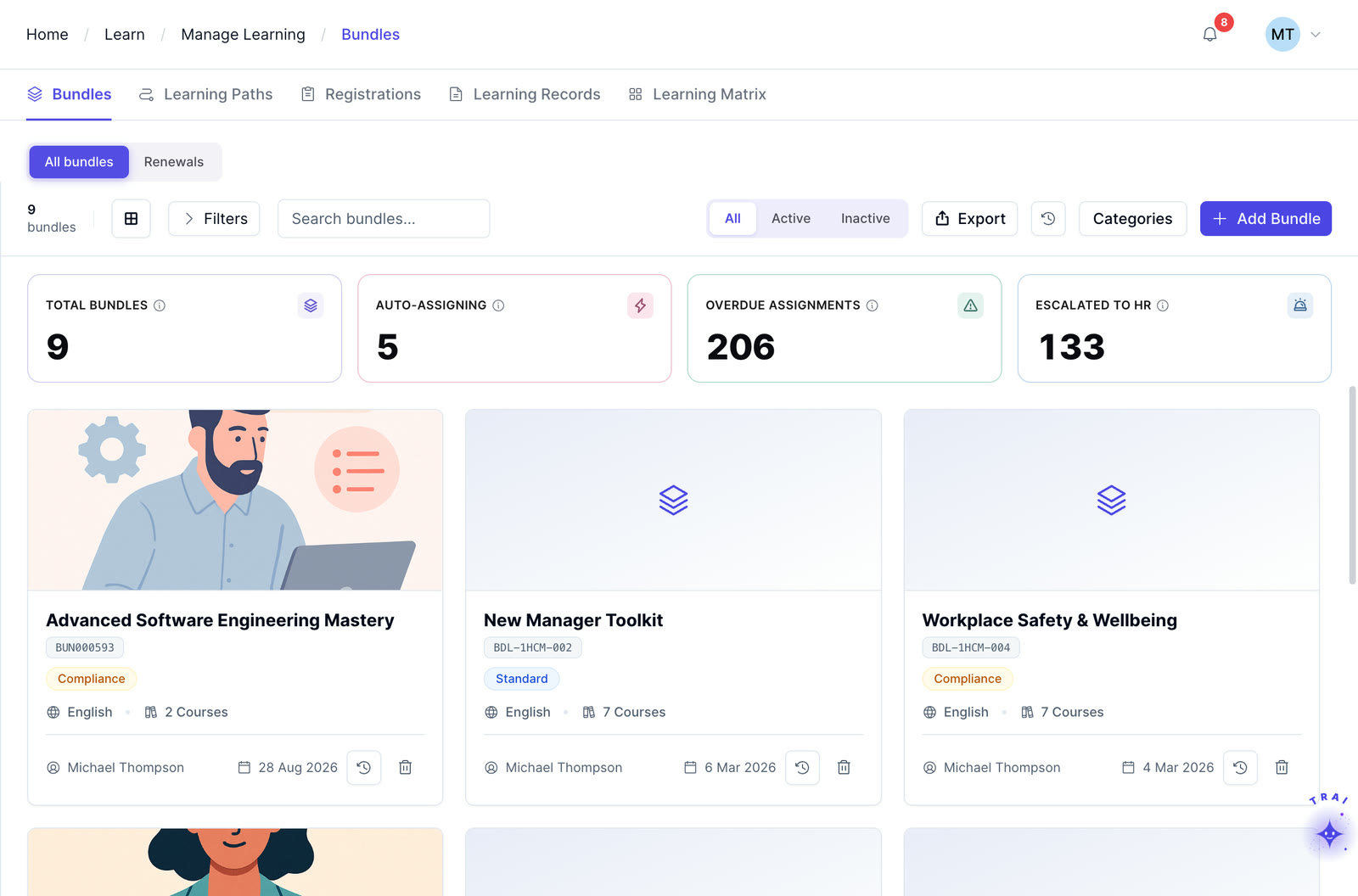
Course bundles in Trainery, with auto-assigning bundles and escalations

What are LMS course templates?

LMS course templates are reusable structures for building repeatable employee training. They can standardize sections, learner instructions, assessments, and review steps for programs such as onboarding, compliance, safety, product training, and skills development, while each finished course still requires content and quality review.

Start from a defined framework, add your content and assessments, then assign the finished course through TraineryLMS.

TraineryLMSTrAI
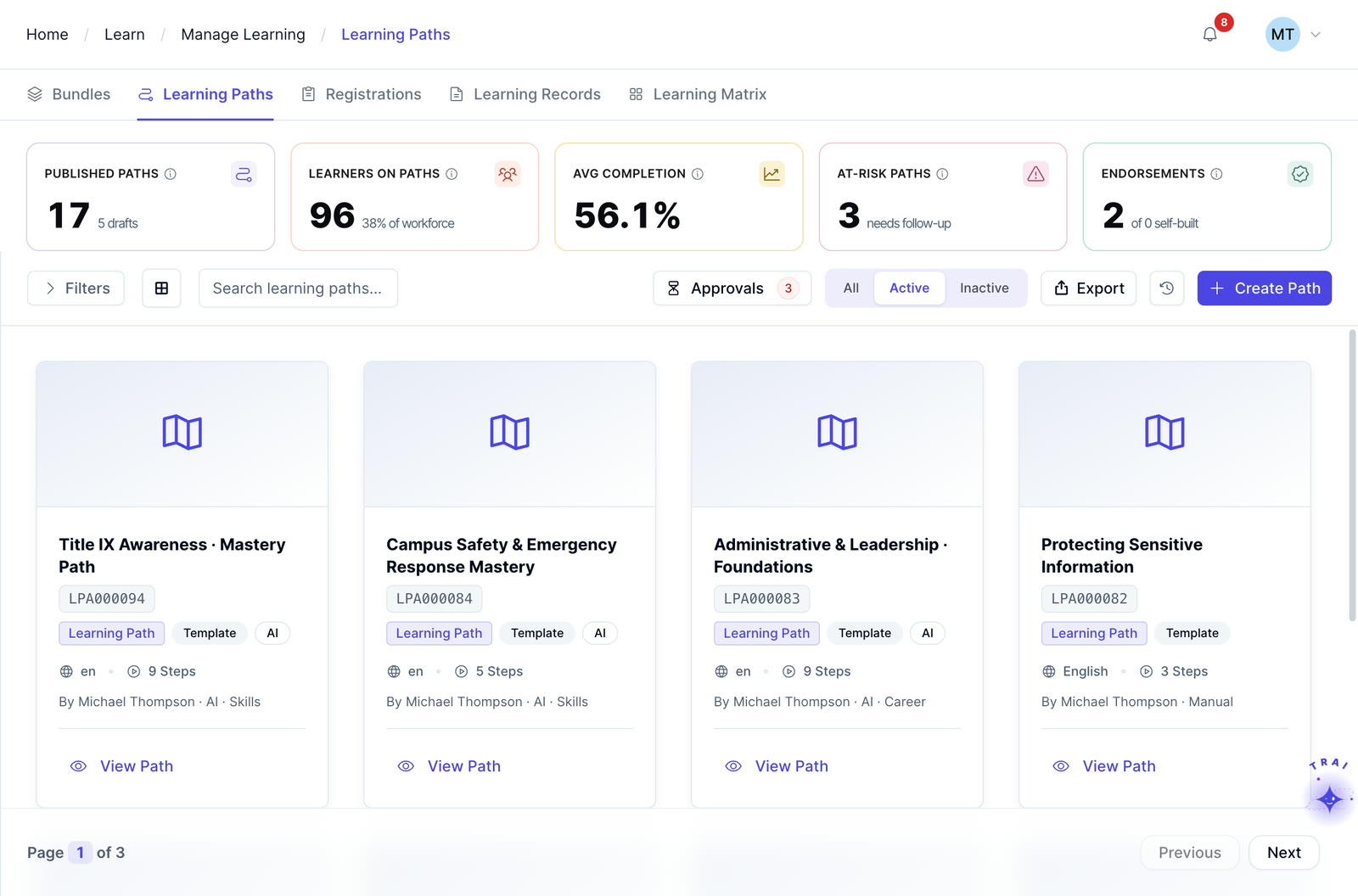
Learning paths in Trainery tagged Template, each with its language, steps and author
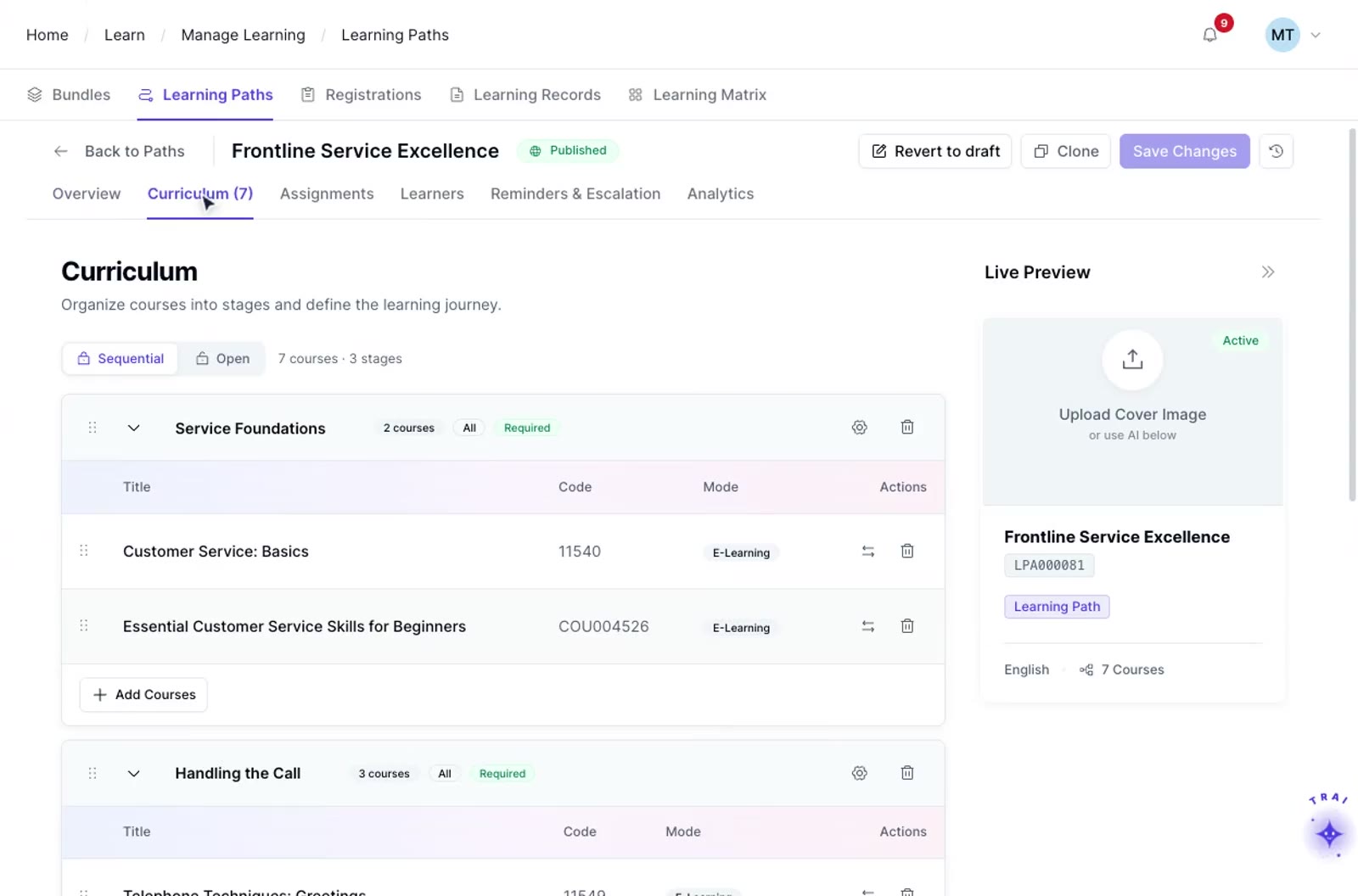
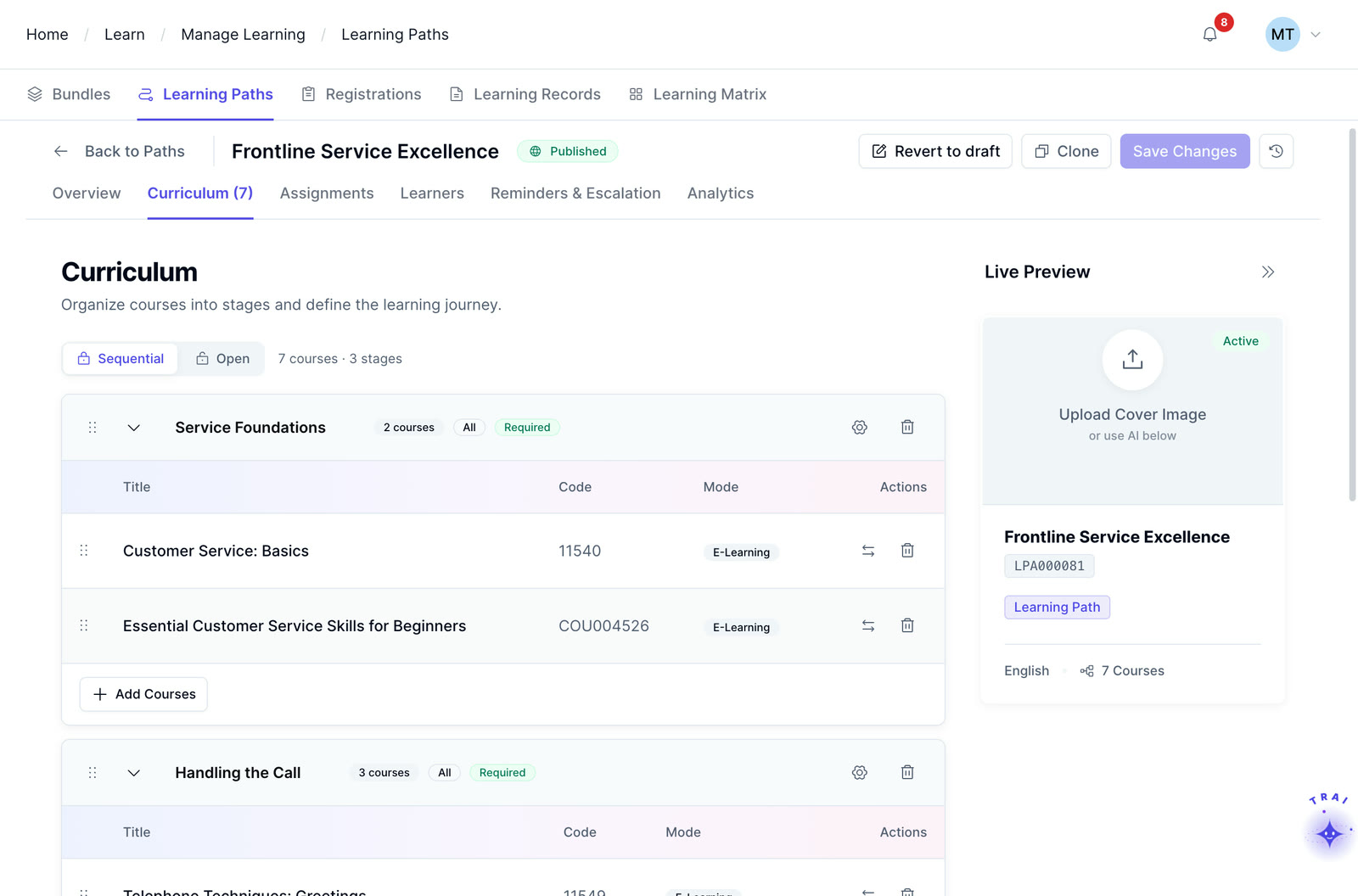
A TraineryLMS learning path’s curriculum, organized into stages of courses
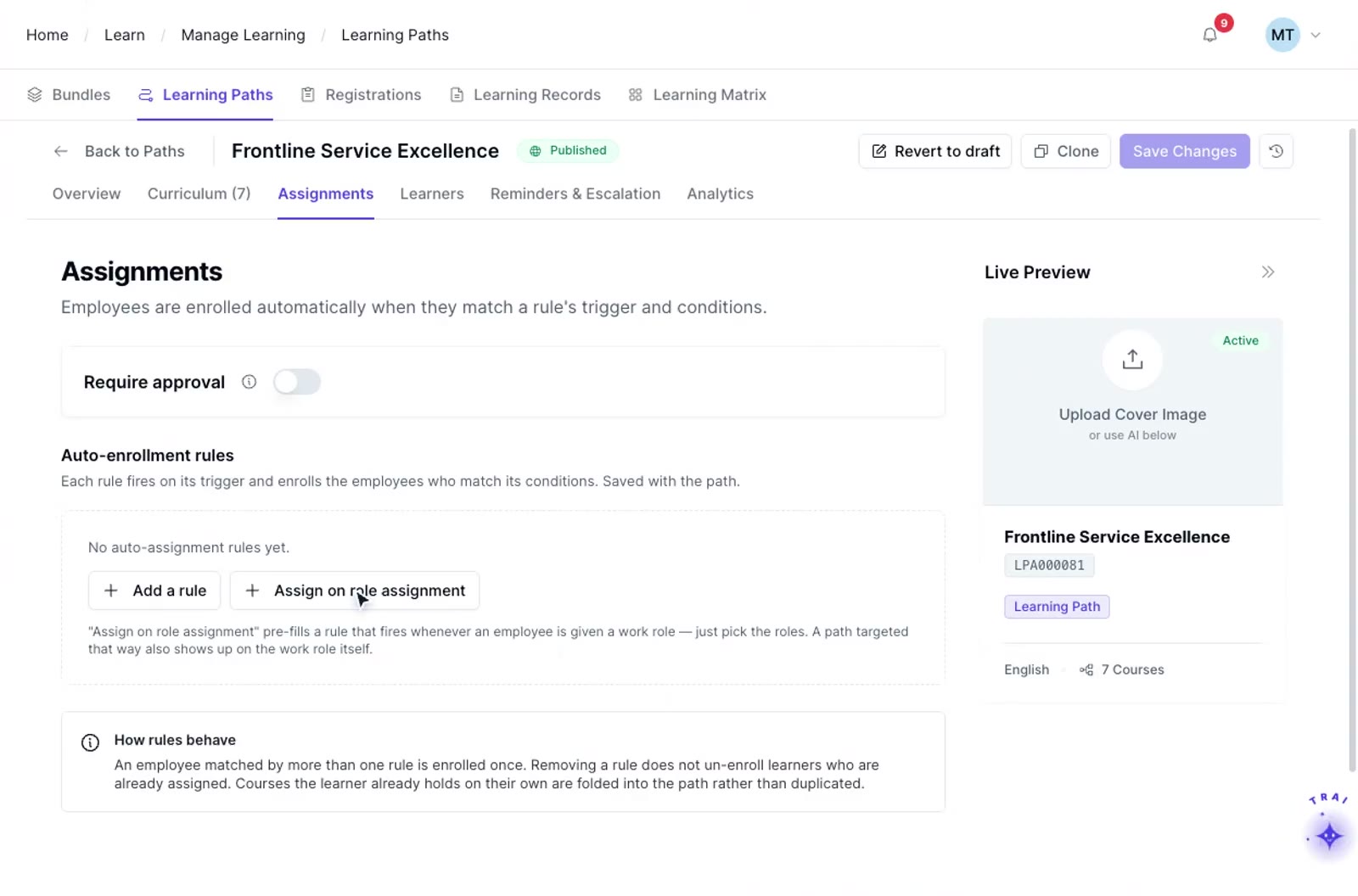
A TraineryLMS learning path’s assignments: auto-enrollment rules, with “Assign on role assignment”

How corporate training course templates work

  1. Step 1

    Choose your template

    Browse the template library by scenario: onboarding, compliance, safety, product enablement, or skills development. Select the structure that best matches what you are building.

  2. Step 2

    Drop in your content

    Replace placeholder content with your own materials, add your organization’s branding, configure assessments and quiz settings, and preview the course from the learner’s perspective.

  3. Step 3

    Publish and assign

    Publish the course to TraineryLMS, add it to a learning path, and assign it to the appropriate audience. Reusing an approved structure helps teams maintain consistency while still reviewing each course for its specific quality and compliance requirements.

Train beyond your employees

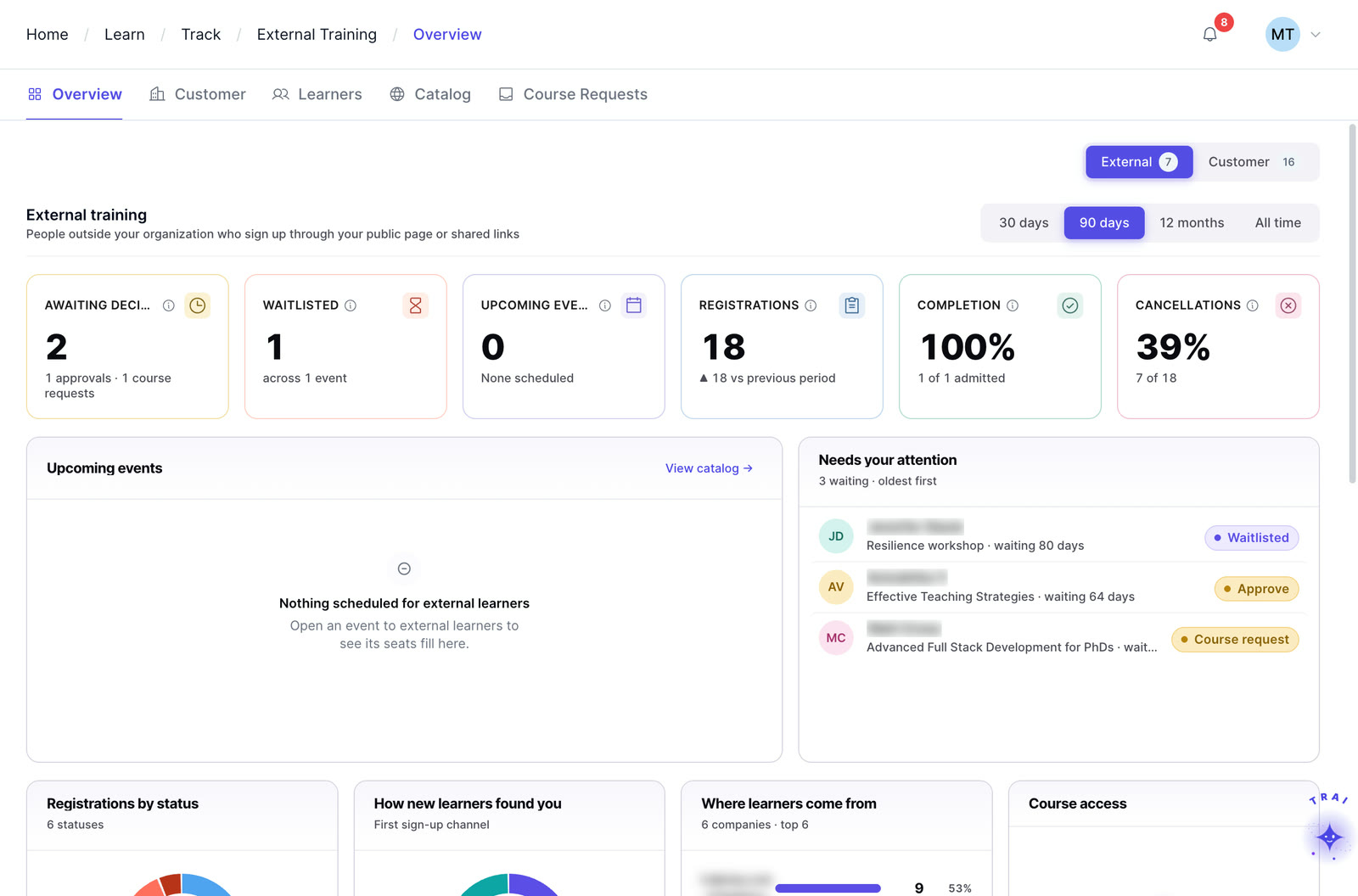
Reusable course structures can support employee and external-audience programs when the content, access, branding, and reporting requirements are configured for each audience.

  • External event scheduling & registration management
  • Instructor & venue management for external programs
  • Recurring program administration and cohort management
  • Seminar, conference & onsite event administration
Explore extended enterprise training
Extended enterprise in Trainery: external registrations, waitlists, completions and cancellations

Core features

Reusable structures, assessment scaffolding and TrAI-assisted drafting for courses your team builds again and again.

TrAI-assisted template drafting

Where TrAI-assisted template drafting is enabled, teams can use a topic or source document as a starting point for a structured outline. Review sections, objectives, and assessment ideas before publishing.

TrAI outline draft Example workspace
Source documentCode of conduct policy, uploaded by the course author
  • Section 1: Purpose and scopeLearning objective draftedDraft
  • Section 2: Expected behaviorsLearning objective draftedDraft
  • Scenario questionsAssessment ideas for the knowledge checkDraft
Review before publishingCheck sections, objectives and source accuracy
Needs review
Pre-built template library

A curated library can support onboarding, compliance, safety, product enablement, and role-based skills development. Templates provide a starting structure that teams should review and adapt to their content, audience, and requirements.

Reusable across programs

Save custom templates for use across multiple programs. A compliance refresher structure built for one regulation becomes reusable for every subsequent compliance course, with consistent formatting and assessment logic.

Assessment scaffolding

Templates can provide reusable assessment structures appropriate to the course type. Compliance, attestation, scoring, and scenario requirements should be configured and reviewed for the specific program.

Reusable quality frameworks

Keep a consistent look, feel, and quality standard across every course produced. A template can standardize required sections, assessment structures, acknowledgments, or review steps.

Branding and customization

Course presentation and branding options depend on the Trainery configuration in scope. Confirm the colors, logos, typography, portal branding, and reusable defaults your organization requires during solution review.

Where course templates fit in the Trainery platform

Course templates support repeatable course design in TraineryLMS and can connect with learning paths, training operations, coaching, credentials, and external-audience workflows where relevant.

LMS (learning management system)

TraineryLMS focuses on the delivery and tracking of digital learning experiences directly to the learner.

  • Delivers and tracks online courses
  • SCORM 1.2, SCORM 2004, xAPI & AICC support
  • Learner-facing: self-paced & blended learning
  • Tracks completions, scores, certifications

Best for: Digital course delivery at scale

Training management

ILT and virtual training in TraineryLMS optimizes the back-office operations, logistics, and financial management of training programs.

  • Plans and manages training programs
  • Schedules ILT sessions, instructors, venues
  • Admin-facing: operations & logistics

Best for: Structured training operations

Coaching

Coaching in TraineryLMS gives managers and L&D teams a structured system for coaching conversations, goals and session tracking.

  • One-on-one and group coaching
  • Goals, milestones and session tracking
  • Program reporting for L&D teams

Best for: Structured manager coaching

Content marketplace

TraineryXchange adds ready-to-use courses across compliance, safety, leadership, onboarding and technical skills.

  • 10,000+ ready-to-use courses
  • Library courses sit beside your own in the catalog
  • Access depends on your Trainery agreement

Best for: Ready-made course content

  • User experienceLearners find online courses and live sessions in one place, while admins plan sessions, instructors and venues in the same system.
  • Data & analyticsLearning progress and assessment results sit beside attendance, scheduling and training costs, so reports draw on one set of records.
  • SchedulingRooms, instructors and live sessions are scheduled in the same platform that gives learners access to online courses.

Learning management system

TraineryLMSILT & virtual trainingCoachingCredentialsTraineryXchange
  • Reusable templates give course authors a consistent starting structure for content, assessments, learner instructions, and review requirements.
  • Finished courses can be assigned directly or added to structured learning paths based on the audience and training objective.
  • Reuse approved course structures while reviewing each course for its audience and requirements
  • Review each reused template before publishing so content, assessments, and requirements remain current.
  • Keep course structure consistent while allowing subject-matter experts and L&D reviewers to contribute to the content workflow.
Template libraryCourse structureAssessmentsPublishing
Book a demo

Use cases by role

How compliance teams, L&D admins, course authors and subject-matter experts reuse one structure.

  • Compliance team: building a compliance refresher course for a new regulation without starting from scratchSelect a compliance refresher structure, add regulation-specific content, configure the required assessment or attestation steps, review the course, and publish when the program owner confirms it meets the applicable requirements.Result: Reusable structure with less rework
  • L&D admins: standardizing how onboarding courses look and feel across five different business unitsA single onboarding template is shared across all L&D admins, so every onboarding course produced by any team follows the same structure, branding, and quality standards, regardless of who built it.Result: More consistent course structure across business units
  • Course author: repurposing an existing policy document into a structured eLearning courseWhere TrAI-assisted document drafting is enabled, a source document can be used to create an initial course outline. L&D should review the sections, objectives, assessment ideas, and source accuracy before using the draft.Outcome: Existing content converted to eLearning rapidly
  • Subject-matter expert: enabling subject-matter experts to build courses without L&D involvementProvide SMEs with access to a pre-approved template. They fill in the content section by section, following the structure and prompts built into the template. L&D reviews and approves, rather than building from scratch.Outcome: Scalable content creation without L&D bottleneck
A learning path’s curriculum in Trainery, organized into stages

Every hour spent rebuilding a course structure is an hour not spent on content that matters

When teams rebuild similar course structures repeatedly, time can shift away from content quality and review. Reusable templates reduce structural rework and help authors follow a more consistent course framework, while each course still requires its own content and quality review.

  • Library covers the five most common training scenarios out of the box
  • Consistent look, feel, and quality standards across every course produced
  • Assessment scaffolding aligned to each course type is already in place
  • Custom templates saved and reused across teams and programs
  • TrAI-assisted drafting can provide a starting outline where the capability is enabled
Explore TraineryLMS
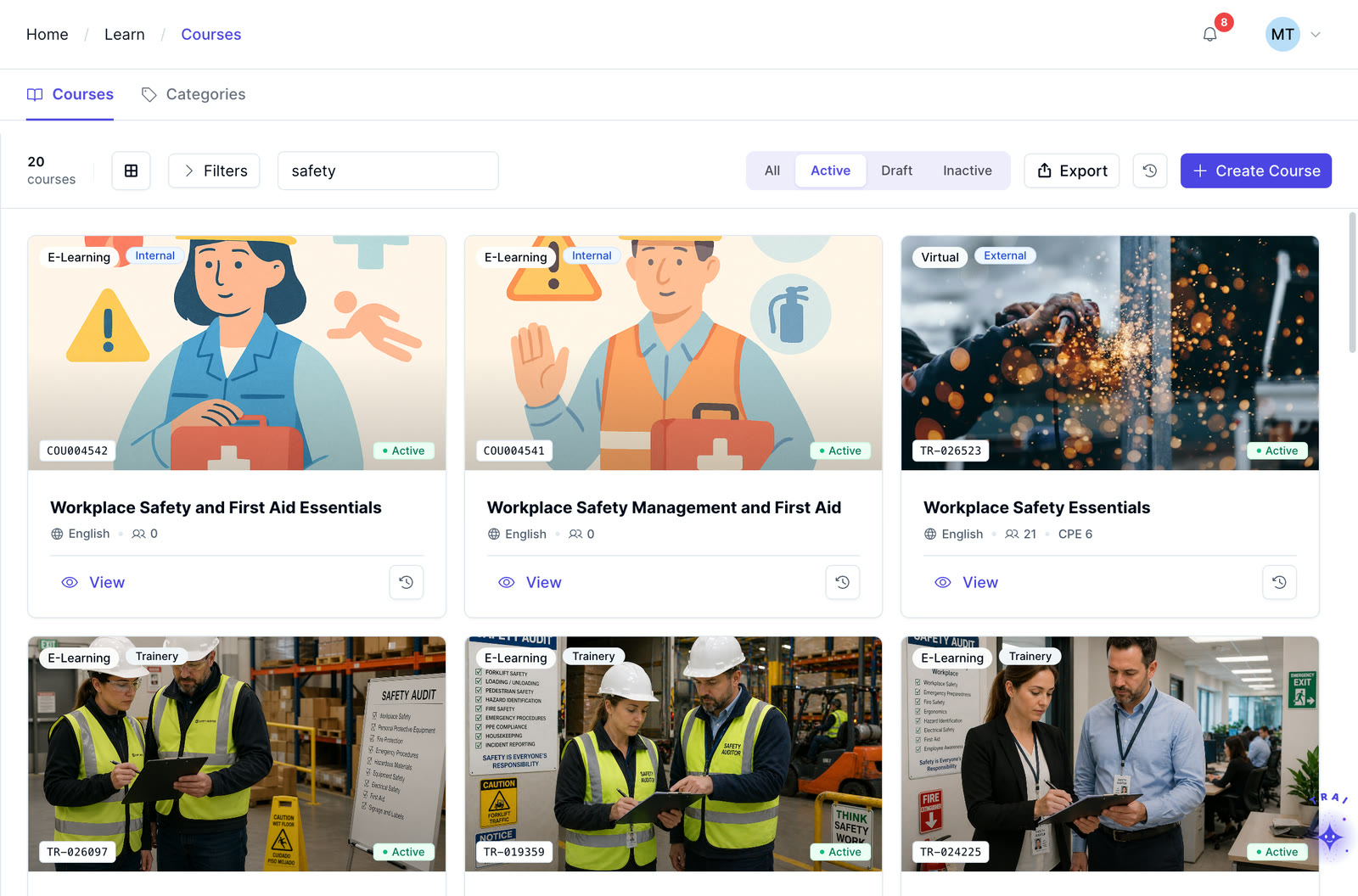
The Trainery course catalog searched for safety: in-house and library courses

Frequently asked questions

Can we create and save our own templates, or are we limited to the pre-built library?

Trainery can support reusable course structures and organization-specific templates. During evaluation, confirm the current pre-built library, sharing controls, and template-governance workflow required by your L&D team.

Do templates support SCORM and xAPI content?

TraineryLMS supports SCORM 1.2, SCORM 2004, xAPI, and AICC content. When using those packages within a templated course workflow, validate launch, completion, scoring, and resume behavior with representative content before rollout.

Can TrAI generate a course template from our existing documents?

Where TrAI-assisted document drafting is enabled, a source document can be used to create an initial course outline. The generated structure, objectives, and assessment ideas should be reviewed for source accuracy, instructional quality, and program requirements before publishing.

Do all courses produced from a template automatically meet our compliance standards?

No. A template can standardize required sections, assessment structures, acknowledgments, or review steps, but it does not automatically make a course compliant. The organization remains responsible for validating content, legal or regulatory requirements, passing criteria, evidence, and approval before publishing.

Can templates be branded with our organization’s colors and logo?

Course presentation and branding options depend on the Trainery configuration in scope. Confirm the colors, logos, typography, portal branding, and reusable defaults your organization requires during solution review.

Can templates be used for external training programs as well as internal employee training?

Reusable course structures can support employee and external-audience training. For customers, partners, resellers, or members, confirm the portal, access, branding, assignment, and reporting configuration required for each audience.

How long does it take to produce a course from a template versus starting from scratch?

The time difference depends on the course, content readiness, review process, and assessment requirements. Templates can reduce repeated structural and formatting work, but teams should evaluate the actual workflow rather than assume a fixed percentage or production-time saving.

See course templates in TraineryLMS

Review how reusable course structures, assessments, learning paths, and publishing workflows can fit your organization’s training process.