Instructor matching & management software for training teams

Centralize instructor profiles, qualifications, certifications, availability, workload, assignments, and feedback for internal trainers and external instructors in TraineryLMS.

16 seconds of ILT & virtual training: real app screens, fictional sample company.

How instructor management software works

Instructor management software helps training teams maintain trainer profiles, qualifications, availability, workload, assignments, session materials, and feedback in one operational workflow.

ILT & virtual trainingTraineryOPS
The Trainery trainer list with each trainer’s role and department
  1. Step 1

    Build the instructor profile

    Create a profile for each instructor with qualifications, certifications, specialties, preferred delivery formats, and availability. Searchable profiles help administrators identify instructors who match the requirements of a session.

  2. Step 2

    Assign with workload visibility

    Review each instructor’s current session load before assigning new work. Workload visibility helps coordinators compare qualified instructors and avoid overloading high-demand trainers.

  3. Step 3

    Measure and improve performance

    Post-session evaluations and learner feedback can be associated with instructor records, giving training teams a consistent basis for reviewing delivery quality and informing future assignments.

Train beyond your employees

ILT and virtual training in TraineryLMS supports customer training, partner learning, and external audiences with scheduling, instructor management, cost tracking, and recurring program automation built for training audiences outside your org.

  • External event scheduling & registration management
  • Instructor & venue management for external programs
  • Recurring program automation & cohort management
  • Seminar, conference & onsite event administration
Explore extended enterprise training
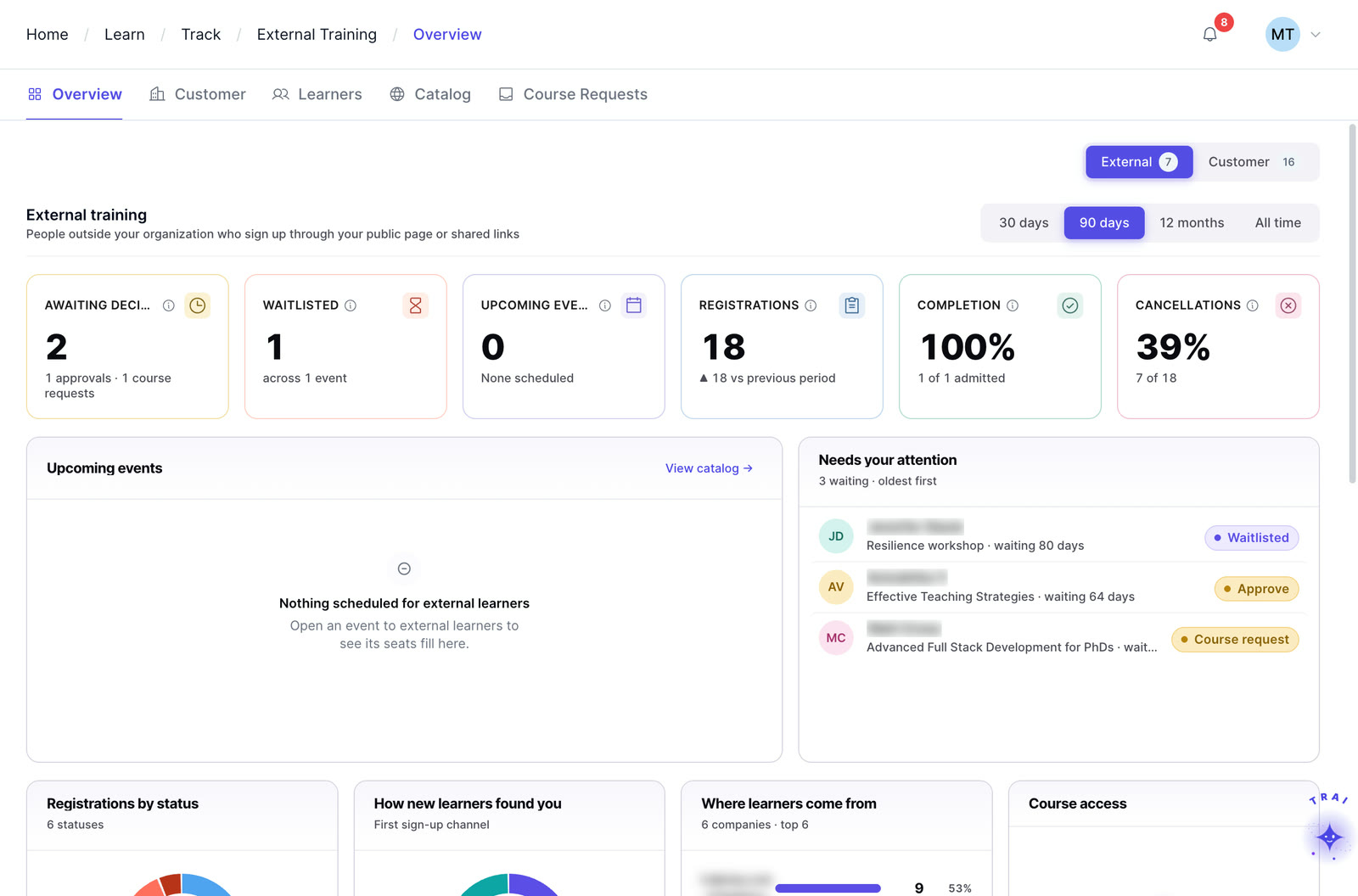
Extended enterprise in Trainery: external registrations, waitlists, completions and cancellations

Core features

Profiles, workload, ratings, documents and communication for internal and external instructors.

Rich instructor profiles

Keep qualifications, certifications, specialties, preferred delivery formats, and availability in one searchable profile, so administrators can identify instructors who match the requirements of a session.
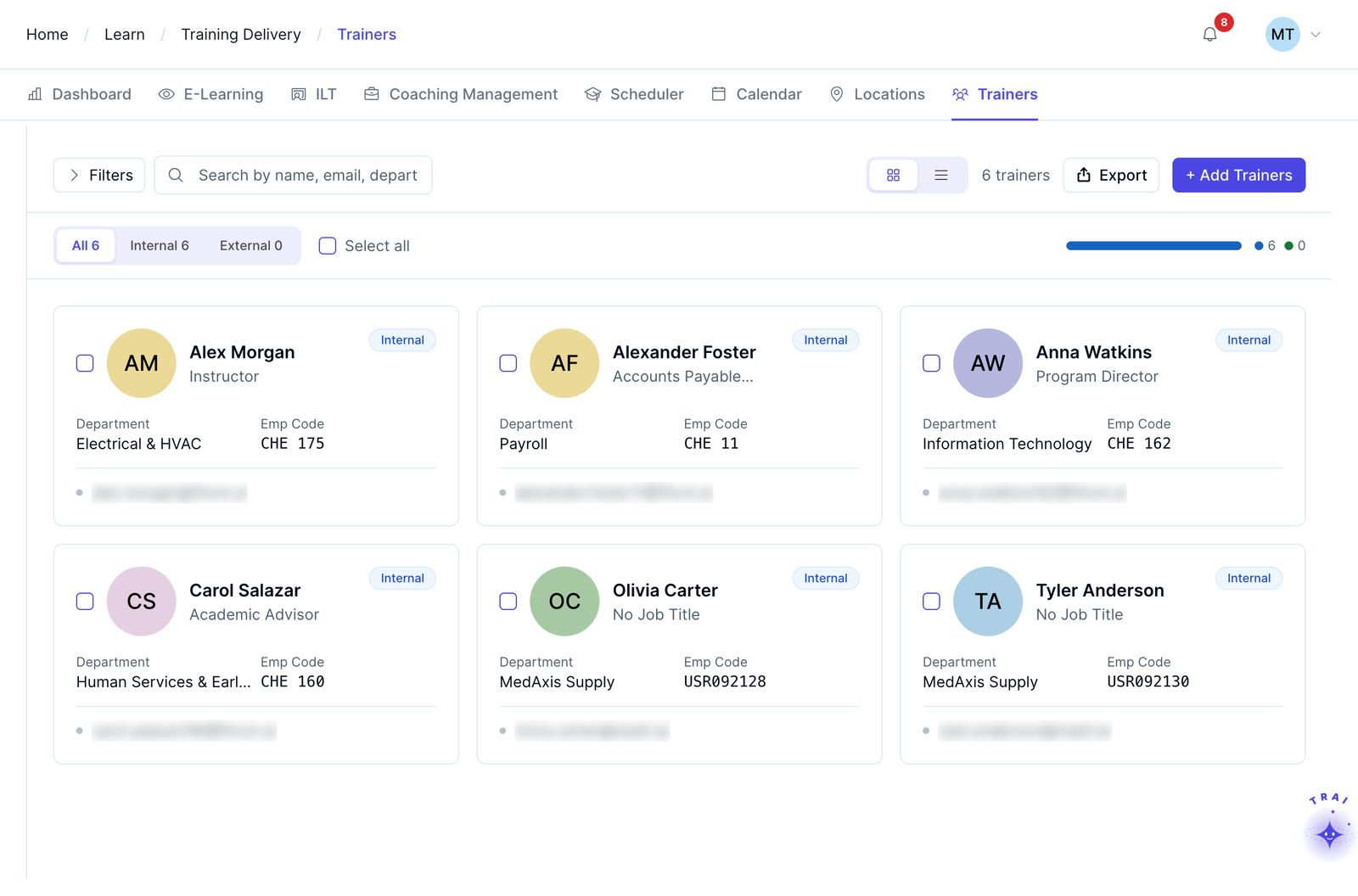
The Trainery trainer list with each trainer’s role and department

Workload balancing

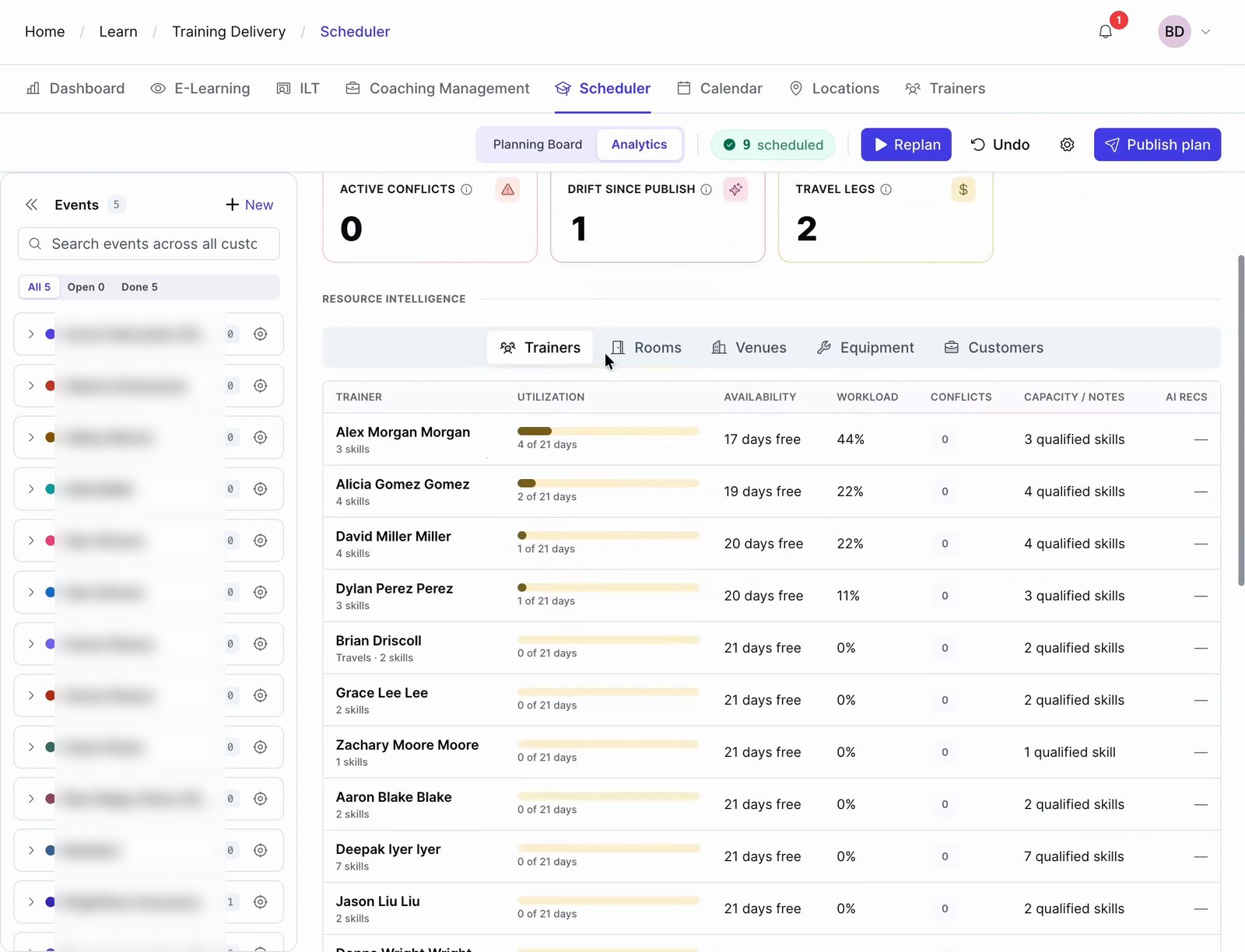
View each instructor’s current session load alongside their available capacity, assign sessions to underutilized instructors, and avoid overloading high-demand trainers, without a manual tally of who is doing what.

Performance ratings and history

Performance ratings captured per session inform every future assignment decision. Post-session evaluations and learner feedback can be associated with each instructor record.

Document sharing

Share session materials, briefing documents, and evaluation templates directly through the Instructor Management module. Instructors receive everything they need for a session, without email chains or confusion about shared drives.

Internal and external vendors

Manage internal subject-matter experts and external training vendors in the same system. External instructors have scoped access through the Instructor Portal without requiring full platform access or admin credentials.

Communication tools

Send targeted communications to individual instructors or groups from within the module. Confirmations, briefings, and schedule changes reach the right people, without leaving the platform or relying on external email threads.

Four capabilities. One platform.

TraineryLMS brings course delivery, training management, coaching and a content marketplace into one integrated platform.

LMS (learning management system)

TraineryLMS focuses on the delivery and tracking of digital learning experiences directly to the learner.

  • Delivers and tracks online courses
  • SCORM 1.2, SCORM 2004, xAPI & AICC support
  • Learner-facing: self-paced & blended learning
  • Tracks completions, scores, certifications

Best for: Digital course delivery at scale

Training management

ILT and virtual training in TraineryLMS optimizes the back-office operations, logistics, and financial management of training programs.

  • Plans and manages training programs
  • Schedules ILT sessions, instructors, venues
  • Admin-facing: operations & logistics
  • Tracks costs, attendance, and training activity

Best for: Structured training operations

Coaching

Coaching in TraineryLMS gives managers and L&D teams a structured system for coaching conversations, goals and session tracking.

  • One-on-one and group coaching
  • Goals, milestones and session tracking
  • Program reporting for L&D teams

Best for: Structured manager coaching

Content marketplace

TraineryXchange adds ready-to-use courses across compliance, safety, leadership, onboarding and technical skills.

  • 10,000+ ready-to-use courses
  • Library courses sit beside your own in the catalog
  • Access depends on your Trainery agreement

Best for: Ready-made course content

  • User experienceLearners find online courses and live sessions in one place, while admins plan sessions, instructors and venues in the same system.
  • Data & analyticsLearning progress and assessment results sit beside attendance, scheduling and training costs, so reports draw on one set of records.
  • SchedulingRooms, instructors and live sessions are scheduled in the same platform that gives learners access to online courses.

Learning management system

TraineryLMSILT & virtual trainingCoachingCredentialsTraineryXchange
  • Use TraineryLMS to match qualified instructors to sessions based on profile, availability, workload, and program requirements.
  • Training coordinators can compare qualified instructors by availability, workload, and session requirements before assigning a facilitator.
  • Keep instructor profiles, qualifications, certifications, and specialties in one searchable record.
  • Match instructors using qualification, availability, workload, and session requirements
  • Use workload and availability context when reviewing potential instructor assignments.
  • Give external instructors scoped portal access without granting broader training-administration permissions.
Instructor profilesMatching & assignmentWorkload & availabilityExternal instructor access
Book a demo

Use cases by role

How coordinators, L&D managers and vendor managers run instructor operations.
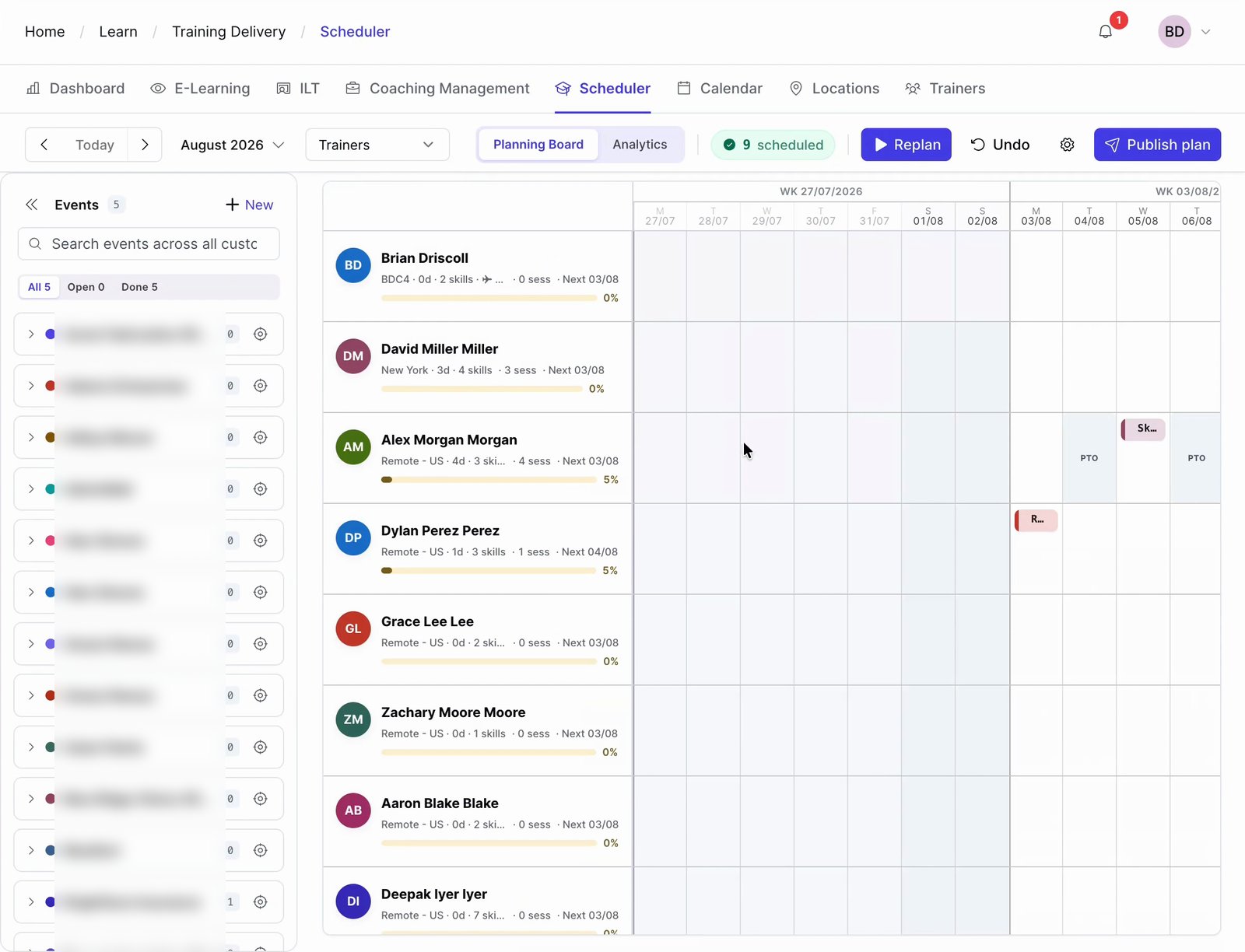
  • Training coordinator: scheduling 12 compliance sessions across four regions with six qualified instructorsFilter the instructor pool by qualification, availability, and workload to compare suitable trainers for a session. Coordinators can review capacity constraints before confirming assignments.Outcome: 12 sessions scheduled with zero conflicts
  • L&D manager: identifying which instructors are consistently rated highest by learnersReview instructor feedback and performance information across delivered sessions to support assignment decisions and identify coaching or development needs.Outcome: Data-driven instructor assignment decisions
  • Vendor management: onboarding an external training vendor for a specialist technical programCreate an external instructor profile, configure their scoped portal access, share the session materials and briefing documents, and receive confirmation of readiness, all without giving the vendor access to internal employee data.Outcome: External vendor onboarded securely and efficiently
  • Training coordinator: ensuring no instructor is overloaded during a large-scale annual training rolloutThe workload view shows each instructor’s session count and available capacity before a rollout. Coordinators can use that visibility to distribute assignments more evenly and reduce the risk of overloading high-demand instructors.Outcome: Balanced instructor workload across the full rollout
External vendor onboarding Example workspace
R. VanceExternal vendor, specialist technical program
  • Instructor profileQualifications and availability addedDone
  • Scoped portal accessAssigned sessions only, no employee dataDone
  • Session materials and briefingShared in the moduleDone
  • Readiness confirmationRequested from the vendorPending

Instructor logistics are harder to manage when critical records live in spreadsheets

When instructor availability, qualifications, workload, and performance data live in different places, training administrators spend more time coordinating people than improving programs. Instructor Management brings those records together so teams can manage instructor operations more consistently.
  • Qualifications, availability, and session history in a single searchable profile
  • Performance ratings captured per session inform every future assignment decision
  • Document sharing and communication handled inside the module, not via email
  • Workload visibility prevents over-assigning high-demand instructors
  • External vendors managed without granting admin platform access
Explore ILT & virtual training
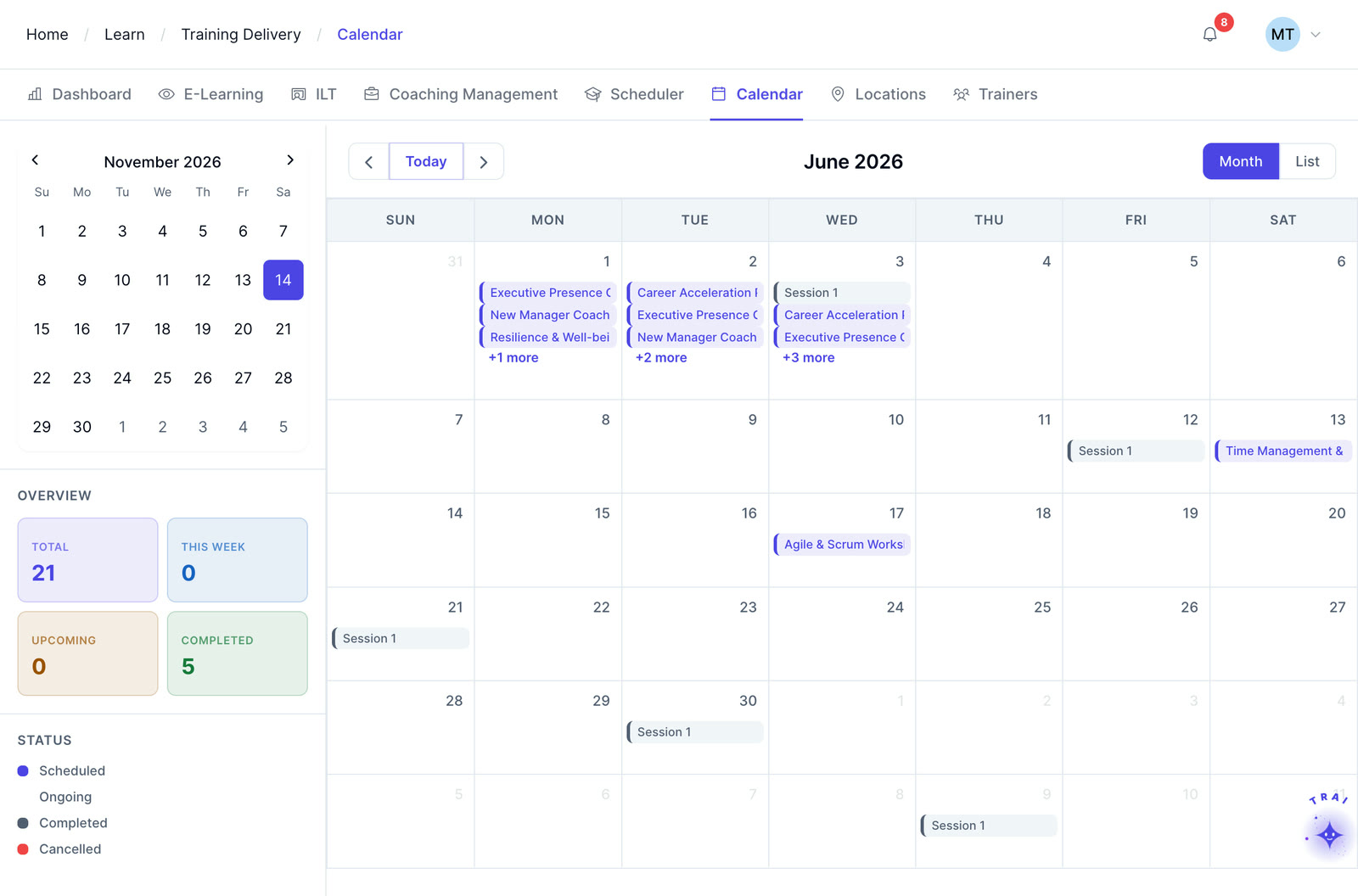
The Trainery training calendar for June with instructor-led and coaching sessions

Frequently asked questions

Can external training vendors be managed in the same system as internal instructors?

Yes. Trainery supports both internal instructors and external vendors in a unified Instructor Management module. External instructors access their own scoped Instructor Portal without being given admin-level access to your organization’s broader platform data.

How does the system prevent an instructor from being double-booked?

The TraineryLMS scheduler can help coordinators review instructor availability alongside existing session assignments and identify scheduling conflicts before confirming a new assignment.

Can instructors see their own performance ratings and learner feedback?

Yes. Instructors have visibility into their session-level feedback and aggregate performance ratings through the Instructor Portal. This data helps instructors improve their delivery over time, with no manual sharing of feedback reports by administrators required.

Is instructor cost tracked alongside session scheduling?

When TraineryLMS cost tracking is configured, instructor fees can be logged against session records alongside other captured cost inputs such as venue, materials, or external vendor fees.

Can qualifications required to teach specific courses be enforced automatically?

Instructor profiles can include qualification and certification information so administrators can compare trainer credentials with course or session requirements before making an assignment.

How does Instructor Management connect to the Instructor Portal?

Instructor Management is the administrative layer where coordinators assign, manage, and evaluate instructors. The Instructor Portal is the instructor-facing workspace for assigned sessions, materials, attendance, and follow-up. Confirm the exact data refresh and workflow behavior for the configuration in scope.

Can the system generate reports on instructor utilization across programs?

Instructor reporting can support reviews of delivered sessions, workload or utilization, learner feedback, and cost-related information when those data points are captured in the relevant Trainery modules.

Ready to transform your training infrastructure?

Whether you need digital course delivery at scale or structured ILT operations, our team will help you find the right fit for your organization.