
Dual-level progress tracking
Track completion at both the individual course level and the overall path level. Managers and L&D admins see exactly where every learner stands, with no manual status chasing required.
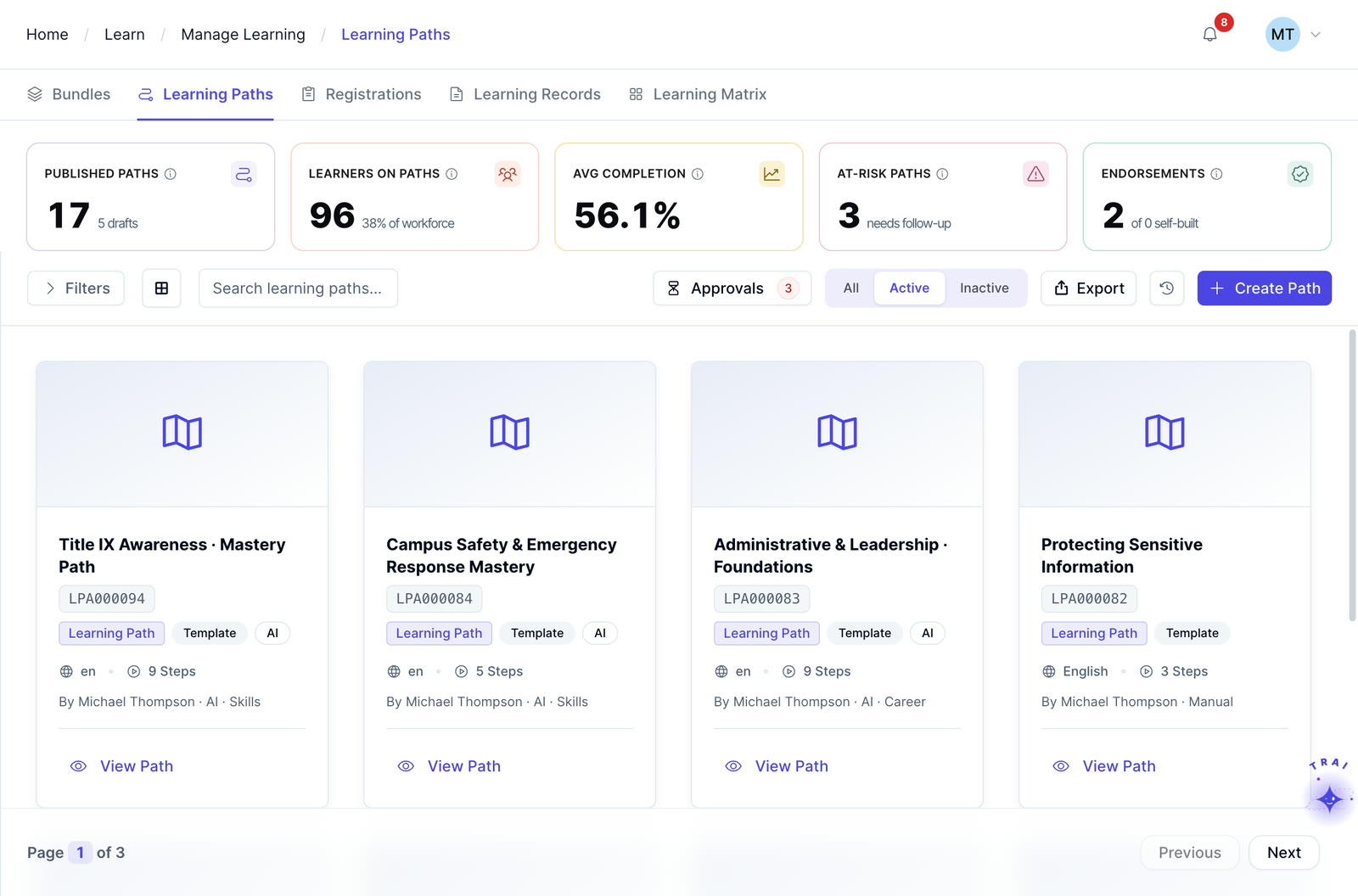
Build structured learning paths around job roles, competencies, certification programs, or regulatory training requirements.
Learning paths software organizes courses, assessments, milestones, and live training into a structured sequence for a role, skill, certification, or development goal, with progress tracked across the full path.
Sequence courses and milestones, track progress at course and path level, and connect digital and instructor-led learning in one curriculum.
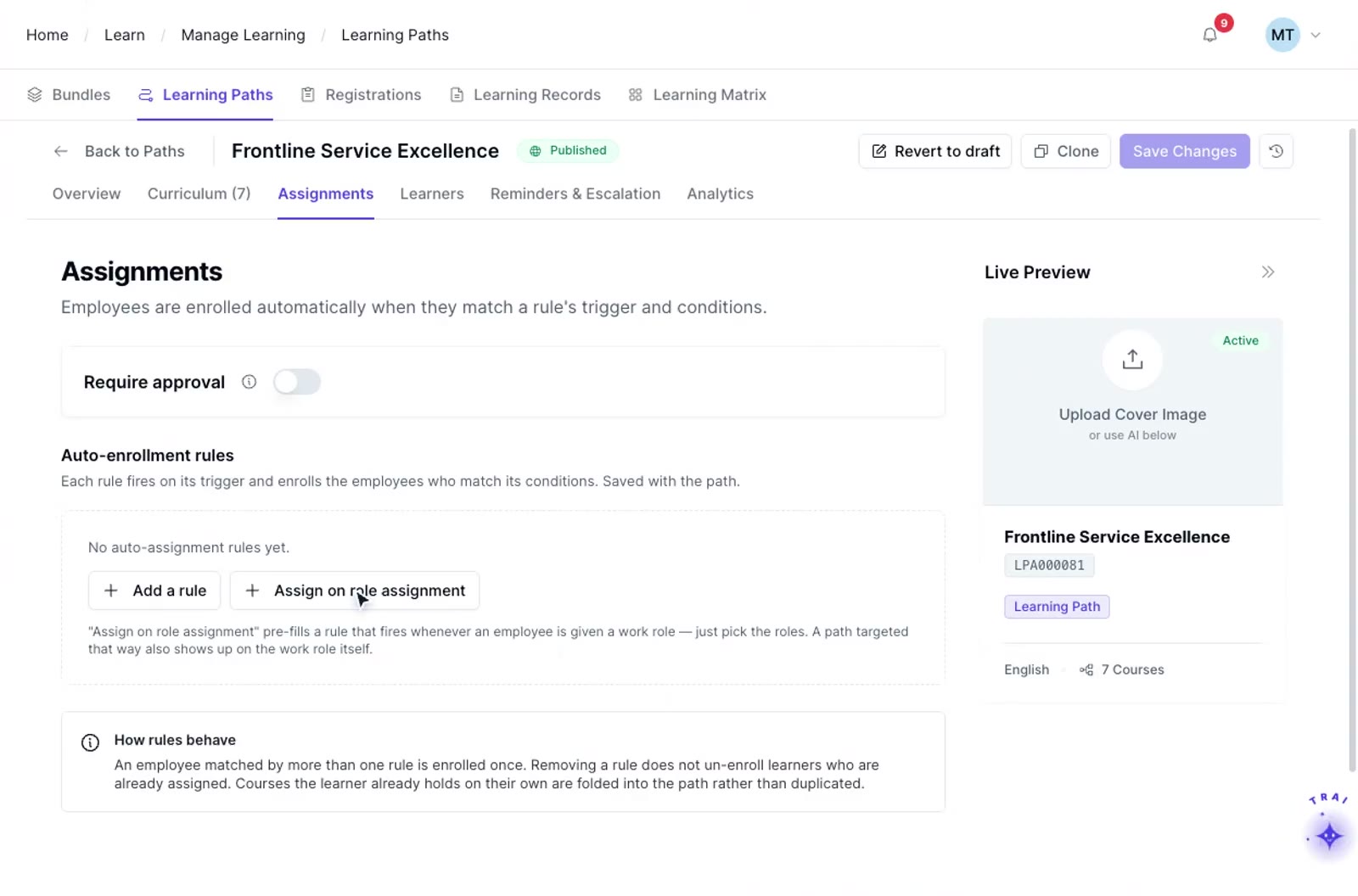
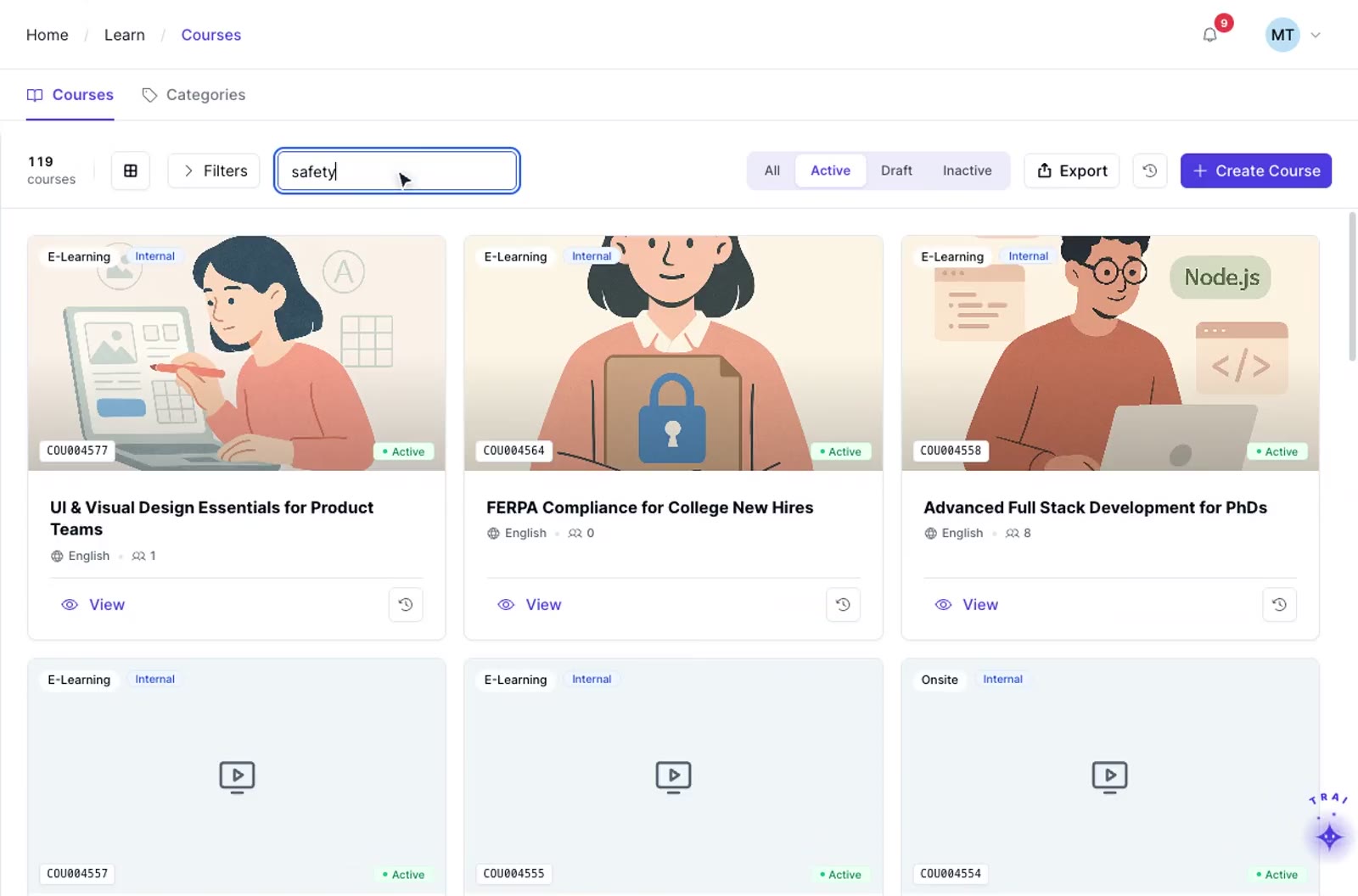
Choose what the path is built around: a job role, competency, regulatory requirement, or certification track. Define the audience using role-based training requirements, then configure enrollment rules that fit the role and workforce data available in your environment.
Add courses from the TraineryXchange course marketplace or your own content library. Set course prerequisites so learners cannot skip ahead, and add milestone checkpoints that open the next stage only after prior steps are complete.
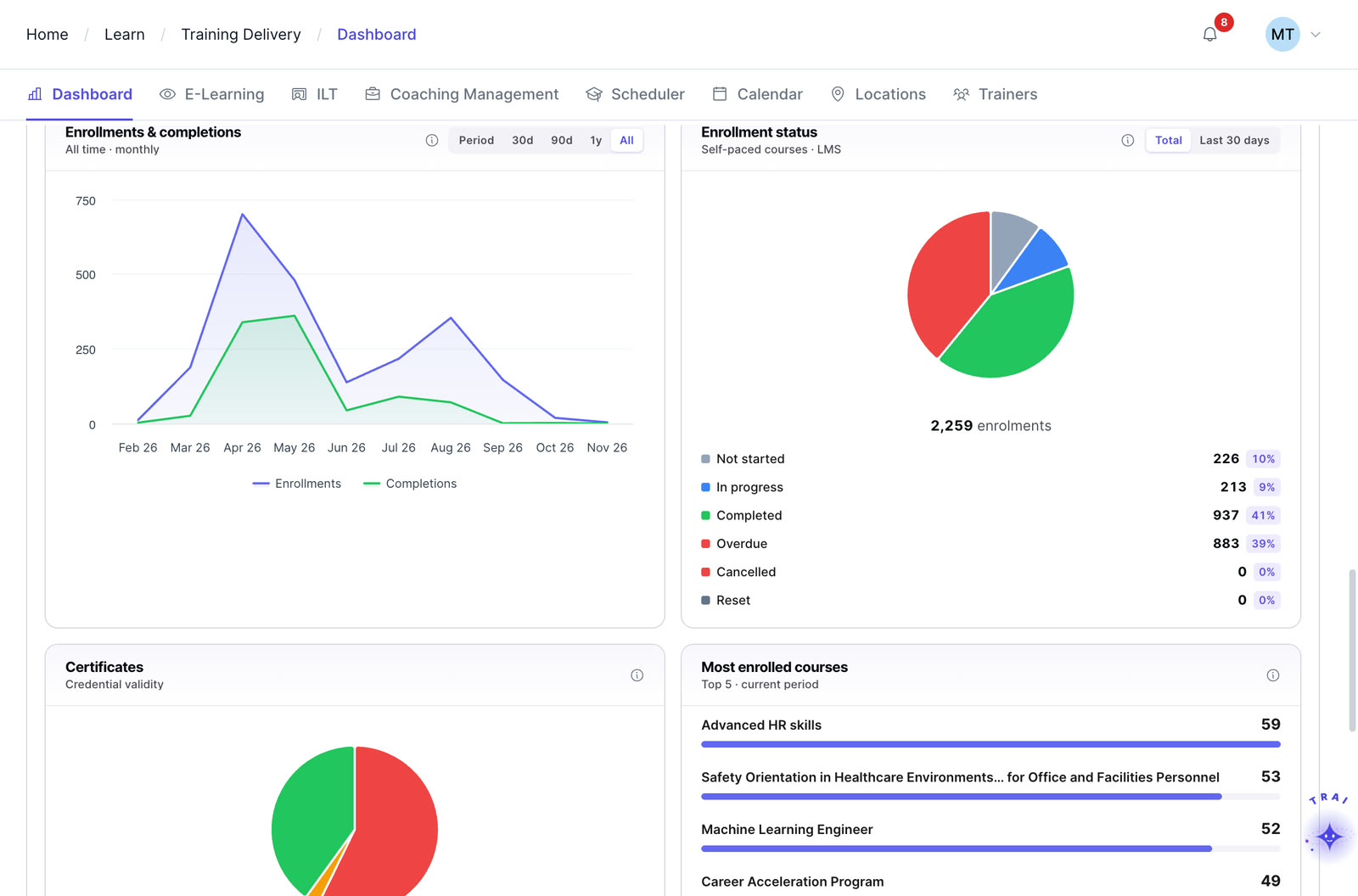
Track progress at both the individual course level and the overall path level through learning progress reports. Notification workflows can be configured to help managers identify learners who are approaching or missing important milestones.
ILT and virtual training in TraineryLMS supports customer training, partner learning, and external audiences with scheduling, instructor management, cost tracking, and recurring-program administration for training audiences outside your organization.
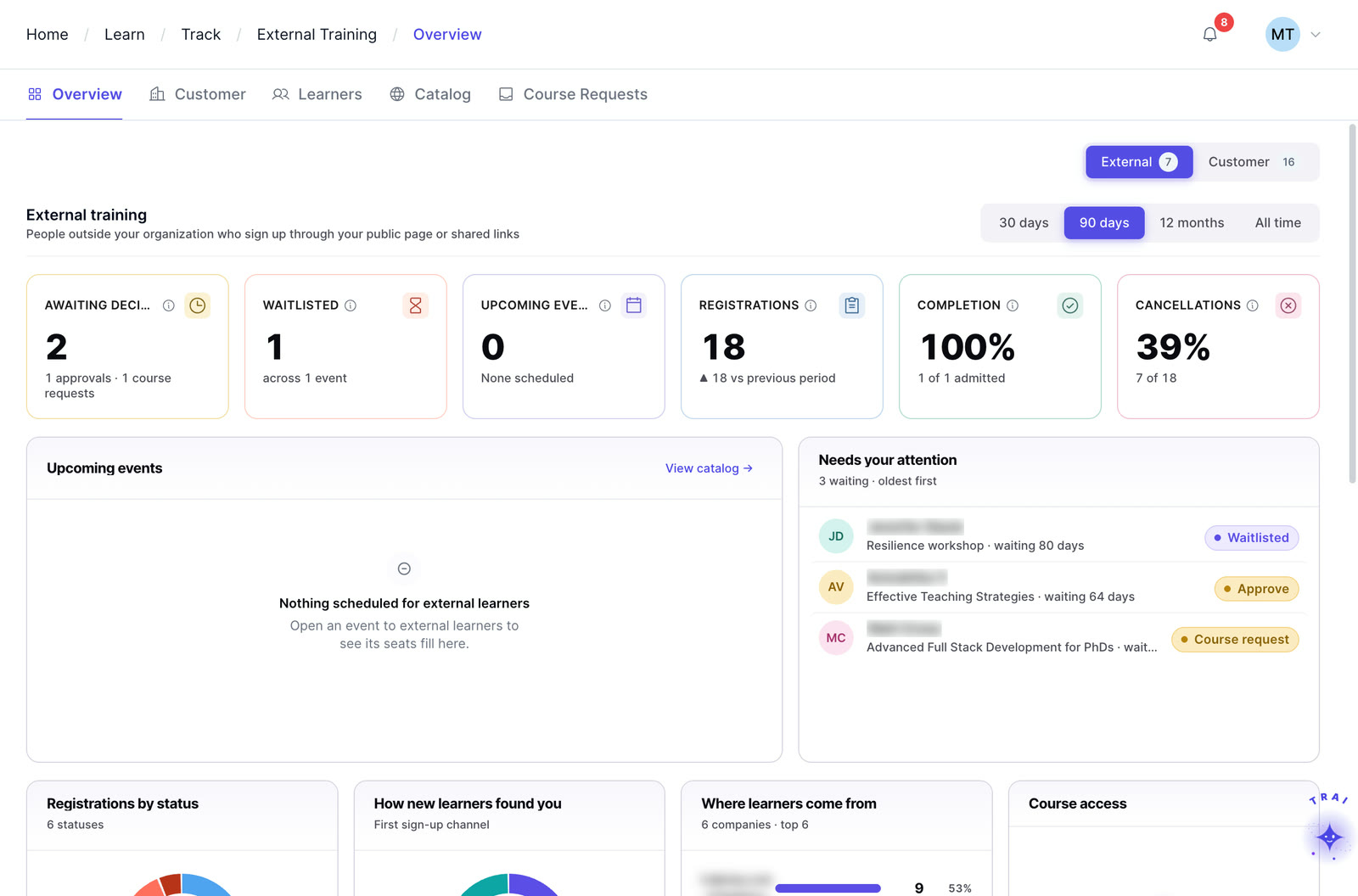
Build controlled curricula with course prerequisites, then use automated training alerts to keep learners and managers ahead of missed milestones.
Track completion at both the individual course level and the overall path level. Managers and L&D admins see exactly where every learner stands, with no manual status chasing required.
Require learners to complete earlier modules before the next one opens. Gating logic ensures training happens in the correct order, with no shortcuts that compromise quality or compliance.
Add checkpoints throughout the path that signal progress, open the next stages, and trigger notifications to managers. Milestones break long programs into manageable stages so they never feel like a single marathon.
Build paths around a job role, competency, certification track, or regulatory requirement. Assign paths automatically when an employee is given a role or joins on a specific hire date.
When a learner falls behind schedule, the system automatically notifies their manager. Early alerts mean interventions happen before deadlines are missed, not after.
When Trainery is used alongside PerformSpark, learning and performance workflows can be evaluated together. Confirm the exact data flow, triggers, and configuration required for your environment during solution scoping.
TraineryLMS brings course delivery, training management, coaching and a content marketplace into one integrated platform.
TraineryLMS focuses on the delivery and tracking of digital learning experiences directly to the learner.
Best for: Digital course delivery at scale
ILT and virtual training in TraineryLMS optimizes the back-office operations, logistics, and financial management of training programs.
Best for: Structured training operations
Coaching in TraineryLMS gives managers and L&D teams a structured system for coaching conversations, goals and session tracking.
Best for: Structured manager coaching
TraineryXchange adds ready-to-use courses across compliance, safety, leadership, onboarding and technical skills.
Best for: Ready-made course content
See how teams apply employee learning plans during onboarding and use compliance training software to build auditable, role-specific programs.
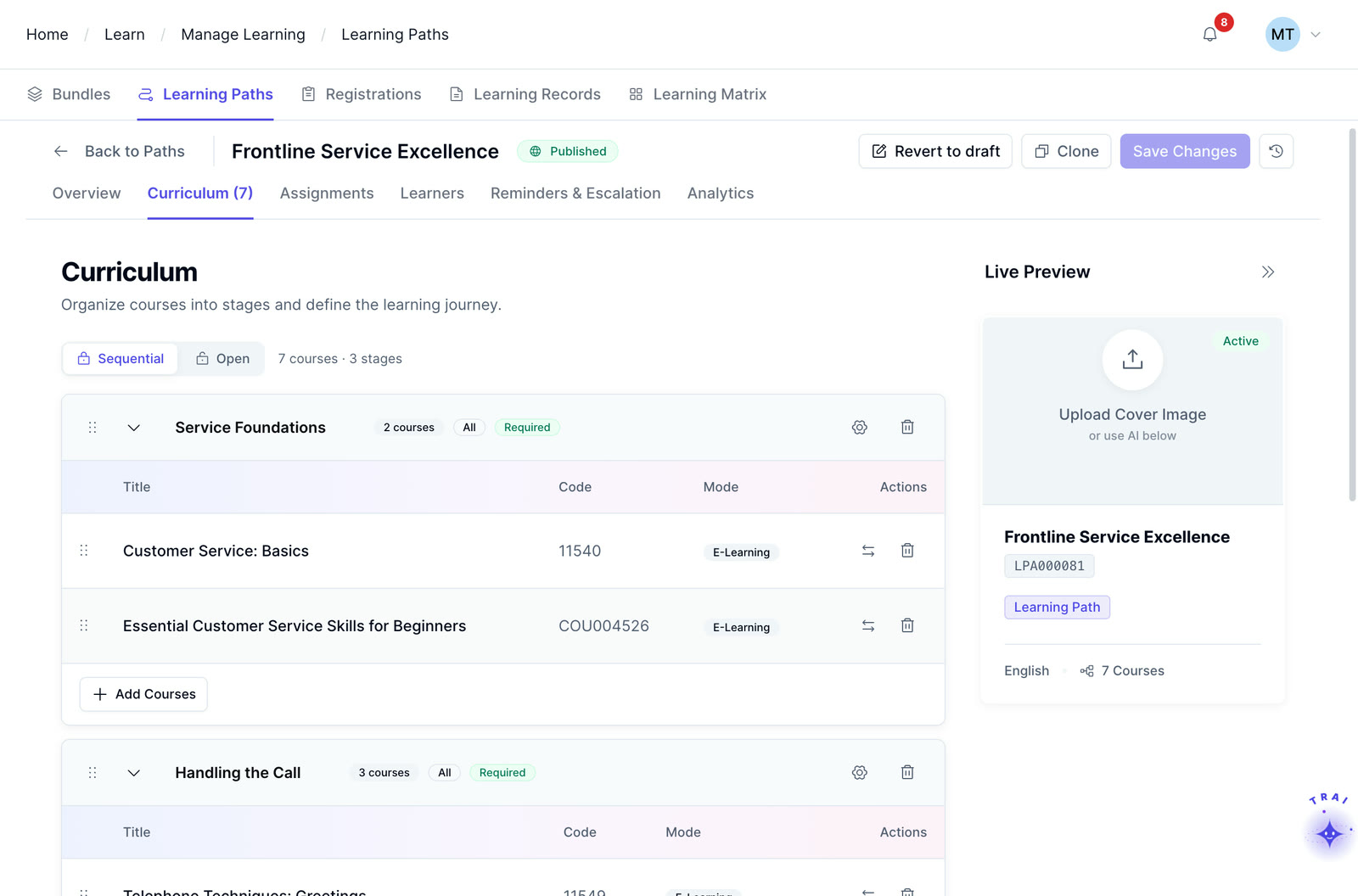
Most organizations assign courses reactively. A Learning Path gives your L&D team an intentional, structured alternative that turns individual content into a measurable employee development plan. It connects role-based training requirements with sequenced learning, progress tracking, and meaningful development outcomes.
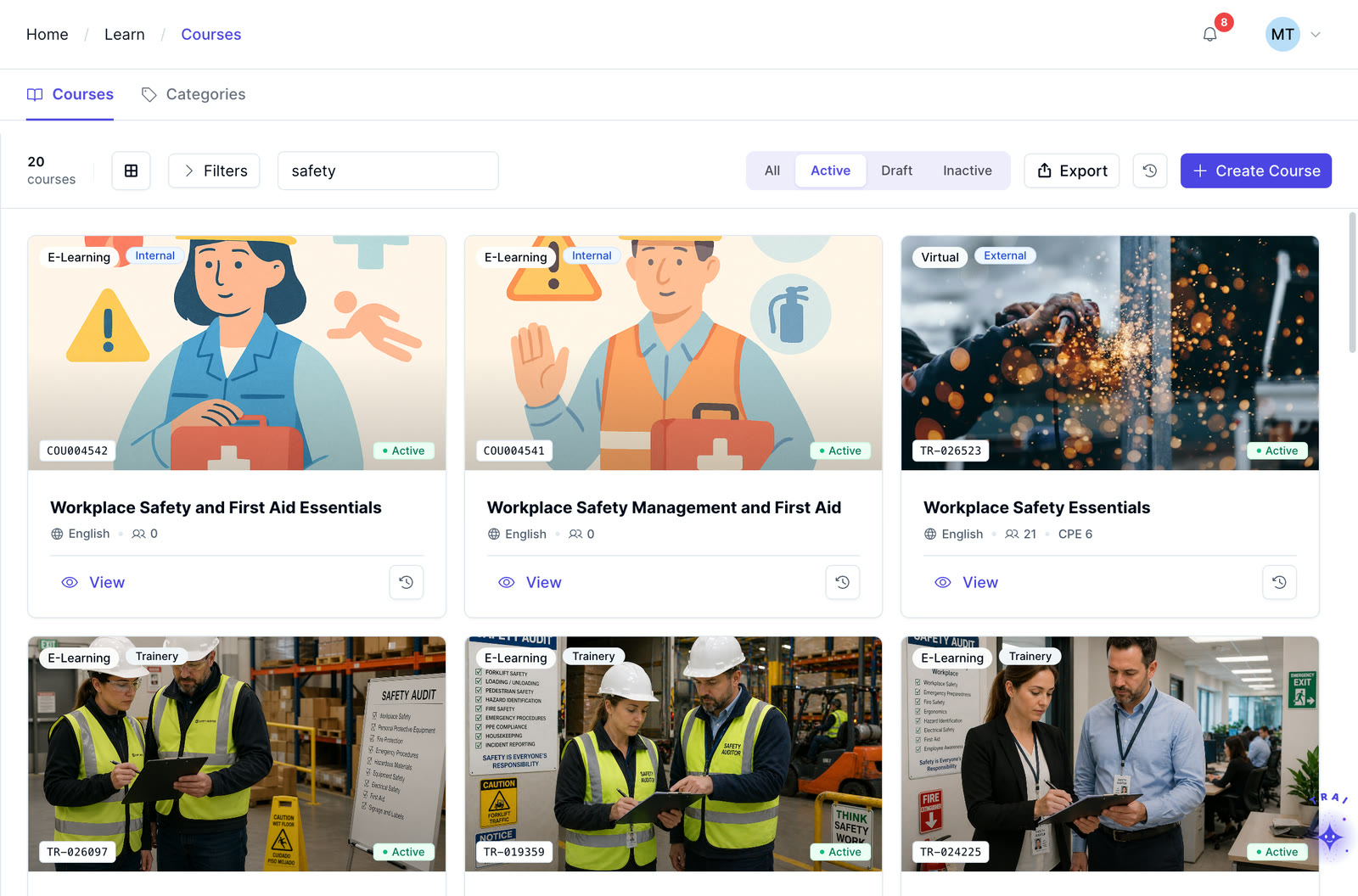
Learn how paths combine digital courses with instructor-led training management and extend structured curricula through external learner training.
No, not unless the administrator explicitly allows it. Gating logic means a module only opens once its prerequisites are completed. This ensures the training sequence is followed and that compliance-sensitive paths cannot be circumvented.
Yes. A Trainery Learning Path can combine self-paced eLearning courses, instructor-led sessions scheduled in TraineryLMS, coaching touchpoints, and on-the-job assessments, all within a single sequential curriculum and tracked in one learner record.
Role-based and other assignment rules can be configured to support automated enrollment. Confirm the exact trigger fields and TraineryCORE workflow used for role, department, location, or hire-date changes in your environment.
A Learning Path is the curriculum structure: the defined sequence of courses with prerequisites, gating, and milestones. A Learning Journey is the learner’s personalized experience of that curriculum, blending assigned courses, optional content, coaching touchpoints, and milestone celebrations into a continuous development timeline. Paths are the structure; Journeys are the experience.
Yes. Trainery’s Extended Enterprise Training capability allows Learning Paths to be deployed to external learner portals for partners, resellers, customers, and association members, using the same platform and tracking infrastructure as internal employee paths.
Path length should be designed around the program’s learning objectives, prerequisites, and learner experience. Confirm any platform or configuration limits during implementation for unusually large programs.
When Trainery and PerformSpark are configured for connected development workflows, learning-path completion data can support performance and development discussions. Confirm the exact fields, synchronization method, and workflow required for your environment.
Whether you need digital course delivery at scale or structured ILT operations, our team will help you find the right fit for your organization.