Instructor portal for ILT & corporate training delivery

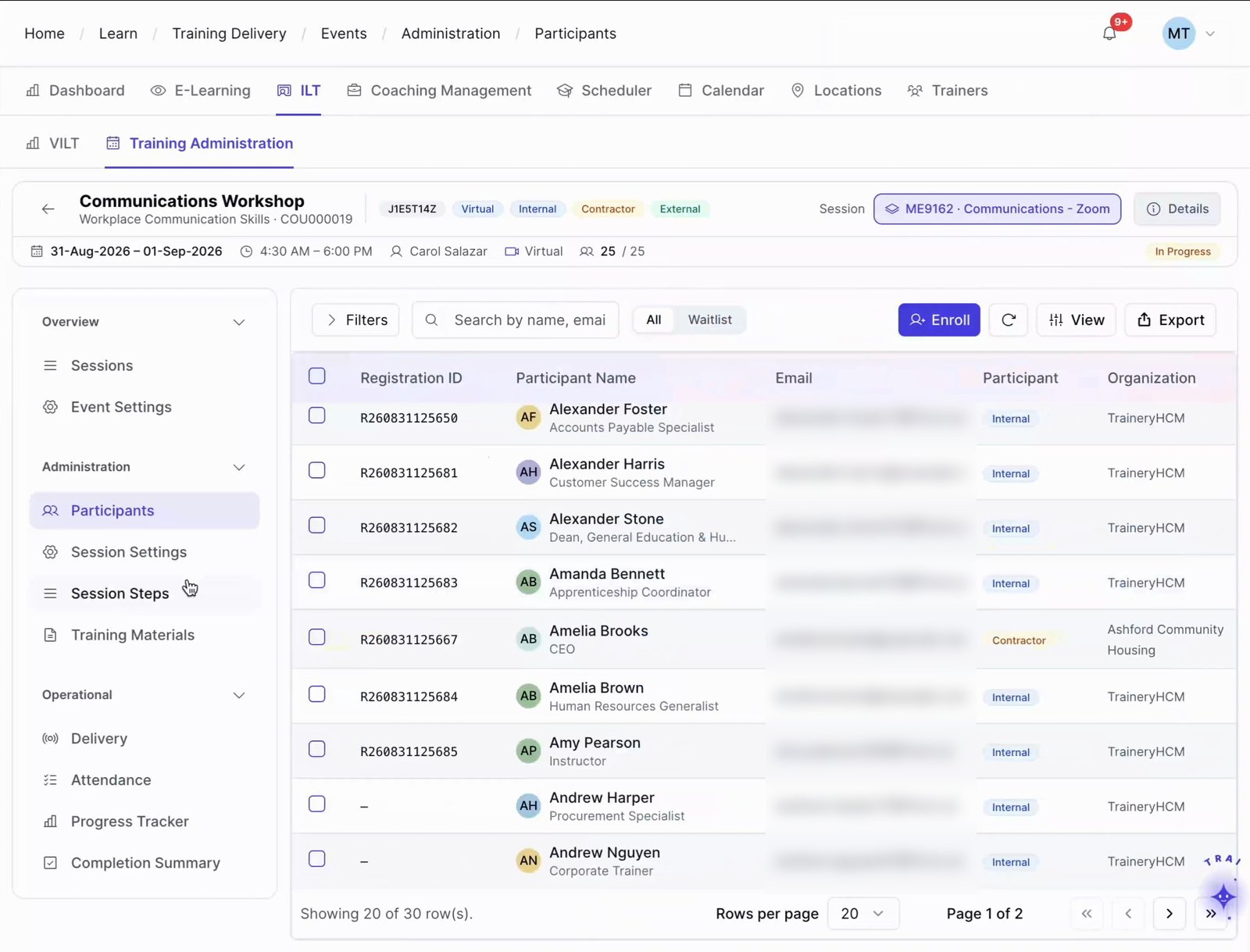
Give trainers and facilitators one workspace for assigned sessions, rosters, materials, attendance, evaluations, and learner follow-up, without requiring access to the full training administration interface.

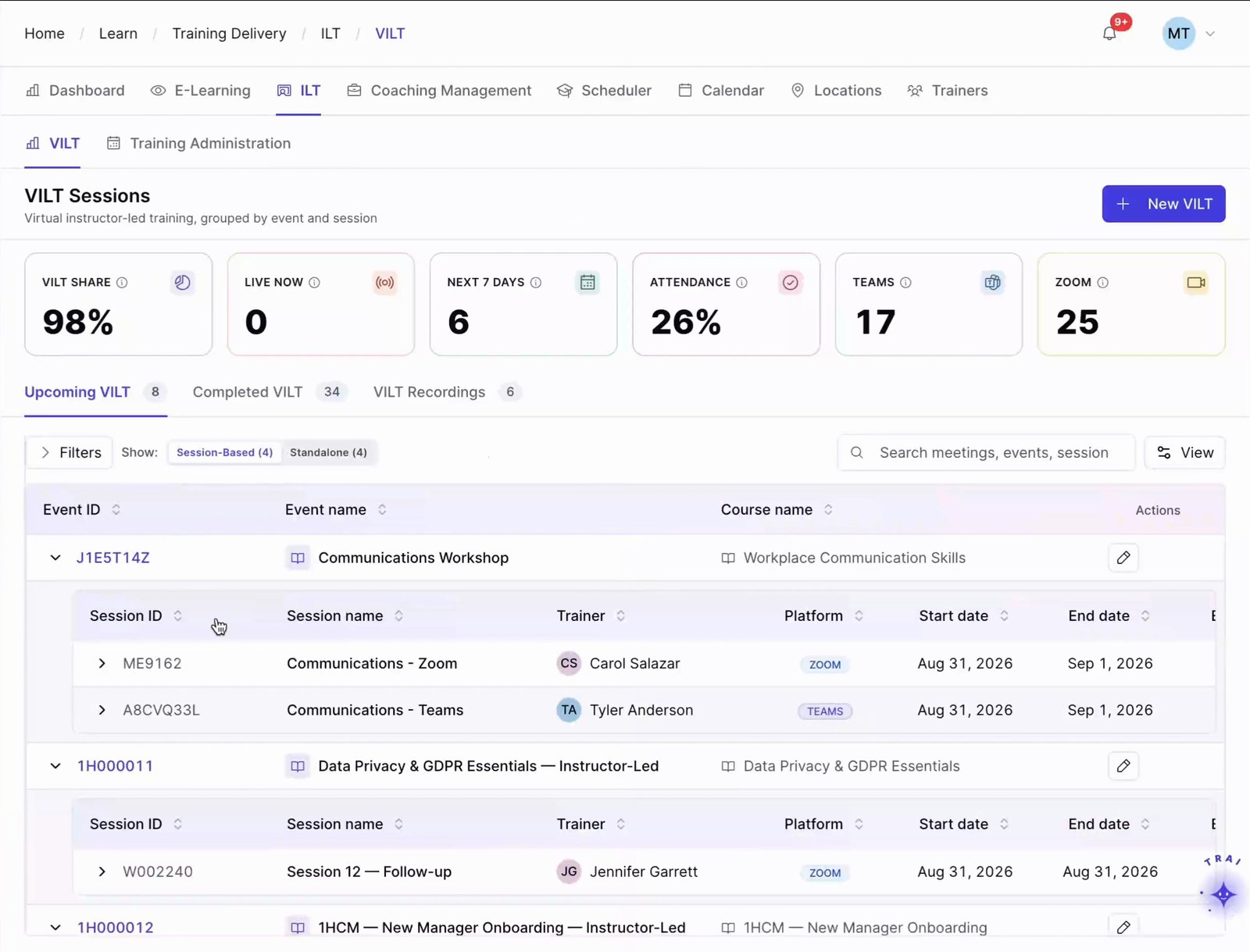
Admin VILT Sessions page: KPIs plus upcoming events with their sessions, trainer, platform and dates; admin view, not an instructor-only portal

How the instructor portal works

An instructor portal is a focused workspace where trainers can review assigned sessions, rosters, materials, attendance tasks, learner communication, evaluations, and follow-up without broader administrator access.

TraineryLMSILT & virtual trainingTraineryOPS
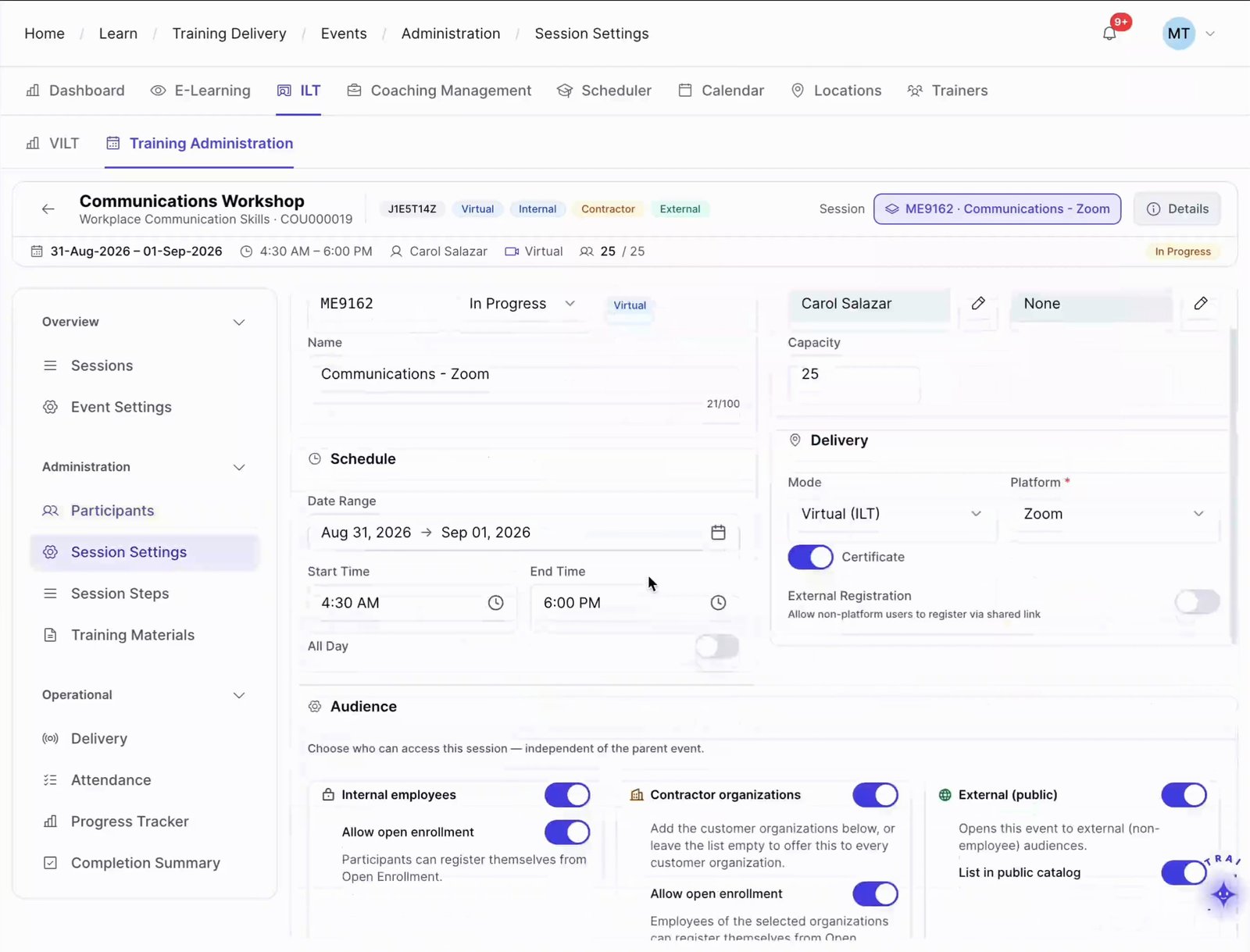
Session Settings for a session: trainer, capacity 25, date range and times, delivery mode/platform, certificate, audience toggles
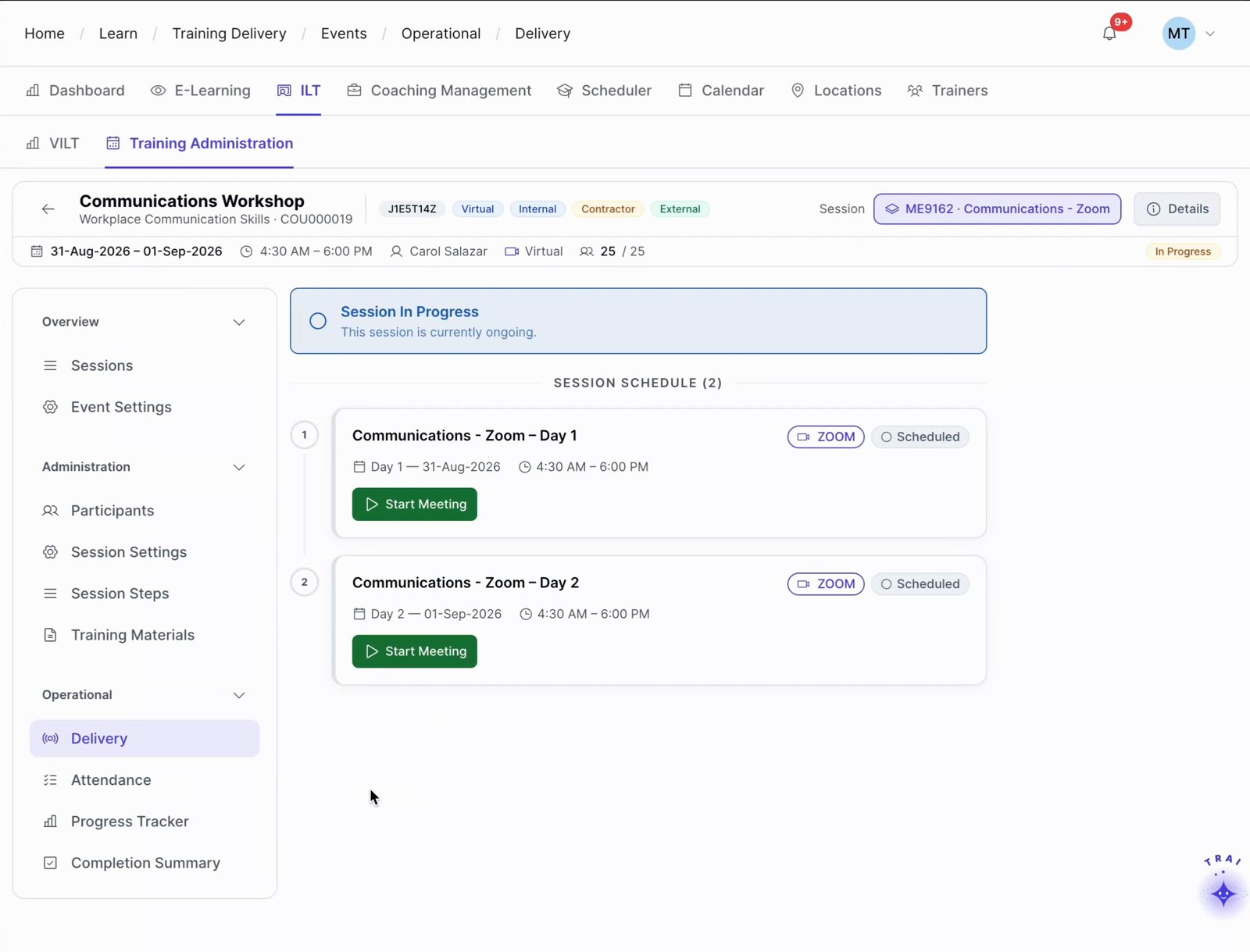
Event Delivery: Session In Progress banner and the 2-day session schedule with Start Meeting buttons
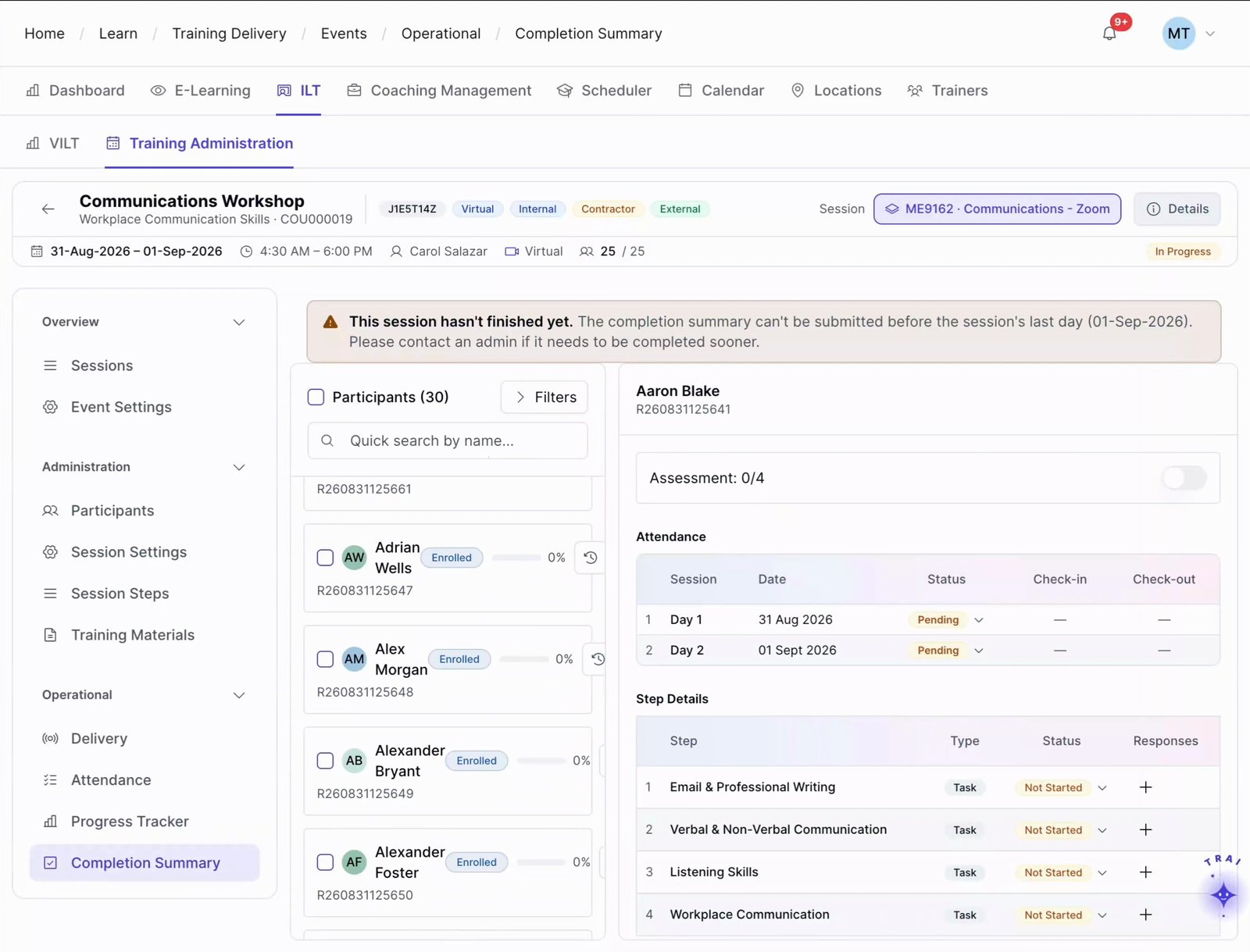
Completion Summary: not-finished warning, participant list with progress, per-learner attendance by day, step details and assessment; no evaluation ra
  1. Step 1

    Instructor sees their full schedule

    On login, the instructor sees upcoming sessions with rosters, locations, virtual links, material status, and pending actions. Core session details needed for preparation are visible in one place, reducing reliance on separate support requests.

  2. Step 2

    Delivers the session and marks attendance

    During or immediately after a session, the instructor can record attendance directly in the portal. Confirm how attendance updates learner records and downstream reporting for the Trainery modules and workflow configured for your organization.

  3. Step 3

    Reviews, feedback, and improves over time

    Post-session evaluation results and aggregate performance ratings are visible in the instructor portal. Instructors can review learner feedback and identify areas to improve between programs.

Train beyond your employees

ILT and virtual training in TraineryLMS supports customer, partner, and other external training programs with scheduling, instructor management, cost tracking, and recurring-program administration.

  • External event scheduling & registration management
  • Instructor & venue management for external programs
  • Recurring program automation & cohort management
  • Seminar, conference & onsite event administration
Explore extended enterprise training
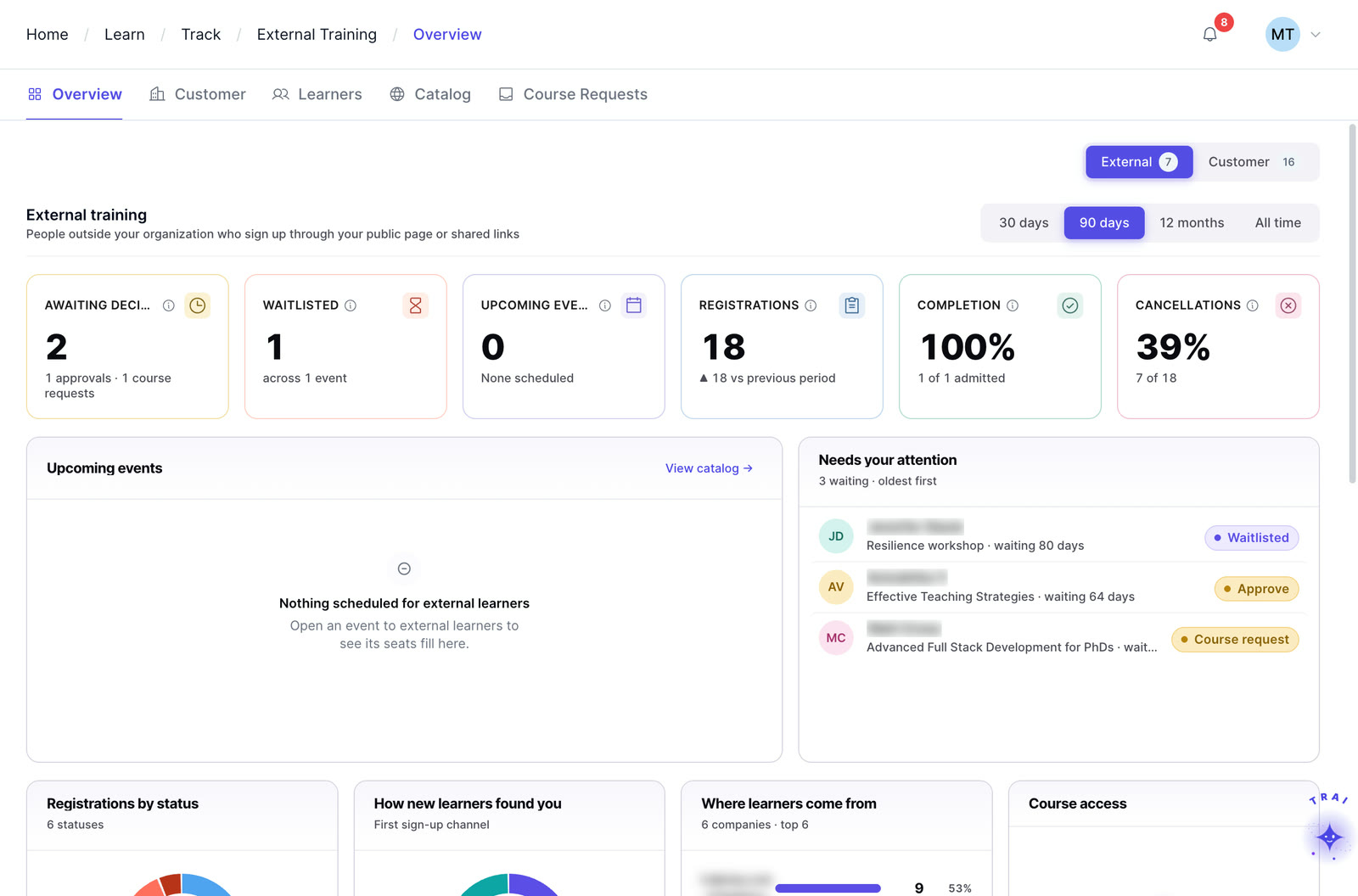
Extended enterprise in Trainery: external registrations, waitlists, completions and cancellations

Core features

Attendance, evaluations, materials, feedback and learner messages in one instructor workspace.

Self-service attendance marking

Instructors can record attendance directly in the portal during or immediately after a session. Validate how that attendance feeds learner records and reporting for the modules and workflow in scope.
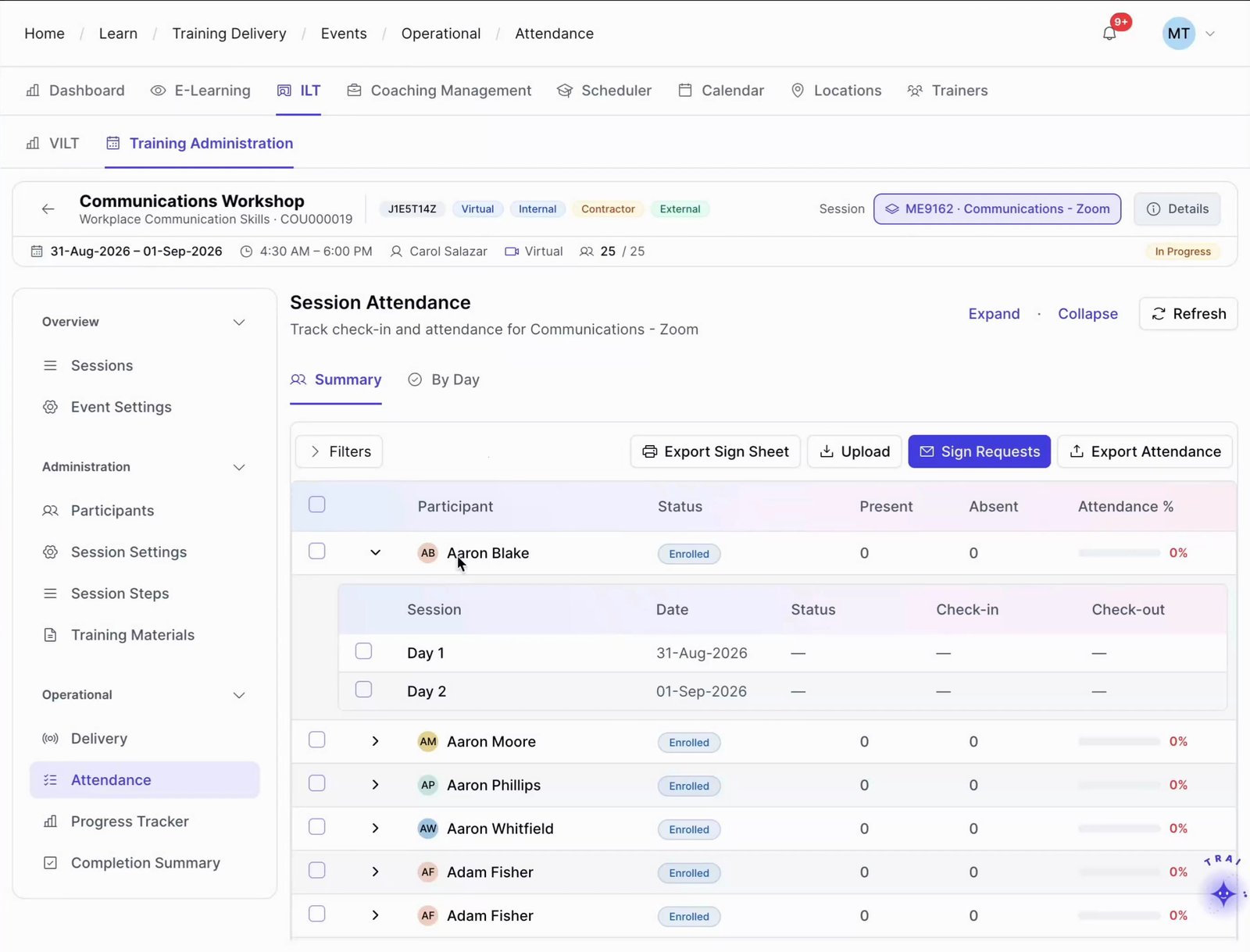
Session Attendance (Summary tab): Export Sign Sheet, Upload, Sign Requests, Export Attendance, per-learner present/absent/attendance % with Day 1/Day

Session dashboard

Instructors see all upcoming sessions in a single view with roster counts, session times, locations, virtual links, and material status. Everything needed to prepare for the next session is visible at a glance, without logging a support request.

Evaluation delivery

Deliver post-session evaluations to learners from within the portal. Evaluation results are captured against the session record and contribute to the instructor’s aggregate performance rating, visible in their profile.

Material upload and access

Upload session materials, slide decks, and supporting documents to the instructor workflow. Confirm how materials are made available to enrolled learners and retained with session records in the configured environment.

Performance feedback visibility

Instructors see their own session ratings and learner feedback over time. Visibility into performance data helps instructors improve their delivery between sessions, without waiting for a formal review from the L&D team.

Learner communication

Communicate with enrolled learners directly from the portal before and after sessions. Pre-session preparation messages and post-session follow-ups can be handled through Trainery rather than requiring instructors to use personal email.

Four capabilities. One platform.

TraineryLMS brings course delivery, training management, coaching and a content marketplace into one integrated platform.

LMS (learning management system)

TraineryLMS focuses on the delivery and tracking of digital learning experiences directly to the learner.

  • Delivers and tracks online courses
  • SCORM 1.2, SCORM 2004, xAPI & AICC support
  • Learner-facing: self-paced & blended learning
  • Tracks completions, scores, certifications

Best for: Digital course delivery at scale

Training management

ILT and virtual training in TraineryLMS optimizes the back-office operations, logistics, and financial management of training programs.

  • Plans and manages training programs
  • Schedules ILT sessions, instructors, venues
  • Admin-facing: operations & logistics
  • Tracks costs, attendance, and training activity

Best for: Structured training operations

Coaching

Coaching in TraineryLMS gives managers and L&D teams a structured system for coaching conversations, goals and session tracking.

  • One-on-one and group coaching
  • Goals, milestones and session tracking
  • Program reporting for L&D teams

Best for: Structured manager coaching

Content marketplace

TraineryXchange adds ready-to-use courses across compliance, safety, leadership, onboarding and technical skills.

  • 10,000+ ready-to-use courses
  • Library courses sit beside your own in the catalog
  • Access depends on your Trainery agreement

Best for: Ready-made course content

  • User experienceLearners find online courses and live sessions in one place, while admins plan sessions, instructors and venues in the same system.
  • Data & analyticsLearning progress and assessment results sit beside attendance, scheduling and training costs, so reports draw on one set of records.
  • SchedulingRooms, instructors and live sessions are scheduled in the same platform that gives learners access to online courses.

Learning management system

The learning delivery layer for online courses, role-based learning, SCORM/xAPI content, and supported HRIS connection workflows.

TraineryLMSILT & virtual trainingCoachingCredentialsTraineryXchange
  • Give instructors a focused workspace for session schedules, rosters, attendance, materials, learner communication, and follow-up.
  • Give instructors one place to review upcoming sessions, rosters, materials, and required actions.
  • Keep instructor-facing session details separate from broader training administration controls.
  • Give instructors one consistent place to review assigned sessions, materials, and required follow-up.
  • Reduce reliance on emailed rosters, attachments, and disconnected session notes.
Session operationsInstructor workflowAttendance & recordsFeedback & follow-up
Book a demo

Use cases by role

How internal instructors, external instructors and subject-matter experts use the portal.
  • Instructor: preparing for a session with 22 learners across two locations without asking the coordinator for the rosterThe instructor opens the portal and sees the session details, full roster with learner names and locations, materials checklist, and room or virtual link. All preparation information is in one place, without a single email to the L&D team.Outcome: Session fully prepared without coordinator involvement
  • External instructor: delivering and documenting a specialist technical training program without accessing internal systemsThe external instructor accesses only their assigned sessions in the portal. They upload materials, deliver the session, mark attendance, and submit evaluation results, all without ever seeing employee records, course libraries, or administrative settings.Outcome: Secure external access scoped to assignment only
  • Subject-matter expert: delivering a one-off session on a specialist topic and submitting documentation without chasing HRThe SME can access the assigned session workflow, mark attendance, and upload supporting materials. Confirm how completion records and document storage are configured for the modules in scope.Outcome: SME involvement contained to exactly what they need
  • Instructor: reviewing learner feedback from last month’s sessions before designing the next cohortThe instructor opens the feedback section of the portal and sees session-by-session ratings, learner comments, and aggregate performance scores across all sessions delivered in the past 30 days. Specific areas for improvement are visible without requesting a report.Outcome: Self-directed performance improvement between cohorts
External instructor access Example workspace
R. VanceExternal instructor, 2 assigned sessions
  • Assigned sessionsRosters, materials, attendance and evaluationsVisible
  • Employee recordsOutside the assignmentHidden
  • Course librariesOutside the assignmentHidden
  • Administrative settingsOutside the assignmentHidden

Give instructors a delivery workspace instead of the full admin interface

A focused Instructor Portal keeps schedules, rosters, materials, attendance, and learner communication in one delivery workspace, reducing reliance on separate emails and administrative screens.

  • Purpose-built instructor view without admin interface access or complexity
  • Performance feedback visible to instructors continuously, not just at review time
  • External instructors and vendors access the portal without full platform credentials
  • Attendance marked directly in the portal and flows into records automatically
  • Material upload and learner communication handled inside the platform
Explore ILT & virtual training
My feedback, last 30 days Example workspace
Sessions delivered6
Average rating4.6
Evaluations returned112
  • Forklift refresher, Nov 34.8
  • Manager ILT, Nov 54.4
  • Lockout / tagout, Nov 104.5
Latest learner commentMore hands-on practice time on the truck, please.

Frequently asked questions

Do external instructors and vendors get the same portal access as internal trainers?

External instructors access the same Instructor Portal but with access scoped to their assigned sessions only. They can see their rosters, upload materials, mark attendance, and deliver evaluations without being able to view any data from sessions or programs they are not assigned to.

Can instructors see learner completion history or only session attendance?

By default, instructors see attendance records for their own sessions. Access to broader learner completion history is controlled by the administrator’s role configuration. If your L&D team wants instructors to have visibility into prior learning for context when delivering a session, that access can be enabled per instructor or session type.

How does attendance marked in the portal flow into learner records?

Attendance recorded in the Instructor Portal can feed the learner record and related reporting workflows. Confirm the exact completion logic, refresh timing, and Learning Path or Learning Matrix behavior for the modules configured in your environment.

Can instructors deliver evaluations to learners directly from the portal?

Yes. Post-session evaluations configured by the L&D team are accessible in the Instructor Portal. Instructors trigger the evaluation distribution at the appropriate time and can monitor response rates from within the portal. Evaluation results contribute to the session record and the instructor’s aggregate rating.

Can instructors update session materials after a session has been published?

Instructors can manage session materials through the portal when that workflow is enabled. Confirm how revised materials are exposed to learners and retained with session records for your configuration.

Do instructors get notified of session changes such as reschedules or roster updates?

Trainery’s Notification Engine can support instructor alerts for relevant session changes. Confirm which events, channels, recipients, and timing rules are configured for your training workflow.

How does the Instructor Portal connect to the Instructor Management module?

Instructor Management is the administrative layer for instructor profiles, qualifications, availability, and assignments. The Instructor Portal surfaces the instructor-facing information required for assigned work; confirm the exact refresh and setup behavior for your configuration.

Ready to transform your training infrastructure?

Whether you need digital course delivery at scale or structured ILT operations, our team will help you find the right fit for your organization.