
Workforce Records
Maintain the employee and workforce information needed to support learning administration, team visibility, work role training, and connected learning records.
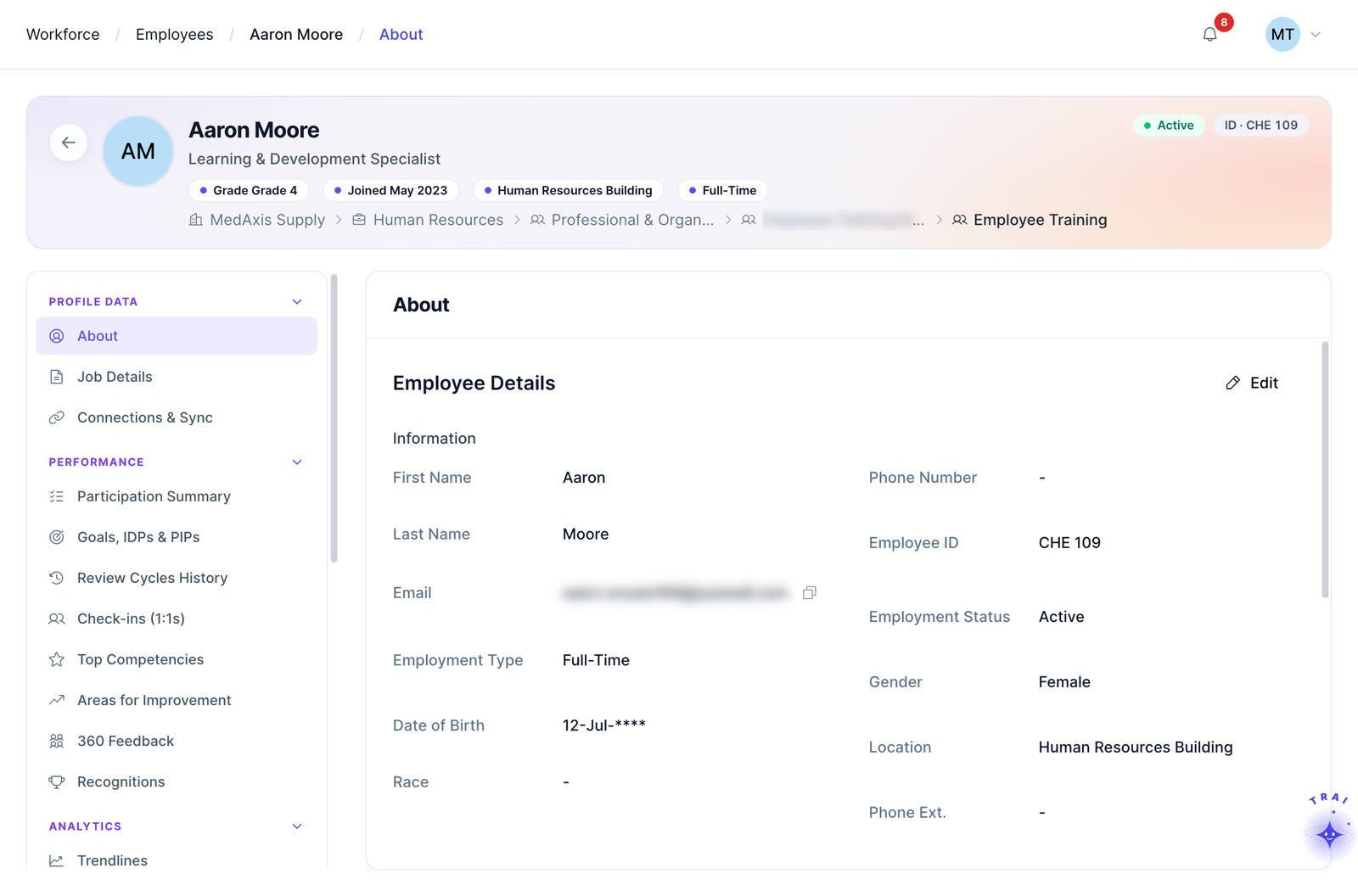
Organize people, work roles, role-based training, learning requirements, and learner access so training can be managed around the work employees actually perform.
Watch people, work roles and training requirements connect, so learning records, credentials and compliance status sit in the context of the work each employee performs.
Learning operations become harder to manage when employee information, work roles, training requirements, learning records, certification tracking, and compliance training are spread across disconnected systems and processes.
Instead of managing training as a separate activity, teams can use workforce context to make learning administration more relevant to roles, teams, and requirements.
Explore core capabilities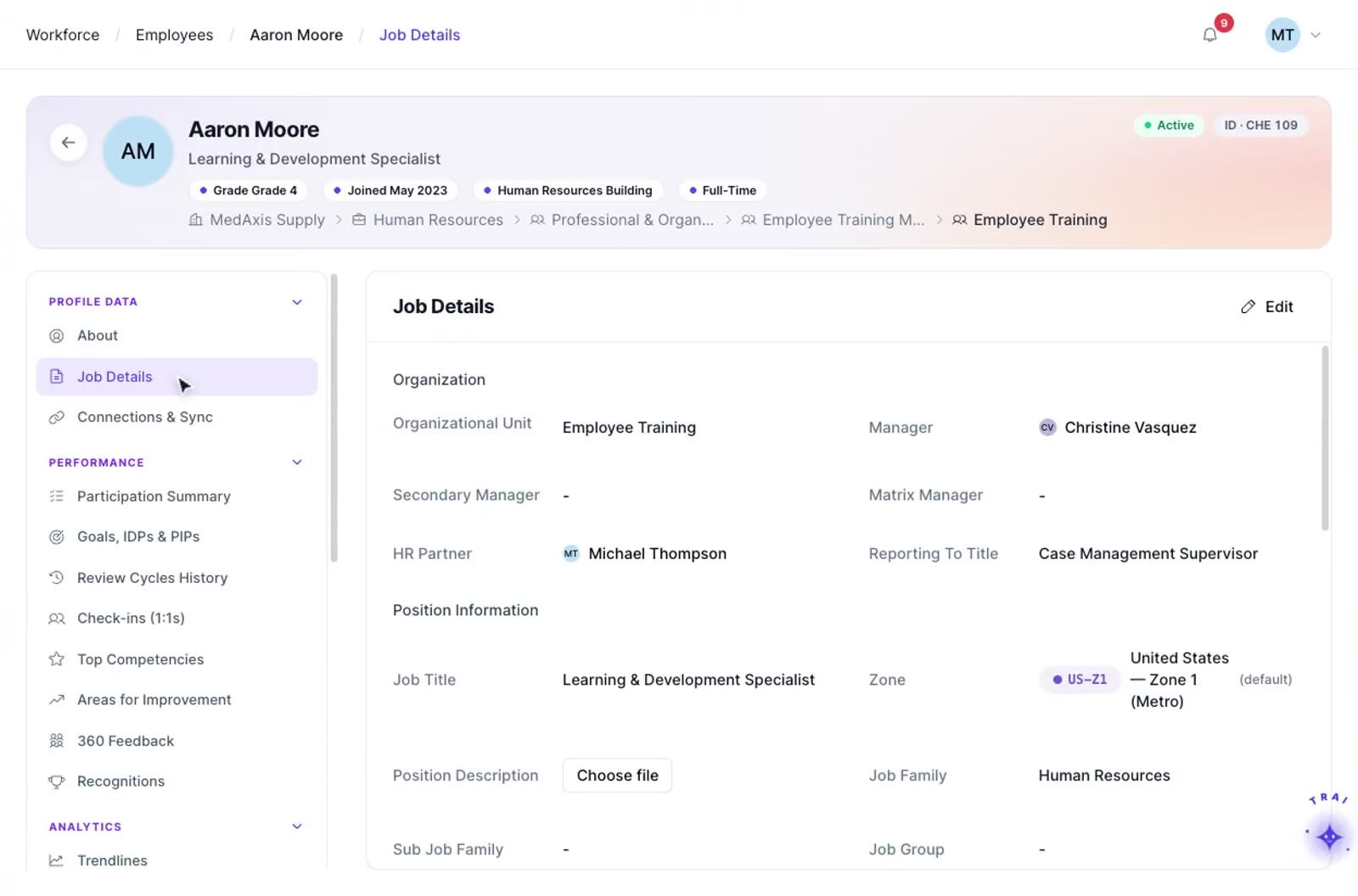
Connect the people, roles, organizational context, and employee training requirements that support structured learning operations across the course catalog, learning paths, and e-learning administration.
Maintain the employee and workforce information needed to support learning administration, team visibility, work role training, and connected learning records.
Connect employees with the roles they perform and the training those roles require.
Keep workforce information structured around relevant teams and employee groupings so learning activity can be understood in the right business context.
Review employee and team training information alongside learning progress, completion status, and relevant role requirements.
Connect work roles with required courses, credential information, compliance context, and completion status.
Bring workforce context together with learning records, credentials, role requirements, and other Trainery learning workflows.
TraineryCORE gives role-based training a stronger workforce foundation by connecting employees with work roles and the learning requirements associated with those roles, while related credential risk monitoring, renewal tracking, and reports and analytics provide additional operational context.
Understand who training and learning activity belongs to.
Connect employees with the work roles they perform.
Associate courses, credential requirements, and compliance context with relevant work roles.
Review learning completion and requirement status in the context of the employee and role.
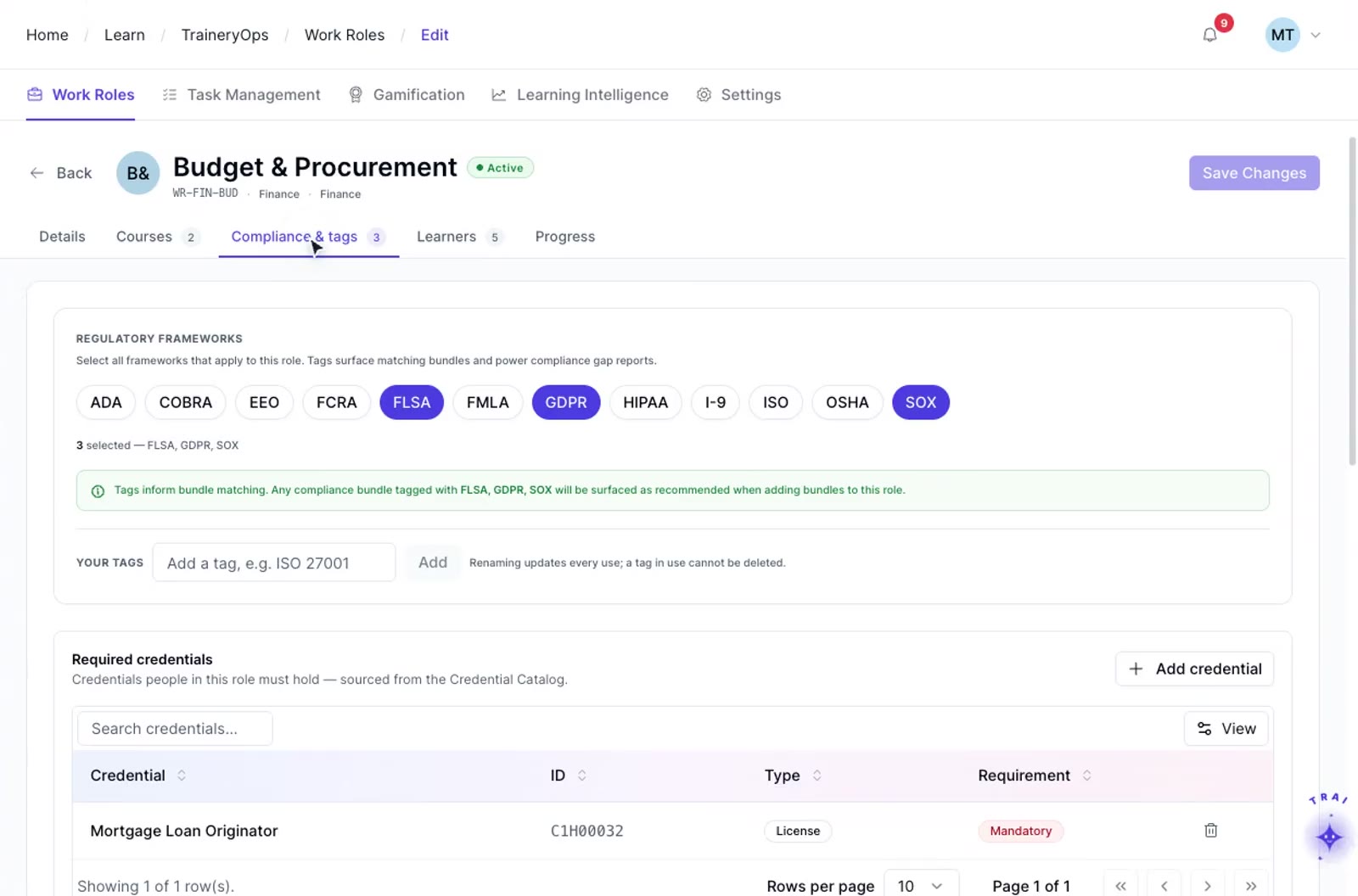
TraineryCORE helps connect workforce information with the broader learning journey so teams can move from people and roles to requirements, training, records, and ongoing status.
Build workforce context. Maintain employee and work-role context used across connected Trainery learning operations workflows.
Define role requirements. Connect relevant courses, compliance context, and credential requirements to defined employee roles.
Activate required learning. Manage courses, learning paths, and supported training activities through connected Trainery workflows.
Keep records connected. Carry completed learning into connected learner records and maintain ongoing learning history.
Check requirement progress. Review relevant learning and credential requirements against each employee’s current completion status.
Track ongoing compliance. Review renewal, risk, requirement, and compliance status through connected Trainery compliance views.
TraineryCORE organizes employee records, organizational structure, hierarchy, roles, and access settings used across Trainery learning and training workflows. It provides workforce context for role-based assignments, reporting, and connected operations.
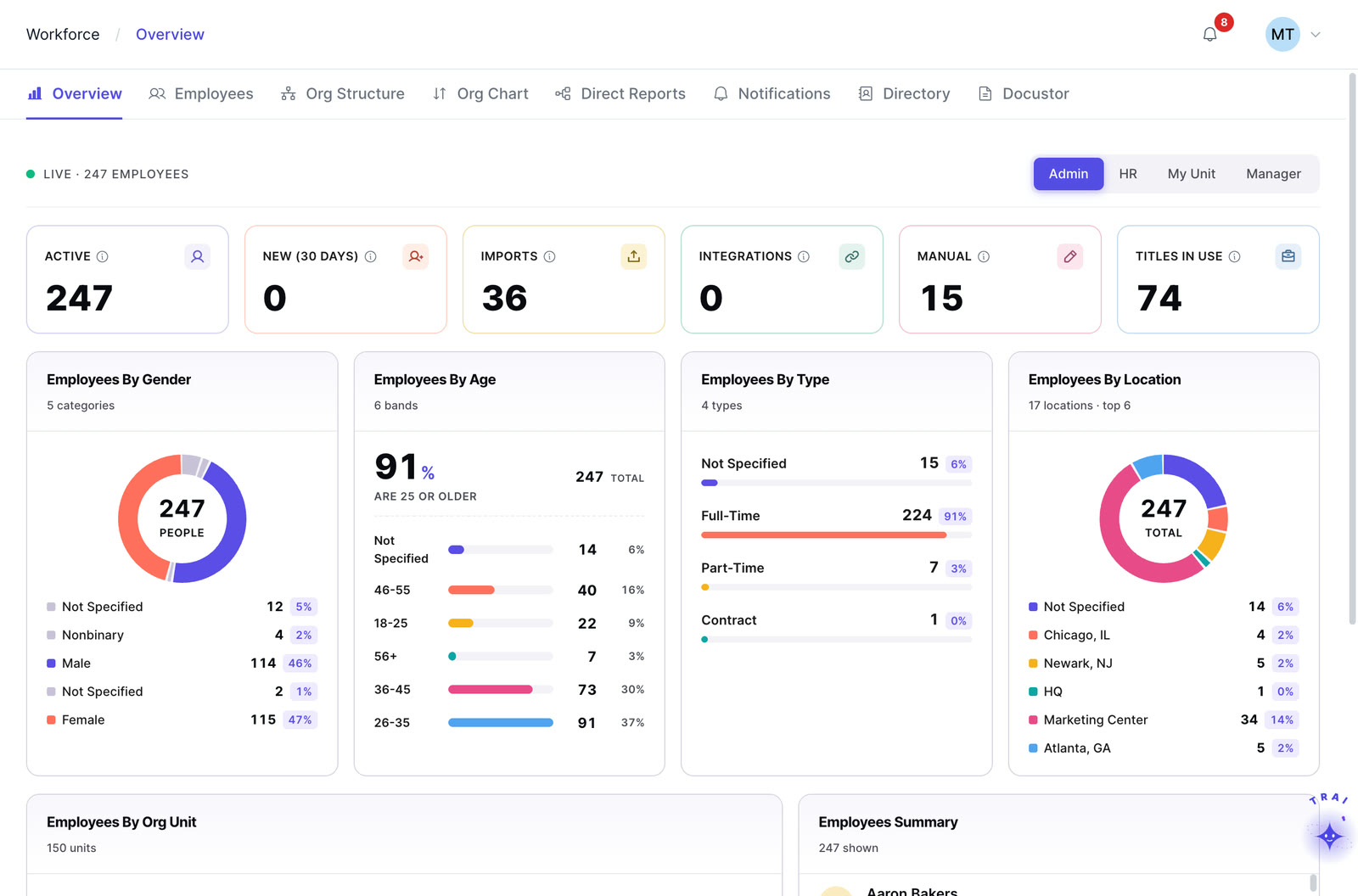
View workforce headcount by department, location, role, and employment type. Use the dashboard to review workforce distribution and other configured people metrics.
Maintain employee records such as personal details, job history, compensation history, benefits, and documents according to the fields and permissions configured for your organization.
Define multi-level department hierarchies, cost centers, business units, and location groupings. These structures can support learning assignments and reporting when the relevant Trainery workflows are configured.
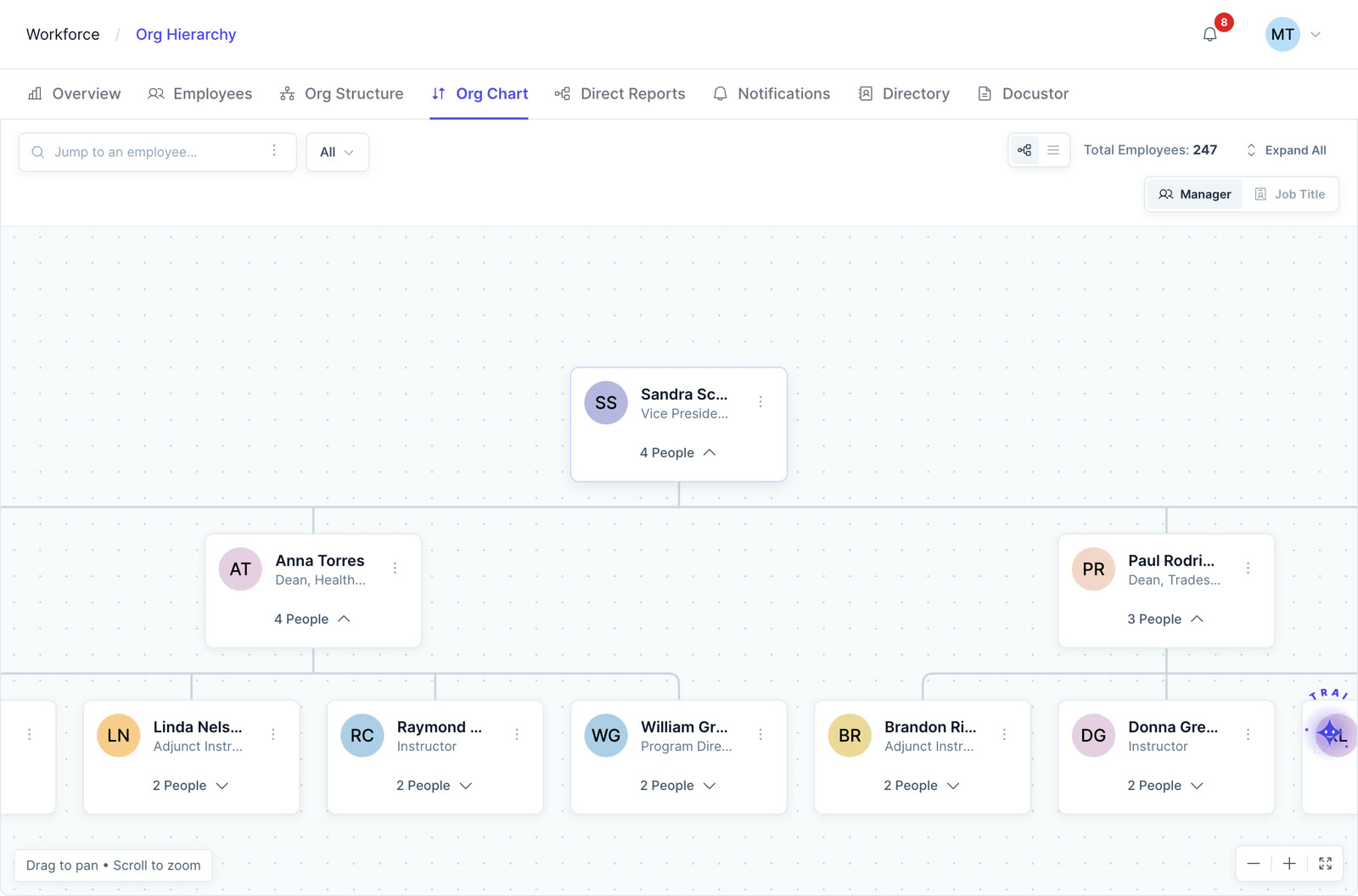
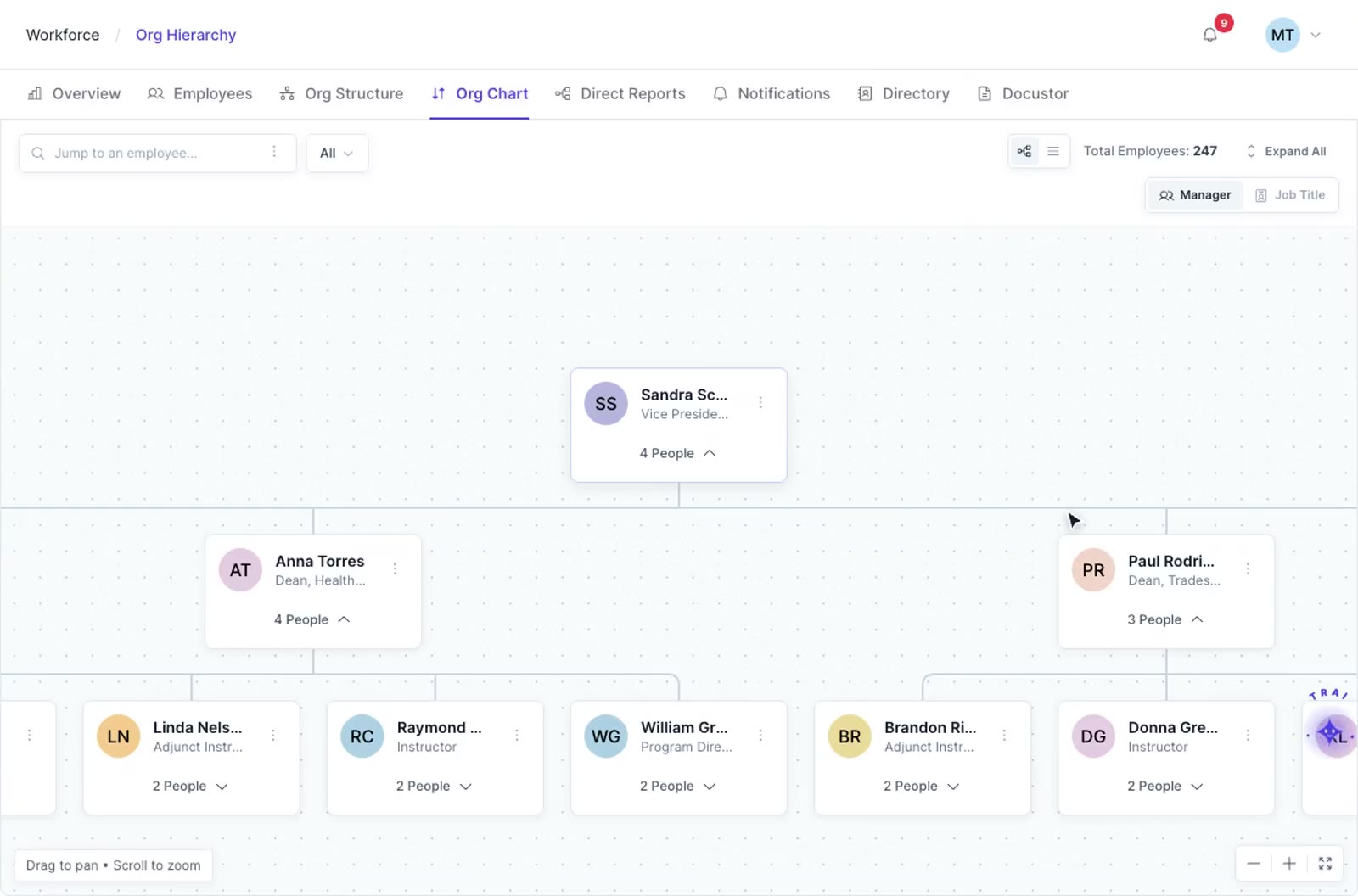
Generate an org chart from configured organizational structure data and review reporting relationships by department or employee. Confirm available export and refresh behavior for your environment.
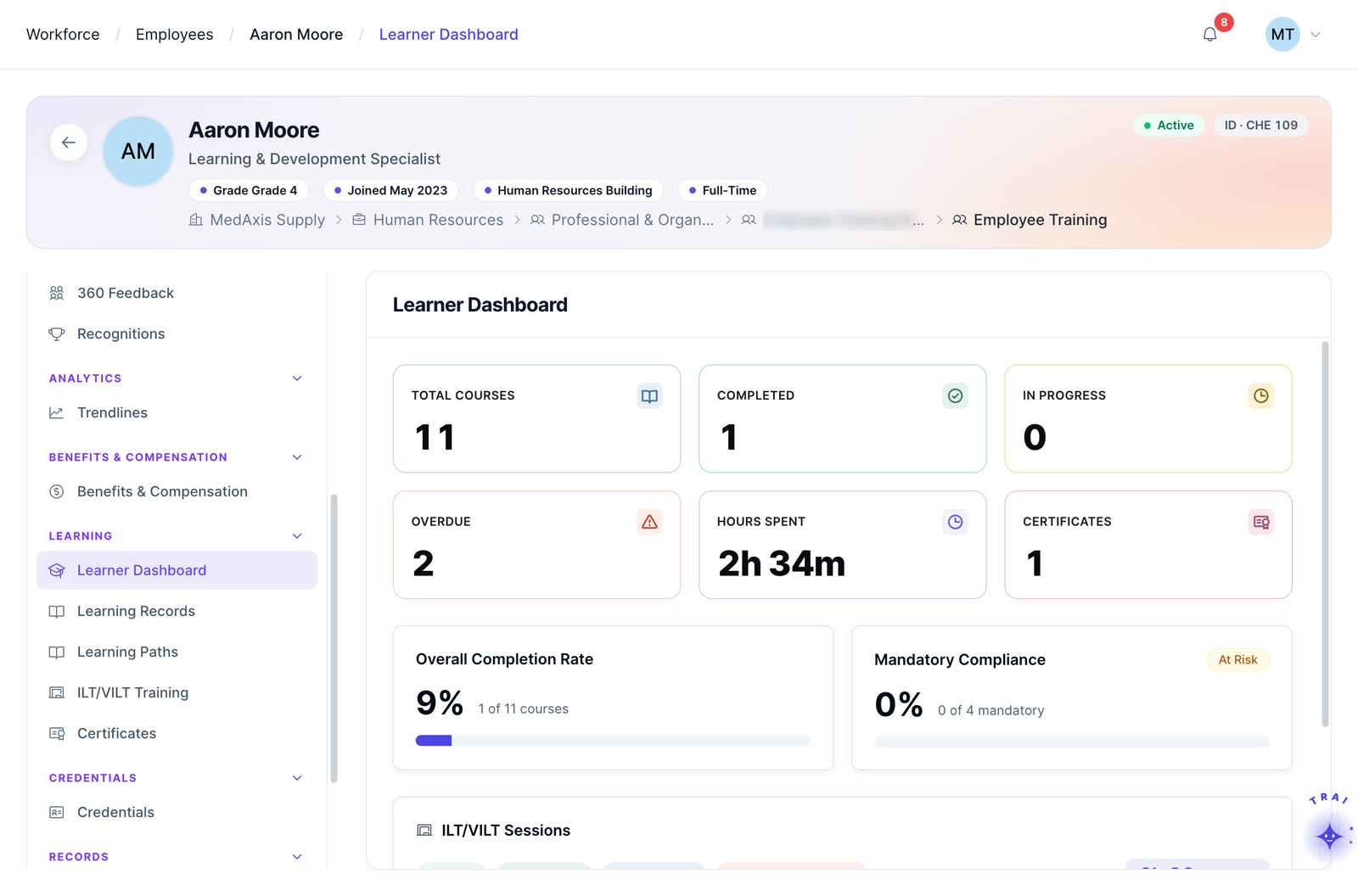
Manager-centric view of direct reports and the Trainery data configured for manager access, such as training status, credentials, and learning plan progress. Confirm the fields and visibility rules required for your implementation.
Searchable, role-filtered directory of all employees with contact information, department, manager, and role. Configurable visibility rules ensure employees see what they’re meant to see.
Comprehensive configuration and access management for your organization’s settings, hierarchy, and compliance requirements.
TraineryCORE is most useful when workforce context carries into TraineryLMS, its ILT and virtual training, and TraineryOPS workflows already managed across Trainery.
Common questions about what TraineryCORE is, how it works alongside your HRIS, and how roles, hierarchy, access and documents are handled.
TraineryCORE provides the workforce and work-role context used across connected Trainery learning operations. It helps organize employees, work roles, training requirements, learning records, credentials, and related workforce information.
TraineryCORE is not positioned as the LMS itself. Trainery’s broader platform supports course administration, learning paths, registrations, records, ILT/VILT operations, credentials, compliance, and learner workflows, while TraineryCORE provides workforce context around those activities.
Trainery supports work roles connected with courses, compliance context, credential information, completion fields, and learner-facing role requirements. This allows training to be organized around the work an employee performs rather than only around individual course assignments.
Trainery work-role capabilities can include courses, compliance fields, regulatory-framework fields, credential information, completion fields, and employee views. Exact configuration depends on the organization’s implementation.
Trainery includes employee views and team-training capabilities, along with learning records, credential information, and role-requirement context. Exact visibility should be configured according to the implementation and access model.
TraineryCORE provides workforce data and organizational context used across Trainery learning workflows. It can complement an existing HRIS by maintaining the people, role, hierarchy, and access information needed inside Trainery. Confirm the supported integration, fields, sync direction, and update cadence for your HRIS during implementation.
TraineryCORE can represent multi-level organizational structures such as divisions, departments, cost centers, business units, and locations. Confirm matrix or dotted-line requirements and how hierarchy changes should affect learning assignments, reporting, and approvals in your configuration.
TraineryCORE supports role-based access configuration for different administrative and business audiences. Confirm the exact permission granularity, custom-role options, and field-level controls required for your security model.
Docustor supports document storage for workforce and training records such as offer letters, contracts, compliance documents, policy acknowledgments, credentials, and other configured files. Confirm version history, access controls, retention, and security requirements for your environment.
TraineryCORE can support bulk employee-data import and integration workflows with supported HRIS systems. Confirm the source system, fields, sync direction, historical-data scope, and validation process required during implementation.
The org chart is generated from TraineryCORE organizational structure data. When role, manager, department, or team information changes in the source data, confirm the expected refresh timing and downstream effects on learning assignments and reporting for your configuration.
The Access Trail records supported access, permission, employee-record, and administrative events for review. For audit use cases, confirm which events are captured, how long they are retained, and which exports or evidence formats your compliance program requires.
Connect people, work roles, employee training requirements, learning records, credentials, and compliance context to give your learning operations a stronger workforce foundation.